Choose an external SSD if you often work on active CAD projects directly from the drive. An HDD is better suited to a large archive of older versions, when storage capacity matters more than working quickly from the drive. A single drive won’t automatically keep recoverable versions: set up version backups, check that linked CAD files are included, and keep a separate copy in another location, as recommended by the National Cyber Security Centre.
Who is this relevant to?
CAD user with lots of revisions
You want to be able to restore earlier project versions. So consider not only storage capacity, but also how you set up version backups. Microsoft Support explains how File History can help restore earlier versions of files.
Designer working from the drive
You open or edit active project files on external storage. The performance of both the drive and your computer’s port matters. ID.nl explains why random read and write performance can make a noticeable difference when working from an external drive.
Project archive manager
You keep older versions or carry confidential project data with you. Consider capacity and recovery copies, and assess security in light of the data involved. The Dutch Data Protection Authority stresses that security measures should be appropriate to the data processing.
What should you look for?
| What to consider |
What should you check? |
Who should pay particular attention? |
| Restoring versions |
Check whether backups are made automatically or on a schedule, and whether the right project folders are included. Test that you can restore an earlier version. |
I want to be able to restore an earlier CAD version after a mistake, rather than just have a folder full of separate copies. Around 36% of consumers say restoring revisions is their top priority. |
| Archive capacity |
Count your project folders, linked files and the versions you want to keep before choosing a capacity. |
I keep lots of completed projects and older versions, so I want to leave room for my archive to grow. Around 29% of consumers put archive capacity first. |
| Working from the drive |
Check the drive, cable and computer port connections. The maximum speeds quoted are no guarantee of how quickly your CAD work will run. |
I open or edit active files directly from external storage and don’t want to waste time waiting. Around 21% of consumers say working from the drive is their top priority. |
| Data protection |
Check whether the exact model supports password protection or encryption, and how recovery works if you forget your password. Keep a separate copy as well. |
I carry confidential project files and want to be able to restrict access if the drive is lost. Around 14% of consumers put protecting confidential data first. |
Common pitfalls
-
Thinking one external drive is a complete backup strategy
If that one drive fails or becomes inaccessible, you could lose the only saved copy too. The National Cyber Security Centre recommends keeping separate backups as well as your working files.
Keep copies in another storage location and regularly check that you can restore an earlier project version.
-
Comparing only the highest advertised SSD speed
Manufacturers’ speed figures are maximums achieved under certain conditions. Your computer’s port, the cable and the way you work all affect the speeds you’ll get in practice.
Check that the drive’s connection is compatible with your computer, and focus on speed if you regularly work directly from the external drive.
-
Copying a CAD design without checking its linked files
A saved design may be incomplete if it’s missing external design references. For a distributed Fusion design with external references, Autodesk describes an F3Z archive.
According to Autodesk, export this type of design as an F3Z archive and check that you can load the archive again.
-
Treating an HDD archive and an SSD for active work as interchangeable
Storage for older versions and speed when working directly from a drive are different priorities. An HDD is better suited to storing completed versions, while an SSD makes more sense if you often work from the drive.
Decide in advance whether you’ll mainly use the drive as an archive or regularly open active projects from it.
Brands to consider
Western Digital
The My Passport range includes portable HDDs suitable for project archives. Western Digital’s data sheet lists a 4 TB version in black, model WDBPKJ0040BBK-WESN.
- Western Digital says the range offers password protection, hardware encryption and backup software.
- It’s still an HDD. Check that the software version you want works with your computer, and don’t keep this drive as your only copy. Forgetting your password could prevent you from accessing your files.
Samsung
The T7 Shield range consists of portable SSDs for active projects and use on the move. Samsung lists a capacity of 2 TB for model MU-PE2T0S/EU.
- Samsung specifies sequential maximum speeds of 1.050 MB/s read and 1.000 MB/s write for this version, as well as an IP65 rating.
- These are manufacturer specifications, not measured CAD performance, and they don’t guarantee that data loss will be prevented. Actual transfer speeds also depend on your computer and connection.
Seagate
The Expansion Portable range includes portable HDDs for archiving. Seagate’s data sheet lists 4 TB for model STKM4000400.
- Seagate lists USB 3.0 and power via the USB cable for this version.
- According to Seagate, availability of Rescue Data Recovery Services varies by country. Check the terms for the version you’re considering.
Crucial
The X9 Pro 2TB CT2000X9PROSSD9 is a portable SSD designed to be carried with you and used directly for working from external storage.
- Crucial lists maximum read and write speeds of 1.050 MB/s, measured under its own test conditions.
- Actual speed and compatibility also depend on your computer, cable and formatting.
Products at Joybuy
This selection includes portable SSDs for active project files and HDDs for archiving, including a desktop model for a permanent storage location.
 No image available
SanDisk Portable SSD 1 TB
A portable SSD for carrying and opening active project files.
USB-C and USB 3.2 Gen 2. The product description lists read speeds of up to 800 MB/s.
You’ll need to set up a separate backup process to restore earlier versions.
View at Joybuy
 No image available
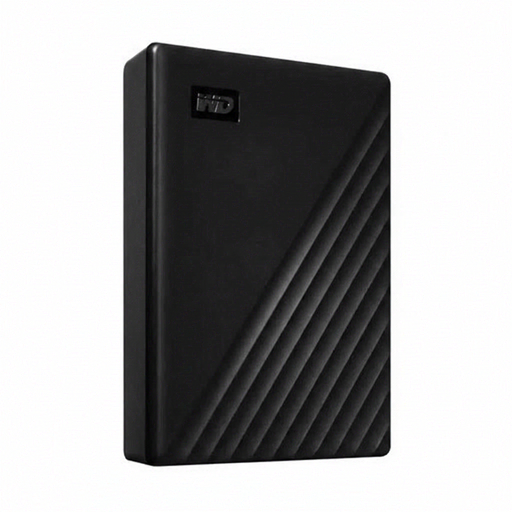
Western Digital My Passport 6 TB, white
A portable HDD for storing a large project archive.
6 TB, USB 3.0, password protection and automatic backup software, according to the product description.
Automatic backups don’t replace a separate recovery copy in another location.
View at Joybuy
 No image available
Western Digital WD Elements Desktop 24 TB
A desktop HDD for a large archive in a permanent location.
24 TB and USB 3.2 Gen 1. This model uses an external power adapter.
The external power supply makes this model less suitable as a portable storage solution.
View at Joybuy
 No image available
Toshiba Canvio Ready 4 TB
A portable HDD for carrying or archiving several project versions.
4 TB, Micro-USB B connection and USB-powered.
According to the product description, the drive must be reformatted for use with macOS.
View at Joybuy
 No image available
Samsung MU-PG2T0B 2 TB
An external SSD for active CAD files and transferring large files.
USB 3.2 Gen 2x2 and quoted sequential read and write speeds of up to 2.000 MB/s. The product description lists USB-C to USB-C and USB-C to USB-A cables.
You’ll need a compatible computer port to use the stated USB 3.2 Gen 2x2 interface.
View at Joybuy
Frequently asked questions
Does an external drive automatically let you restore older CAD versions?
No. You need to set up a backup feature and include the relevant project folders. On Windows, File History can keep earlier versions; on a Mac, Time Machine can use an external drive. Test that you can restore a project, not just that you can see the files.
What should you export from an Autodesk Fusion project?
For a distributed design with external design references, Autodesk recommends using an F3Z archive; an F3D file is for a single design. After exporting, check that the archive can be loaded again.
Are backup software or data recovery services included with every version?
It depends on the version and service. Western Digital lists software with My Passport; Seagate says Rescue Data Recovery Services aren’t available in every country. Check the terms for the version you’re considering. In the Netherlands, statutory warranty is separate from any manufacturer’s warranty.
Is encryption legally required for every CAD drive in the Netherlands?
Not automatically for every drive. Organisations processing personal data must meet the GDPR requirement for appropriate, risk-based security. The Dutch Data Protection Authority lists encryption and backups as possible measures, but not every example is suitable for every type of data processing.


