What should you consider when choosing?
First decide what you’ll mainly use the drive for: active work, storing completed projects or keeping a separate copy. These purposes can overlap, but a single drive isn’t automatically suitable as both a working drive and a recovery copy.
| What to consider |
What should you check? |
Who should give this more thought? |
| Access to active projects |
Compare SSD or HDD, the USB connection and the capacity with your computer and project files. |
If I often open or edit files directly from the drive, I don’t want to wait longer than necessary for access. Around 36% of consumers prioritise working smoothly with active projects. |
| Separate recovery copy |
Decide which folders to copy, how often they change and whether you can restore the files. |
If I want to be able to restore a project without using the cloud, I want a recent copy stored separately. Around 29% of consumers prioritise having a recovery copy like this. |
| Archive space |
Add up your project folders and allow for the capacity you’ll need for completed projects. |
If I mainly want to keep older projects, archive space matters more to me than opening files quickly every day. Around 21% of consumers prioritise archive space. |
| Sharing files between computers |
Check your computer’s ports, the cable and the file system before erasing or reformatting the drive. |
If I want to use the same drive with my Mac and Windows computer, it needs to work with my files and workflow. Around 14% of consumers prioritise sharing files between computers. |
The percentages show how these purchase priorities are distributed across different scenarios; they are not measured market shares. For formatting, Apple lists ExFAT as a format compatible with Windows. Also check whether the drive is intended for a specific Mac feature such as Time Machine.
Joybuy products for work and archiving
This selection includes external SSDs for active projects and external drives for local storage or archiving. A drive used for storage isn’t automatically a separate backup.
 No image available
SanDisk Portable SSD 1 TB
A good fit if you want to work with active project files on a portable SSD; keep a separate copy for recovery too.
Portable SSD; 1 TB.
Joybuy
 No image available
My Passport USB-C 5 TB, black
A good fit if you want to keep completed projects locally and need plenty of space; make a separate copy for recovery.
Capacity according to product name: 5 TB; USB-C.
Joybuy
 No image available
My Passport USB-C 1 TB, black
A good fit if you’re looking for a portable external drive for local project files; keep a separate, recent copy for recovery.
Capacity according to product name: 1 TB; USB-C.
Joybuy
 No image available
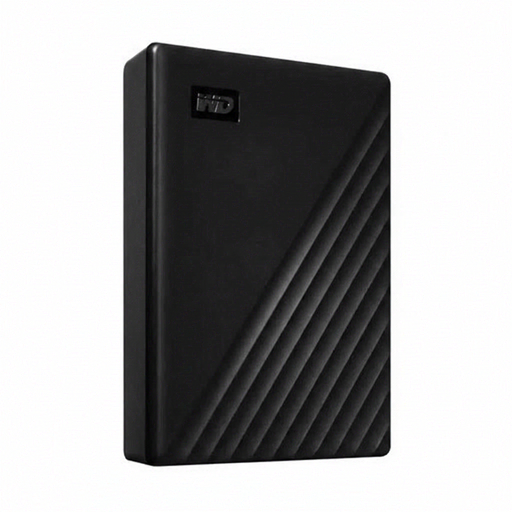
Western Digital My Passport USB-C 4 TB, black
A good fit if you need space for files locally; you’ll still need a separate copy of the drive for recovery.
Capacity according to product name: 4 TB; USB-C.
Joybuy
 No image available
Western Digital WD Elements Desktop 24 TB
A good fit if you want to keep a large local archive at a fixed workstation; you’ll also need a separate copy for recovery.
External hard drive; 24 TB; USB 3.2 Gen 1; 3.5-inch; external power adapter.
Joybuy
Frequently asked questions
Can I move a project to one external drive and call that a backup?
No. A backup is a copy you can use if the original is lost. For recovery, keep a separate, recent copy and check that you can restore your files.
Which format should I choose if I want to use the same drive with Mac and Windows?
Apple lists ExFAT as a format compatible with Windows. First check which file system the drive currently uses and safeguard your existing files before reformatting. Apple warns that a drive set up for Time Machine can’t be used for regular files at the same time.
What do the manufacturer’s warranty and statutory guarantee mean for a consumer in the Netherlands?
A manufacturer’s warranty and a statutory guarantee are different things. According to ACM ConsuWijzer, there’s no fixed two-year term for the statutory guarantee in the Netherlands: it depends on what you could reasonably expect from the product under normal use. The retailer is your point of contact.
Can I store business animation projects featuring identifiable people locally only?
Storing files locally doesn’t in itself exempt you from the GDPR. If an organisation processes personal data, it must decide on appropriate security measures based on the risks. The exception for personal or household use only doesn’t apply to business use; also assess the creation and sharing of image material separately.


