
Vandaag of morgen in huis

Kwaliteit gegarandeerd

Welkomstaanbiedingen ontgrendelen: GRATIS bezorging | Tot 80% korting | Gratis 30 dagen JoyPlus-proefperiode
Download de app
An external SSD seems like a simple purchase: you find one with enough storage and a reasonable price. However, the market is filled with marketing traps that lead to disappointment. You might buy a drive that's much slower in practice than advertised, or a model that becomes unusable after a minor drop. This guide will help you make the right choices based on factual specifications, ensuring you invest in a product that actually speeds up your workflow and keeps your data safe.
Before we look at specifications, it's crucial to recognise the marketing tricks that often lead to a bad purchase.
To bypass the traps, focus on three verifiable specifications. These determine the actual performance and reliability of a portable SSD.
An SSD's speed is entirely dependent on the combination of the drive and your device's USB port. These are the most common standards:
Therefore, always check which USB port your computer has before you buy an external SSD. Most SSDs use a USB-C SSD connection, but the underlying standard determines the speed.
The required capacity depends on your usage.
Look for objective specifications for durability:
Based on the criteria above, we have selected a few models that suit different user profiles.
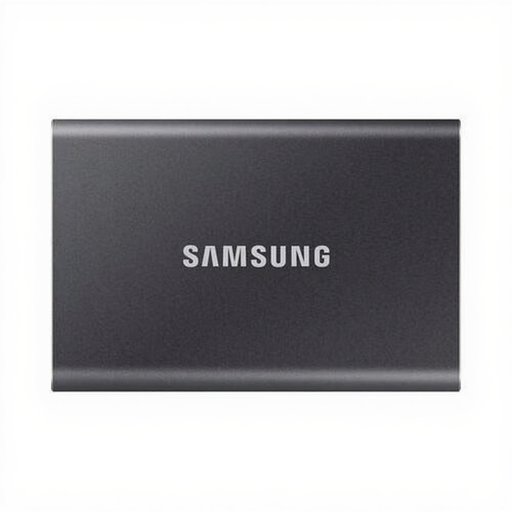
Why it fits this profile: The T7 offers an excellent balance of speed, size, and price. Ideal for daily backups, carrying work files, or expanding laptop storage. Its 1,050 MB/s speed is perfect for the most common USB 3.2 Gen 2 ports.
This model delivers a realistic, high speed on most modern devices without needing a special USB port. You get what you pay for.
Practical speed: Up to 1,050 MB/s, ideal for fast file transfers. Compact and light: Weighs only 58 grams and fits easily in your pocket.
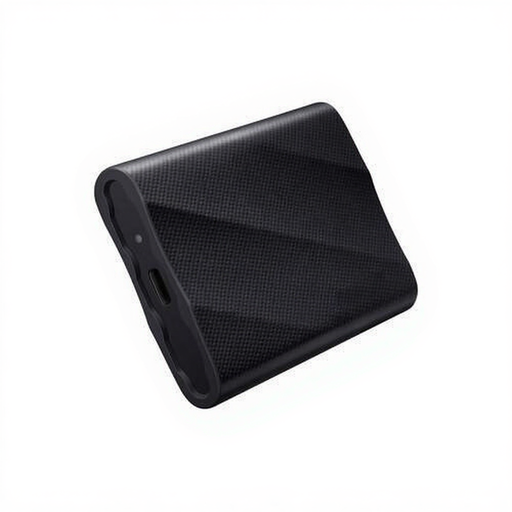
Why it fits this profile: For videographers and creatives working with 4K files, maximum speed is crucial. The T9 delivers up to 2,000 MB/s, which minimises wait times and allows for direct editing from the drive, provided you have the right hardware.
The T9 is transparent about its requirement: you need a USB 3.2 Gen 2x2 port for maximum performance. Its drop protection up to 3 meters also provides peace of mind for your valuable projects.
Maximum speed: Up to 2,000 MB/s read and write speeds for the most demanding tasks. Good heat dissipation: Dynamic Thermal Guard prevents overheating during sustained use.

Why it fits this profile: For those working on location, reliability is more important than top speed. The T7 Shield combines the solid performance of the T7 with an IP65-rated dust and water-resistant housing and drop protection up to 3 meters.
This model focuses on verified durability rather than vague claims. The IP65 rating is an objective standard that guarantees your data is protected from the elements.
Rugged protection: IP65 dust and water-resistant and drop-resistant up to 3 meters. Stable performance: The rubberised casing helps regulate heat for consistent speed.
We have compiled a complete, up-to-date list of products that fully meet these strict selection criteria and local regulations.
Yes, you can use an external SSD to expand your PlayStation 5's storage. You can play PS4 games directly from it and archive PS5 games to free up space on the internal drive. To play a PS5 game, however, you must first move it back to the internal storage. The SSD must support at least the USB 3.2 Gen 1 standard. Models like the Samsung T7 and T7 Shield are popular choices for this purpose.
The main difference is performance. A portable SSD is built with the same technology as the internal SSD in your computer, making it many times faster, especially when writing (large) files. This makes an SSD suitable for tasks like video editing directly from the drive or running software. A USB stick is primarily intended for easily transferring smaller files and is significantly slower for that purpose.
This is almost always due to your computer's USB port or the cable being used. A high-speed external SSD like the Samsung T9, which promises 2,000 MB/s, will only reach this speed when connected to a USB 3.2 Gen 2x2 port. If you connect it to an older or slower port (like Gen 2 or Gen 1), the speed will be limited by what the port can handle. Therefore, always check the specifications of both the SSD and your computer, and use the cable that came with the drive.
