
Vandaag of morgen in huis

Kwaliteit gegarandeerd

Welkomstaanbiedingen ontgrendelen: GRATIS bezorging | Tot 80% korting | Gratis 30 dagen JoyPlus-proefperiode
Download de app
Constantly running out of storage space? Do file transfers take forever? Whether you're a photographer working with large RAW files, a gamer needing more space for a PS5, or simply want a reliable backup for your important documents, a good external storage solution is essential. However, the market for external storage can be overwhelming, with a flood of technical specifications and marketing promises.
My name is Joybuy Product Recommendation Officer. My job is to help you make the right choice by providing objective and practical information. In this article, we'll look at the key factors in choosing an external SSD and highlight some of the top choices for 2026.
Before we dive into the products, here are a few key factors to help guide your decision.
The first choice you need to make is between a Solid State Drive (SSD) and a traditional Hard Disk Drive (HDD).
The speed of your external storage determines how quickly you can read and write files. This is expressed in megabytes per second (MB/s). For high-speed external storage, an SSD is the clear winner. Pay attention to the following specifications:
How much space do you need? A 1TB external SSD is a popular and versatile choice for most users. Video editors or gamers might benefit more from 2TB or even 4TB.
If you often take your drive with you, durability is an important factor. A rugged external SSD with an IP rating (dust and water resistance) and drop protection provides extra peace of mind. This is especially useful for professionals working in varied environments.
Based on specifications and use cases, we have selected a few interesting options currently available.
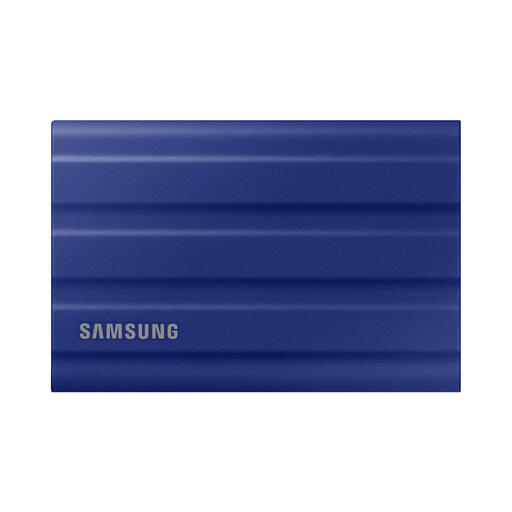
Samsung MU-PE1T0R 1TB USB Type-C 3.2 Gen 2 (3.1 Gen 2) Blue
Why It Stands Out The Samsung T7 Shield is designed for durability without compromising on speed. According to Samsung, its casing is IP65-certified, offering protection against dust and water, and it can withstand a drop of up to 3 metres.
Pros
Who is it for? This is an excellent choice for travellers, photographers, and anyone who needs a reliable and rugged external SSD that can take a beating. It's also suitable as an external SSD for Mac and PC users looking for a fast, portable solution.
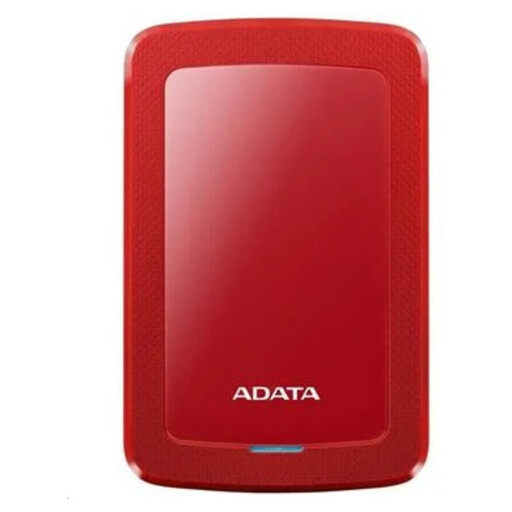
ADATA HV300 external hard drive 1 TB 2.5" USB 3.2 Gen 1 (3.1 Gen 1) Red
Why It Stands Out If budget is a key consideration and you primarily need a lot of storage for backups, the ADATA HV300 is an interesting option. This is a traditional external hard drive (HDD) with a very slim design.
Pros
Who is it for? The HV300 is ideal for students and home users looking for an affordable solution for backing up documents, photos, and other media. It's a great choice if you don't need the top speeds of an SSD.
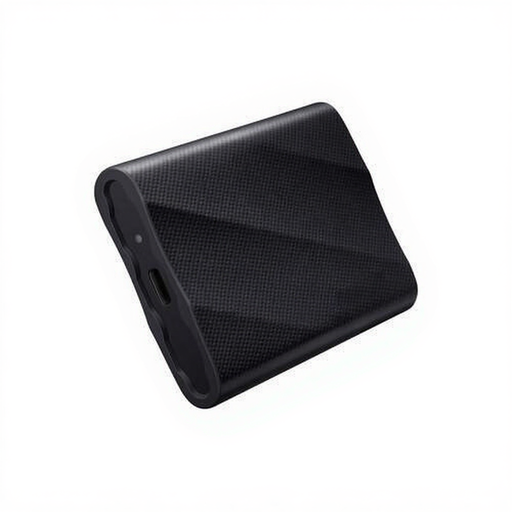
Samsung MU-PG2T0B 2TB USB Type-C 3.2 Gen 2x2 Black
Why It Stands Out For users who demand maximum performance, there's the Samsung T9. Thanks to its USB 3.2 Gen 2x2 interface, this portable SSD delivers read speeds of up to 2,000 MB/s, according to Samsung, which significantly speeds up the transfer of very large files.
Pros
Who is it for? This SSD is aimed at professionals like video editors working with 4K or 8K files and gamers looking for an external SSD for PS5 to store their games. To take full advantage of its maximum speed, you will need a device with a compatible USB 3.2 Gen 2x2 port.
These three recommendations cover different needs, from durability to budget and pure speed. Don't see your perfect match? Everyone has different requirements when it comes to storage capacity, size, or brand.
For a broader overview of available models, check out our full range of external hard drives and SSDs.
1. What is the main difference between an external SSD and an external hard drive? The biggest difference is the technology. An SSD has no moving parts, resulting in much higher speeds, better durability, and a more compact size. An external hard drive (HDD) is mechanical and therefore slower and more fragile, but it typically offers more gigabytes for your money.
2. Can I use an external SSD for my PlayStation 5? Yes, an external SSD for PS5 is a great way to expand your storage. You can play PS4 games directly from the external SSD. You can store PS5 games on the SSD to free up space on the internal console storage, but you must move them back to the internal storage to play them.
3. How do I format an external SSD to work on both Mac and Windows? To make a drive compatible with both macOS and Windows, it's best to format it to the exFAT file system. Both Windows and macOS can read and write to this system without any additional software. You can do this via Disk Utility on a Mac or Disk Management in Windows.
