
Vandaag of morgen in huis

Kwaliteit gegarandeerd

Welkomstaanbiedingen ontgrendelen: GRATIS bezorging | Tot 80% korting | Gratis 30 dagen JoyPlus-proefperiode
Download de app
Waiting for large files to finally transfer. The "storage full" notification on your Mac or PS5, right when you can't afford it. For many content creators, gamers, and professionals, this is a familiar frustration. An external SSD (Solid State Drive) is often the solution: lightning-fast, compact, and increasingly affordable.
But the market is flooded with technical specs and marketing promises. Which one do you actually need? As a Joybuy Product Recommendation Officer, I'm here to help you cut through the noise. In this article, we'll provide practical guidance and concrete recommendations based on product specifications, so you can make an informed choice.
Before we dive into the products, here are a few key points to help you determine the right choice for you.
Manufacturers advertise read speeds (MB/s), but real-world performance also depends on the connection. A fast external SSD utilizes a modern USB standard.
The required storage capacity depends entirely on your usage.
Always check if the SSD is compatible with your system. Most drives work out of the box with Windows and macOS, but there are nuances.
Based on specifications and functionality, we've selected a few popular and compelling models that cater to different needs.
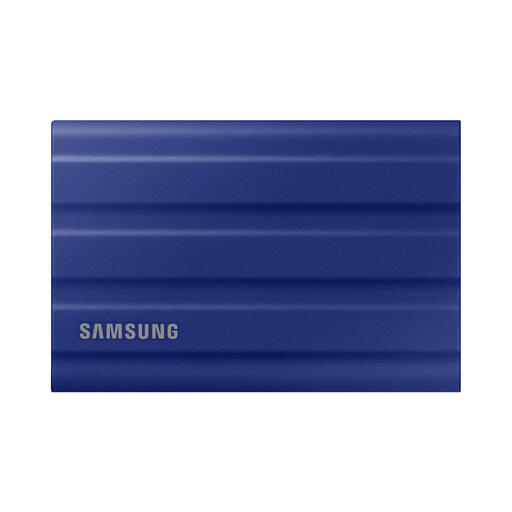
Why it stands out: The Samsung T7 Shield is designed for use on the go. Its strength lies in the combination of speed and durability. The rubberized casing not only provides grip but also protects the drive from drops and impacts.
Pros:
Who is it for? For content creators, photographers, and adventurers who need a reliable and portable SSD that can withstand some rough handling without compromising on speed.
Check out the Samsung T7 Shield 1TB
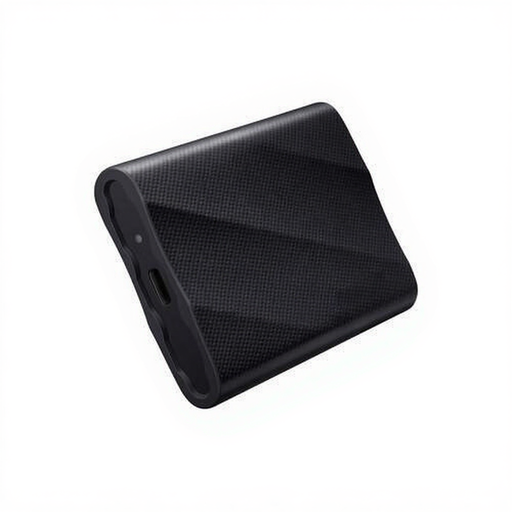
Why it stands out: The Samsung T9 is focused on pure performance. Thanks to its USB 3.2 Gen 2x2 interface, this SSD achieves speeds that leave most other portable drives in the dust.
Pros:
Who is it for? For video professionals, 3D artists, and data analysts who work with the largest files and for whom time is literally money. Note: To leverage the maximum speed, your computer or laptop must also have a USB 3.2 Gen 2x2 port.
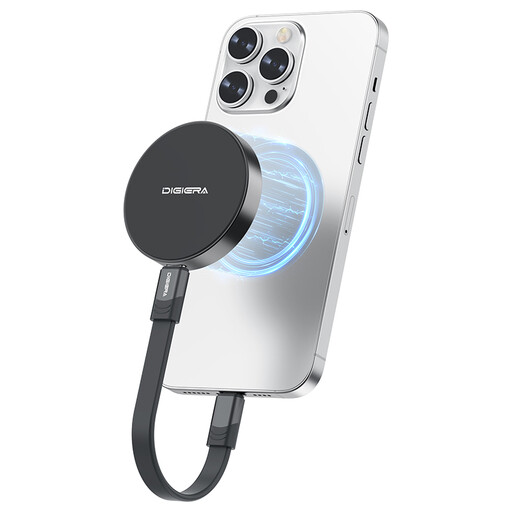
Why it stands out: This SSD from DigiEra caters to a specific, modern need: mobile content creation. The magnetic back snaps onto an iPhone 15/16 Pro (Max), allowing you to directly record 4K ProRes video to the drive.
Pros:
Who is it for? Specifically for iPhone filmmakers, vloggers, and journalists who want to bypass their phone's internal storage and record directly in high quality to a fast, external drive.
Check out the DigiEra 1TB Magnetic SSD
These three models represent popular choices for different users. But of course, the selection is much larger. Are you looking for a different capacity, a specific color, or another brand?
Explore more options in our External Storage Black category and find the perfect match for your needs.
An external SSD (Solid State Drive) has no moving parts, making it much faster, quieter, and more shock-resistant than a traditional external HDD (Hard Disk Drive). HDDs often offer more storage for a lower price but are considerably slower and more fragile. For speed and portability, an SSD is the clear winner.
Yes, you can. You can use an SSD for PS5 to play PS4 games directly from the drive. You can archive PS5 games on the external SSD to free up space on the internal console storage. To play a PS5 game, you must first transfer it back to the internal storage, but this is much faster than downloading the game again.
To make an external SSD interchangeable between macOS and Windows, it's best to format the drive to the exFAT file system. Both Windows and macOS can read and write to this format without needing any extra software. This is ideal if you need to move files between different computers.
