
Vandaag of morgen in huis

Kwaliteit gegarandeerd

Welkomstaanbiedingen ontgrendelen: GRATIS bezorging | Tot 80% korting | Gratis 30 dagen JoyPlus-proefperiode
Download de app
Categorieën

Choosing an external SSD can be overwhelming. You're faced with specifications like MB/s, USB 3.2 Gen 2x2, and various capacities. The fear of making the wrong purchase—a model that's too slow for your 4K videos, incompatible with your Mac or PS5, or simply overpriced for your needs—is real. This guide helps you make an informed choice based on factual specifications, ensuring you find the right storage solution for your specific use case.
Before we look at specific models, it's helpful to understand the key parameters. Your ideal external SSD depends on how you plan to use it.
Speed (Read and Write Speed): The speed, expressed in megabytes per second (MB/s), determines how quickly you can open (read) and save (write) files. For everyday use and photo storage, a speed of around 1000 MB/s is sufficient. For editing 4K video, recording directly from a camera, or playing games from the drive, higher speeds of 2000 MB/s are recommended. Also, pay attention to the interface: a high-speed external SSD with a USB 3.2 Gen 2x2 connection can reach speeds up to 20 Gbps, but your computer or device must also support this standard to take full advantage of it.
Capacity (GB/TB): How much storage do you need? For documents, photos, and occasional use, 500 GB to 1 TB is often enough. Gamers and photographers typically benefit more from a 2TB external SSD or larger. Videographers working with large ProRes files are best served by capacities ranging from 2 TB to 4 TB.
Compatibility: Most modern external SSDs use a USB-C connection, making them widely compatible with recent PCs, laptops, and as an external SSD for Mac. For use as an external SSD for PS5, specific requirements apply: the console requires a SuperSpeed USB connection of at least 5 Gbps and a capacity between 250 GB and 8 TB. For mobile videographers, compatibility as an SSD for iPhone 15 Pro (and newer) is crucial for recording ProRes video directly to external storage.
Durability and Portability: If you frequently travel with your SSD, a rugged external SSD with an IP rating (dust and water resistance) and drop protection is a wise choice. A compact and lightweight design is also important for a portable SSD.
Based on the criteria above, we have selected a range of external SSDs that excel in various use cases.
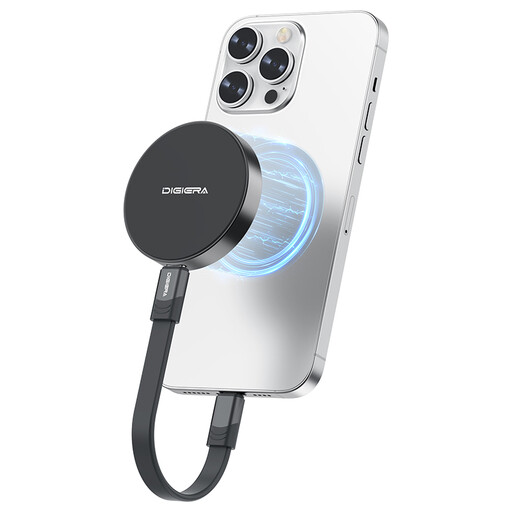
Why this product The DigiEra LPS2000M-1 is specifically designed for the mobile content creator. Its unique magnetic attachment allows the SSD to be securely and directly attached to an iPhone 15/16 Pro. This, combined with high transfer speeds, makes it a highly practical solution for recording 4K ProRes video directly, without extra cables or mounts.
Advantages
Who is this for? This is an excellent choice for videographers and content creators who are frequently on the go and film with an iPhone 15 Pro (or newer). The seamless integration and high speed significantly streamline the mobile workflow.
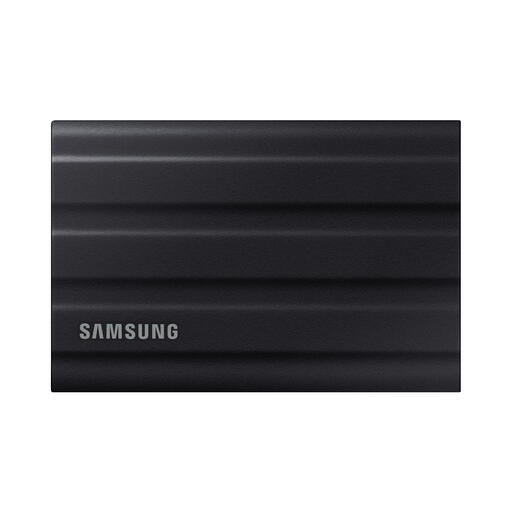
Why this product The Samsung T7 Shield 2TB is an all-around workhorse. It combines solid speed with a highly rugged design. The IP65 certification means the drive is dust- and water-resistant, while its rubberised exterior provides protection against drops of up to 3 metres. This makes it a reliable companion for work in challenging environments.
Advantages
Who is this for? This rugged external SSD is ideal for photographers, adventurers, and professionals who need a durable and reliable storage solution that can take a beating. It is also a suitable option for PS5 gamers looking to expand their storage.
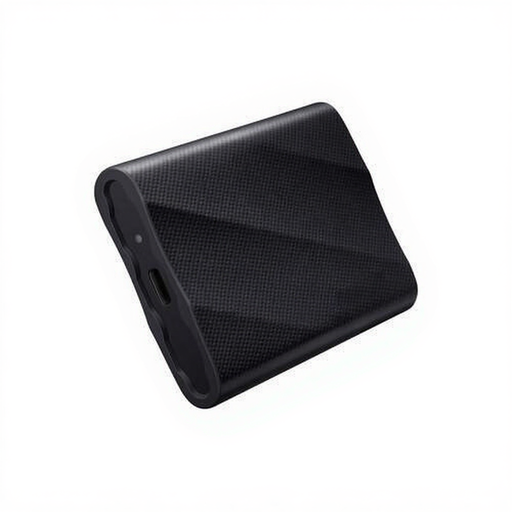
Why this product The Samsung T9 is engineered for maximum performance. With its USB 3.2 Gen 2x2 interface, this SSD achieves speeds nearly double that of the T7 series. This makes it one of the fastest consumer options on the market, ideal for transferring massive files in a fraction of the time.
Advantages
Who is this for? The Samsung T9 is the definitive choice for professionals such as video editors, 3D artists, and data analysts who work with extremely large files and for whom every second counts. It is an investment in a more efficient workflow.
External storage technology is constantly evolving. The models listed above represent specific solutions for common scenarios. If your ideal SSD isn't among them, or if you're looking for a different capacity or a specific feature, you can consider a wider selection.
For a complete overview of models with various specifications, you can browse our complete collection of USB Type-C Storage.
1. Can I use an external SSD to store and play games on my PS5? Yes, you can. You can play PS4 games directly from an external SSD. PS5 games can be stored on the SSD to free up internal storage space, but they must be moved to the internal console storage to be played. The external SSD for PS5 must have a USB 3.2 Gen 1 (5 Gbps) or faster interface and a capacity between 250 GB and 8 TB.
2. What is the practical difference between USB 3.2 Gen 2 and Gen 2x2? The main difference is the maximum theoretical speed. USB 3.2 Gen 2 offers speeds up to 10 Gbps (around 1050 MB/s in practice). USB 3.2 Gen 2x2 doubles this to 20 Gbps (around 2000 MB/s). To fully utilise the speed of a Gen 2x2 SSD, the USB-C port on your computer or laptop must also support this standard.
3. Is an external SSD always better than a traditional external hard drive (HDD)? For most applications, yes. An SSD is significantly faster, more durable (as it has no moving parts), more compact, and quieter than an HDD. HDDs typically offer more storage for a lower price and can be a good choice for archiving or backups where speed is less of a priority.