For a large portfolio that you mainly back up in one place, a portable HDD with enough capacity is an obvious choice. An SSD is a better fit if you regularly move large projects or work directly from the drive. Start by taking stock of your files and the computers you’ll use with the drive. Whichever you choose, don’t keep your collection on just one drive, and test that you can restore your files.
Who is this guide for?
Managing a growing archive
You’re taking stock of creative files, need plenty of space and want to be able to restore files later. Netwerk Digitaal Erfgoed recommends documenting what you keep, where you store it and which formats you use. An external drive isn’t a safe place for your only copy.
Moving projects between devices
You regularly move or edit large project files and need to balance transfer convenience with the storage space you require. Also consider the ports and cables on the computers you work with.
Using shared computers as a volunteer
You want to access files on both the creator’s computer and the archive’s computer. If your portfolio includes identifiable people, the organisation must also decide on appropriate access controls: the Dutch Data Protection Authority considers identifiable images to be personal data.
What should you consider when choosing?
Portable HDD
Best for: a large collection that you mainly back up periodically in one place. Compare your inventory with the capacity of the exact model.
Consider: you’ll need a second copy and recovery tests as well as the drive itself. Capacity alone doesn’t make an archive recoverable.
Portable SSD
Best for: regularly taking files with you, transferring large projects or working directly from the drive.
Consider: check that your computer’s port and cable support the stated speed, and that the capacity suits your collection.
| What to consider |
What should you check? |
Who should consider this? |
| Recoverable copies |
Keep separate copies and restore files as part of a recovery test to check that they open. The NCSC recommends keeping multiple versions of important data. |
If you need to recover irreplaceable portfolio and project files, make time for managing your archive and testing recovery too. Around 29% of consumers prioritise recoverability. |
| Room to grow |
Take stock of the total size, formats and versions you keep, then compare these with the capacity of the exact model. |
If your collection is growing or includes interim versions, make sure you don’t count only the finished work you have now. Around 23% of consumers give storage space top priority. |
| Transferring files on the go |
Check how often you move large files, which ports both computers have and which cable you’ll need. |
If you often move or edit large projects, transfer speeds and working from the drive are more important. Around 18% of consumers put these needs first. |
| Access to sensitive files |
Check whether people are identifiable, who needs access and whether the security feature on the exact drive is enabled. |
If you share or manage identifiable images with others, agree on access and security in advance. Around 18% of consumers prioritise security. |
| Using the drive with different computers |
Note down the operating systems and backup software. Before formatting, check that the setup will work, as formatting can erase existing data. |
If you use the drive with both the creator’s and the archive’s computers, check in advance that the file system and backup method work with both. Around 12% of consumers prioritise compatibility. |
Common pitfalls
-
Assuming an external drive is a complete archive plan
A drive can wear out or go missing, and a copy that’s never been tested may not work when you need your files.
When you buy a drive, also plan for a separate copy and a recovery test. The NCSC recommends keeping multiple versions of important data.
-
Comparing only the maximum SSD speed
The stated speed isn’t necessarily the speed you’ll get with every computer or cable. Crucial says the X9 Pro needs a compatible USB 3.2 Gen 2 device and USB-C cable to reach its top speeds.
Check the ports and cables on both computers, and weigh your transfer needs against the capacity you require.
-
Formatting a Windows drive for Time Machine without preparing it first
Apple recommends APFS or APFS Encrypted for a Time Machine drive. Reformatting can erase existing files.
Check which backup method you want to use and make another copy of any files already on the drive first.
-
Assuming encryption or ruggedness provides automatic protection
A security feature won’t protect your data unless it’s set up. And even a drive designed to withstand certain conditions can still go missing.
Consider who needs access, set up the security feature and keep a separate, recoverable copy.
Brands to compare
Seagate
The Expansion Portable is a range of portable HDDs for anyone looking to store archive copies.
- For model STKM5000400, Seagate lists a capacity of 5 TB, USB 3.0 and USB power.
- Seagate says this model must be reformatted for use with Time Machine. Check the setup you need before saving files to the drive.
Toshiba
Canvio Basics is a range of portable HDDs; HDTB540EK3CA is Toshiba’s 4 TB model.
- Toshiba says the drive is powered via USB and is preformatted for Windows.
- The stated NTFS format needs to be changed for macOS. Check this before use and make a copy of any existing files first.
Samsung
The T7 Shield is a range of portable SSDs for creators who regularly take files with them; the black MU-PE2T0S/EU model discussed here has a capacity of 2 TB.
- For this model, Samsung lists USB 3.2 Gen 2, IP65 and maximum sequential read and write speeds of 1.050 MB/s and 1.000 MB/s respectively.
- These are Samsung’s specifications, not speeds measured on every computer, and they don’t replace the need for a second copy.
Crucial
The X9 Pro is an SSD range to consider if you regularly take files with you; the model discussed here is the 2 TB CT2000X9PROSSD9.
- Crucial lists maximum read and write speeds of 1.050 MB/s. To reach the top speeds, Crucial specifies a compatible USB 3.2 Gen 2 device and USB-C cable.
- Crucial says the drive comes formatted as exFAT; formatting erases the data on it.
Western Digital
My Passport is a range of HDDs to consider if access security is part of your archive plan.
- Western Digital says the My Passport drives discussed here support 256-bit AES hardware encryption.
- Check the exact model, set up its security and bear in mind that a drive preformatted as NTFS will need to be reformatted for macOS.
Joybuy products
These portable external SSDs and HDDs are options for storing, transferring and backing up a creative portfolio. Keep your archive on a separate copy too, and test that you can restore it.
 Image unavailable
SanDisk Extreme Pro Portable SSD 1TB 2000MB/s
A portable SSD for anyone who regularly wants to take files with them or transfer them; the stated capacity is 1 TB.
The product description lists USB-C, AES-256 hardware encryption and IP65. According to the description, the stated read speed of up to 2.000 MB/s requires a compatible USB 3.2 Gen 2x2 host device; the write speed is lower.
Joybuy
 Image unavailable
WD Elements Portable 6TB USB-C
A portable external HDD for anyone looking for space for a large or growing collection; this model has a capacity of 6 TB.
The product description lists USB-C, USB 3.2 Gen 1 and compatibility with Windows and Mac. Check the file system and backup method you need for the computers you’ll use with the drive.
Joybuy
 Image unavailable
Samsung MU-PG2T0B 2TB USB Type-C 3.2 Gen 2x2 Black
A 2 TB portable SSD for taking project files with you and transferring them.
The product description lists USB 3.2 Gen 2x2, maximum read and write speeds of 2.000 MB/s and 1.950 MB/s respectively, and drop resistance of up to 3 metres. Maximum speeds depend on using a compatible connection.
Joybuy
 Image unavailable
Samsung MU-PE2T0R 2TB USB Type-C 3.2 Gen 2 Blue
A 2 TB portable SSD for anyone who takes projects with them and regularly transfers files.
The product description lists USB 3.2 Gen 2, maximum read and write speeds of 1.050 MB/s and 1.000 MB/s respectively, IP65 and drop resistance of up to 3 metres. According to the description, IP65 does not protect against immersion in water.
Joybuy
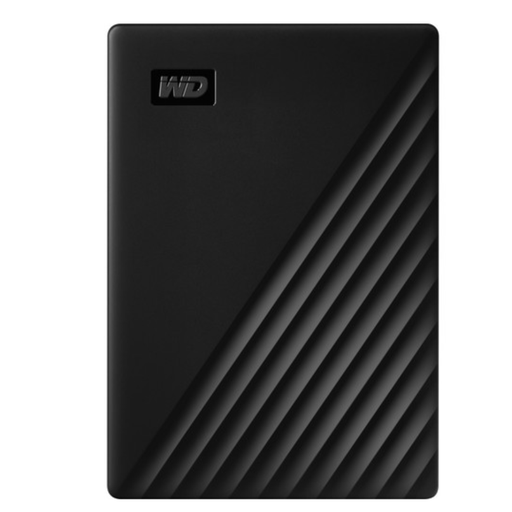 Image unavailable
WD My Passport 5TB
A 5 TB portable HDD for anyone weighing up storage space and access security.
The product description lists 256-bit AES hardware encryption, password protection and software for scheduled backups. According to the description, this model is preformatted as NTFS for Windows; it needs to be reformatted for macOS.
Joybuy
Frequently asked questions
Is one external drive enough to keep an archive portfolio?
No, don’t use an external drive as the only copy of your collection. Netwerk Digitaal Erfgoed warns that drives can wear out or go missing; the NCSC recommends separate backups, including a copy stored elsewhere.
How can you check that your backup works?
Restore some files and open them. The NCSC recommends checking that the recovery was successful; for your archive, also record which files and formats belong to the collection and where they’re stored.
Can a drive set up for Windows be used straight away with Time Machine?
Check the file system and backup method first. Apple recommends APFS or APFS Encrypted for Time Machine and warns that reformatting can erase existing data.
How does the legal guarantee affect your choice?
For consumer purchases in the Netherlands, the seller is responsible for the legal guarantee. The Netherlands Authority for Consumers and Markets states that there is no fixed time limit; don’t assume a guarantee on the drive will bring back lost files.
What privacy rules apply if the portfolio includes photos of other people?
Images showing identifiable people are personal data. The Dutch Data Protection Authority says that organisations processing personal data must decide on appropriate security measures themselves; a security feature on a drive doesn’t do this automatically. The Authority distinguishes between data processed by an organisation and images kept by someone solely for private use or within a very limited circle.


