
Podcast creators with a growing archive
You want to keep source recordings, exports and different versions of your projects. So don’t base your capacity choice solely on the size of the finished audio files.


For a large podcast archive that you rarely need to transfer, an external HDD suits the use case described. An SSD is worth considering if you often move project copies or take them with you. As well as exports, keep the project files and any required source files, and don’t rely on a single drive for recovery. Work out how much space you need based on complete project folders, and check the connection and software requirements before choosing.
You want to keep source recordings, exports and different versions of your projects. So don’t base your capacity choice solely on the size of the finished audio files.
If you regularly move project copies between workspaces, portability, connectivity and file transfers all matter. Check that the drive and cable are compatible with the computers you use.
You want to be able to reopen an old edit. Keep the necessary project files, and maintain a separate copy that you can test.
Best for: an archive with lots of finished episodes and project copies that you don’t transfer regularly.
Bear in mind: if you often take files with you or transfer them, compare an SSD too. An HDD is not, by itself, an additional backup.
Best for: project copies that you regularly transfer or take between workspaces.
Bear in mind: compare the capacity with all the versions you want to keep, and check that the connection is suitable. The stated maximum speeds are no guarantee of the speeds you’ll get with your computer.
| Consideration | What to look for | Who is this important for? |
|---|---|---|
| Recoverable backup | Keep a separate copy and test whether you can restore a project. | If I want to be able to restore a project after losing a drive, I need a tested copy stored elsewhere or in another format. Around 33% of the group prioritise recoverability. |
| Space for projects | Measure complete folders containing source recordings, project files, exports and versions. | If I want to edit episodes again later, I need to keep more than just the published audio. Around 27% of the group mainly need space for complete projects. |
| Taking files with you and transferring them | Check the connection and cable; don’t assume a stated maximum speed is guaranteed in practice. | When I regularly move project copies between workspaces, I need a drive that connects to my equipment. Around 20% of the group prioritise frequent transfers. |
| Opening a project | Check the port, cable, file format and what your editing software requires. | If I want to reopen an older edit, I need to be able to find the project files and required audio too. Around 20% of the group prioritise compatibility and being able to reopen projects. |
An export is not the same as an editable project. If you want to carry on editing later, you’ll also need the project and the required source files.
Measure a complete, representative episode folder and allow for the number of versions and future episodes you want to keep.
If your only drive is lost or becomes unusable, your only archive could be lost too. The Digital Trust Center advises against relying on a single storage location.
Keep a separate copy and test whether you can use it to restore a project.
Keeping a separate copy requires additional storage or another storage method, as well as a regular routine for updating it.
A manufacturer’s maximum speed is no promise of the performance you’ll get with every computer or connection.
Check your computer’s port and cable against the specifications of the exact drive.
The Expansion Portable range is an example of a portable HDD for an archive that you don’t transfer regularly.
The T7 Shield is a portable SSD option to compare if you regularly take files with you or transfer them.
The XS1000 range includes compact external SSD models with capacities of up to 2 TB.
This selection includes portable SSDs for taking project files with you, and external HDDs for storing larger project folders.
 No image available
A portable SSD option for storing and taking podcast projects with you.
Storage capacity: 1 TB.
Don’t use this drive as your only backup; keep a separate copy and test whether you can restore a project.
 No image available
A portable SSD option for project files you want to take with you or transfer.
Storage capacity: 1 TB. The product name states 2000MB/s; this maximum read speed requires a compatible USB 3.2 Gen 2x2 device.
Don’t use this drive as your only backup; keep a separate copy and test whether you can restore a project.
 No image available
A portable HDD option for anyone who wants to keep project folders and multiple versions.
Storage capacity: 5 TB. The product name states USB-C.
Don’t use this drive as your only backup; keep a separate copy and test whether you can restore a project.
 No image available
An external HDD option for project files and multiple versions, depending on the size of your folders.
Storage capacity: 4 TB. The product name states USB-C.
Don’t use this drive as your only backup; keep a separate copy and test whether you can restore a project.
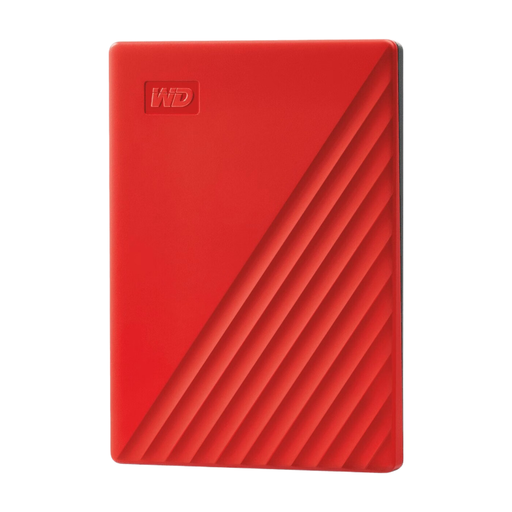 No image available
A portable HDD option for storing episode projects and versions.
Storage capacity: 4 TB.
Don’t use this drive as your only backup; keep a separate copy and test whether you can restore a project.
No, not if you want to recover the original edits. Keep the editable project and any required source files too; what you need depends on your software. Audacity, for example, distinguishes between an export and a project file.
For active Audacity 3 projects, Audacity advises against using external drives for storage, as editing and recording require fast, uninterrupted access. In that case, use the external drive for copies of saved projects rather than assuming it’s suitable as your active workspace.
Periodically restore a copy and check that the files and project open. The Dutch Digital Trust Center also advises against relying on a single storage location.
No. Logic Pro can keep alternative versions within the same project; this doesn’t replace a separate copy for recovery if the drive is lost.
If the GDPR applies to your processing, you must not keep personal data for longer than necessary. The Dutch Data Protection Authority points out that the GDPR does not set a general, specific retention period for this. The appropriate retention period and security measures depend on the content and use of the recordings.