Joybuy products
These products include portable HDDs for local archives and portable SSDs for backups and taking project files with you.
 No image available
Western Digital My Passport 6TB White
A portable HDD for a large local archive of invoices and project files.
Stated capacity: 6 TB. Product information lists 256-bit AES hardware encryption, password protection and backup software.
Set up version history and a retention period separately; the drive does not automatically save older project versions.
Joybuy
 No image available
Western Digital My Passport 2TB Blue
A portable HDD for invoices and project files you want to store locally.
Stated capacity: 2 TB. Product information lists hardware encryption, password protection and a USB connection.
You will also need version history in your chosen backup software to keep older project versions.
Joybuy
 No image available
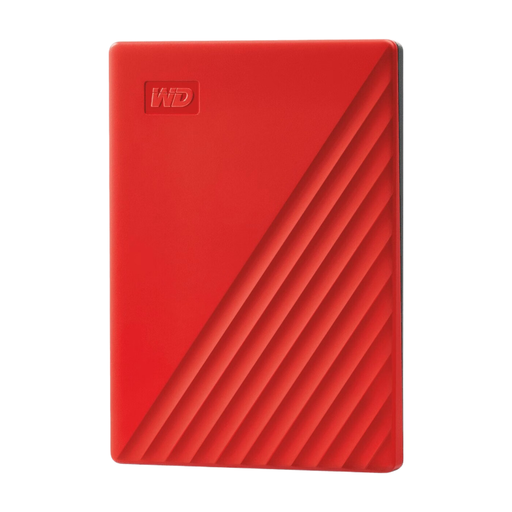
Western Digital My Passport 4TB Red
A portable HDD for a local archive of invoices and project files.
Stated capacity: 4 TB. Product information lists USB 3.0, 256-bit AES hardware encryption and backup software.
Keeping older versions requires the right version history and retention period settings.
Joybuy
 No image available
Samsung Portable SSD T7 2TB Blue
A portable SSD for local backups and taking project files with you.
Stated capacity: 2 TB. Product information lists USB 3.2 Gen 2 and AES 256-bit hardware encryption.
To retrieve older versions, you need to set up version history in your backup software.
Joybuy
 No image available
Samsung MU-PE1T0S 1TB USB Type-C 3.2 Gen 2 Black
A portable SSD for invoices and project files you want to take with you when you’re out and about.
Stated capacity: 1 TB. Product information lists USB 3.2 Gen 2, IP65 dust and water resistance, and drop protection from heights of up to 3 metres.
Set up version history separately so you can retrieve older project versions.
Joybuy
Frequently asked questions
Does an external drive automatically save earlier project versions?
No. You need to set up a backup feature with version history for that. Check that the right project folder is included and test that you can restore an older version; File History and Time Machine can support this when configured appropriately.
Is one external drive enough as your only copy?
Keeping a separate copy in another location reduces the risk of one incident affecting both your computer and its connected backup. KVK recommends regular backups in different locations and restore tests; disconnect a separate drive after use and store it safely.
How large should a backup drive be for Time Machine?
Apple recommends that a Time Machine drive has at least twice the storage capacity of your Mac. This advice applies to that use, not as a general minimum requirement for every external drive. Check the formatting and configuration too, as setting up the drive can erase the data on it.
How long do you need to keep business invoices in the Netherlands?
According to the Dutch Tax and Customs Administration, you generally need to keep sent and received invoices for seven years in the form in which you sent or received them. A ten-year period applies to invoices for immovable property and certain transactions under the Union scheme or Import scheme; these periods apply to the relevant invoices, not to every project file.
Do you need to buy a particular drive model for invoices containing personal data?
No. The Dutch Data Protection Authority does not specify a particular drive model or fixed encryption method on the page consulted. Organisations must decide for themselves which security measures are appropriate based on the risks. So check both the security settings and how you can restore access.


