
Archive manager
You keep lots of completed courses and projects and mainly need plenty of storage space. A backup is a separate consideration; for example, Seagate lists a capacity of 5 TB for the Expansion Portable STKM5000400.


For a large archive that you mostly keep in one place, a portable HDD is a suitable option. For project folders you move around frequently, a portable SSD is better suited to your needs. Don’t just look at the stated capacity or speed: check your computer’s connection and file system too. And don’t keep important files solely on one external drive.
You keep lots of completed courses and projects and mainly need plenty of storage space. A backup is a separate consideration; for example, Seagate lists a capacity of 5 TB for the Expansion Portable STKM5000400.
You carry large project folders with you and transfer them regularly. In that case, portability and the speed of the drive, connection and computer all matter. Samsung and Crucial publish specifications for their portable SSDs.
You want to transfer files between computers or back up a Mac using Time Machine. Apple describes different file system options for these uses.
First decide whether you mainly want to store an archive or frequently move large folders. Then check how you’ll protect your files and which computers you want to use the drive with.
| What to consider | What to look for | Who is this important for? |
|---|---|---|
| Archive space | Check the size of your current folders and allow for growth. Compare the stated capacity with the available space; Crucial notes that formatting uses some of the stated capacity. | If I want to keep lots of recordings and completed projects, space for my growing archive comes first. Around 36% of consumers prioritise capacity. |
| Backup | Decide where a second, up-to-date copy will be stored and how you’ll restore it. VeiligInternetten describes a backup as a copy you can use if data is lost. | If I don’t want my files to depend on a single drive, I want to know in advance where a second copy will be kept. Around 29% of consumers prioritise data retention and backups. |
| Moving files | Check the exact model, cable and computer port. Speeds quoted by Samsung or Crucial are manufacturer figures; the connection and computer you use also make a difference. | If I regularly copy or carry large project folders, transfer speed matters more to me. Around 21% of consumers consider transfer speed their main priority. |
| File system | Choose based on whether you need to transfer files or use Time Machine. Apple recommends exFAT for transferring files between Mac and Windows, and APFS or APFS Encrypted for a new Time Machine drive. | If I want to use files on both a Mac and a Windows computer, or set up Time Machine, the format needs to suit my purpose. Around 14% of consumers prioritise compatibility between systems. |
If the drive contains your only copy, its capacity won’t protect your files if the drive or the data on it is lost.
Decide where you’ll keep a second, up-to-date copy and check that you can restore your files from it.
Crucial says the quoted X9 speed was measured under specific test conditions, and that factors including the computer and connection can affect performance.
Check that the cable and computer port are compatible with your chosen drive, and only compare speeds when they’ve been measured under similar conditions.
Apple warns that formatting a drive erases existing data. The format used for general file transfers may also differ from the one used for Time Machine.
Decide what you want to use the drive for first, and copy any existing files somewhere else before formatting it.
The Expansion Portable range includes portable HDDs for archiving. Seagate lists a capacity of 5 TB for model STKM5000400.
The T7 Shield is a portable SSD option. According to Samsung, the Dutch version reviewed, MU-PE4T0S/EU, has a capacity of 4 TB.
The X9 is a range of portable SSDs. Crucial lists a capacity of 4 TB for model CT4000X9SSD9.
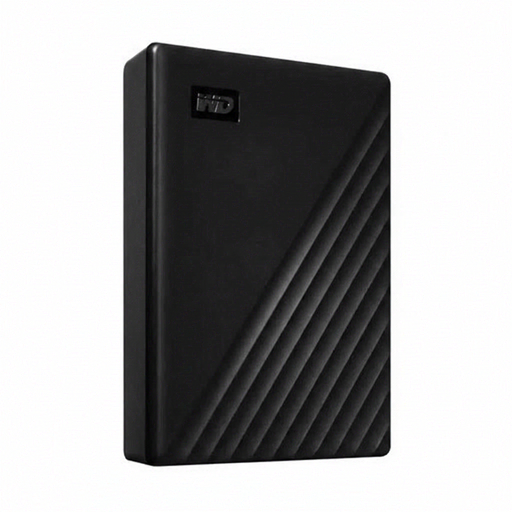
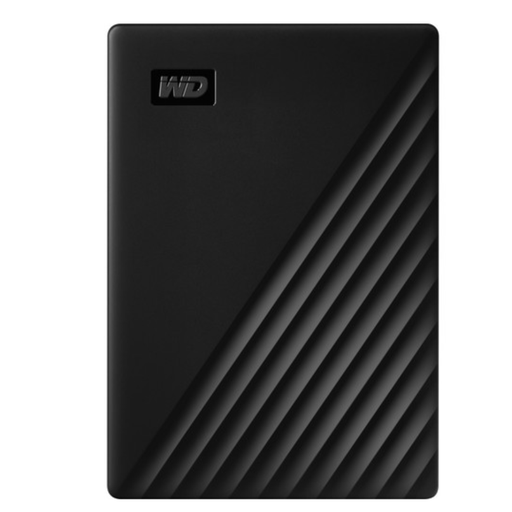
My Passport is a portable HDD option. Western Digital identifies model WDBPKJ0050BBK-WESN as a black 5 TB version.
This selection includes desktop HDDs for a dedicated archive location, as well as portable HDDs and SSDs for storing or carrying files. When choosing, consider the capacity, power supply and connection.
 No image available
A desktop HDD for a dedicated archive location with large project folders.
6 TB of storage, USB 3.0 and an external power adapter. According to the product information, the drive is formatted as NTFS for Windows; it may need to be reformatted for use with a Mac.
 No image available
A desktop HDD for a large archive kept in one place.
24 TB of storage, USB 3.2 Gen 1 and an external power adapter. The product information states that it offers plug-and-play compatibility with Windows computers.
 No image available
A portable SSD for large project folders that you move around regularly.
4 TB of storage and USB 3.2 Gen 2x2. The product information lists sequential speeds of up to 2.000 MB/s and AES 256-bit hardware encryption. It also lists USB-C-to-C and USB-C-to-A cables.
 No image available
A portable SSD for project files you use or move while on the go.
2 TB of storage and USB Type-C. The product information lists sequential speeds of up to 1.050/1.000 MB/s and an IP65 rating. It also states that this rating does not mean the drive can be submerged.
 No image available
A portable HDD for a large archive that you may also want to carry with you.
5 TB of storage, USB 3.2 Gen 1 and USB-powered. The product information lists 256-bit AES hardware encryption and password protection. According to the same information, the drive is formatted for Windows; it may need to be reformatted for use with a Mac.
You may need a different format for each use. Apple recommends exFAT for general file transfers and APFS or APFS Encrypted for a new Time Machine drive. Formatting erases existing files, so copy them to another location first.
Not if it’s the only copy you keep. VeiligInternetten describes a backup as a copy you can use if data is lost, so make sure you also decide where to keep a second, up-to-date copy.
In the Netherlands, statutory consumer rights are separate from a manufacturer’s or seller’s warranty. ACM ConsuWijzer explains that there is no fixed statutory warranty period: what you can expect depends, among other things, on the product and normal use, and the seller is your point of contact. A warranty is no substitute for backing up your files.
Don’t assume that you can. The Dutch Data Protection Authority says that educational institutions should in principle avoid recordings showing students, and cannot simply make such recordings. Personal data must not be kept for longer than necessary, and there is no general GDPR retention period for all recordings. Check your educational institution’s rules before keeping or sharing recordings.