
The careful family archivist
You want to keep irreplaceable documents stored locally and avoid losing every file in a single fault or incident. The National Cyber Security Centre recommends keeping multiple backups to reduce the risk of data loss.


Choose an external HDD if you mainly store lots of scans, photos and documents at home; an SSD is a better fit if you often take your archive with you or transfer large files. The Dutch Consumers’ Association describes SSDs as faster, lighter and more compact, but the right choice for you also depends on capacity, connections and how you’ll use it. Whichever drive you choose, keep a separate backup: one drive alone cannot fully protect you against data loss.
You want to keep irreplaceable documents stored locally and avoid losing every file in a single fault or incident. The National Cyber Security Centre recommends keeping multiple backups to reduce the risk of data loss.
Your archive is growing with image files. Plenty of storage space and a way to keep copies up to date matter more to you than the highest advertised speed. The Dutch Consumers’ Association explains the differences between external HDDs and SSDs.
You take files with you or use different computers, so you pay attention to size, connection, transfer speeds and how you protect your personal data.
Best for: storing a growing archive mainly at home, when capacity matters more than portability.
Bear in mind: HDDs have moving parts and are more vulnerable to knocks than SSDs.
Best for: taking your archive with you regularly or transferring large scans frequently.
Bear in mind: advertised speeds don’t guarantee the same transfer speed on your computer, with your cable and files.
| What to consider | What should you check? | Who is this important for? |
|---|---|---|
| Recoverable copy | Plan separate copies; check that you can restore a file and keep one copy at a different physical location. | I want to be able to recover my documents and family tree files if there’s a fault or loss. Around 36% of consumers prioritise being able to recover their files. |
| Room to grow | Measure the size of your archive and allow for new scans, photos and the versions you want to keep. | If my collection keeps growing, I want to leave room for new files. Around 29% of consumers prioritise archive capacity. |
| Privacy and computer compatibility | Check the operating system, formatting and connection. Also consider whether you want to encrypt the backup and can store the recovery password securely. | I want to keep family data stored locally and make sure my backup method works on my computer. Around 21% of consumers prioritise privacy and computer compatibility. |
| Portability and transfers | Check the ports, cable and adapter; compare advertised speeds only if your computer and connection support them. | If I often take my archive with me or transfer large files, I pay extra attention to portability and connections. Around 14% of consumers prioritise mobility and file transfers. |
An extra storage drive isn’t automatically a separate backup. If the drive fails or goes missing, you could be left without a usable copy.
First, check that you can restore your files, and keep a second physical copy stored separately.
Manufacturer figures don’t tell you the speed you’ll get with your computer, cable and files. For a large home archive, capacity may matter more than speed.
Start by considering how much space you need, how often you’ll take the drive with you and which connection you use. Then compare speeds.
Apple says that Time Machine may ask to erase the storage drive during setup. Any files already on it could be lost as a result.
Check the existing files and make sure they’re safe before configuring the drive.
If you use a drive for Time Machine, you may need to save any files on it somewhere else first.
A product warranty isn’t a backup of your files. Seagate’s Rescue Data Recovery Services may not be available in every country.
Check the terms for the exact model and keep separate backups yourself. In the Netherlands, statutory consumer rights apply alongside any manufacturer’s warranty.
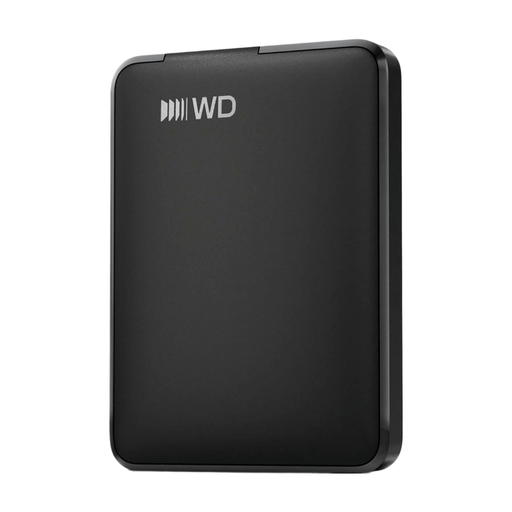
WD Elements Portable is a range of HDDs for local storage via USB.
Expansion Portable is a range of portable HDDs for local file copies.
The Portable SSD T7 Shield is a range of SSDs for anyone who regularly takes their archive with them.
The XS1000 is a compact range of external SSDs, available in 1 TB and 2 TB models.
These Joybuy products are external HDDs and SSDs for storing family archives locally. Compare their capacity and connection with your computer, and think about how often you’ll take the drive with you.
 No image available
A portable SSD to consider if you regularly take a local copy with you.
Capacity: 1 TB.
 No image available
An HDD to consider if you’re looking for more local storage space for documents, photos and videos.
Capacity: 5 TB. Connection: USB-C.
 No image available
An HDD to consider for a large local archive where you need plenty of storage space.
Capacity: 6 TB. The product name mentions password protection and automatic backup software.
 No image available
An HDD to consider for a local archive of photos and documents.
Capacity: 2 TB. The product name mentions password protection and automatic backup software.
 No image available
An HDD to consider if you want to keep a local copy and your computer uses USB-C.
Capacity: 1 TB. Connection: USB-C.
No, not if that drive is your only available copy. Keep separate copies, store one at a different physical location and check that you can restore a file. This is backup advice, not a Dutch legal storage requirement for a private archive.
On Windows, you can use an external drive with File History; Microsoft also explains how to restore previous versions of files. Apple supports connecting an external drive directly for Time Machine, but setup may ask to erase the drive. Beforehand, check that the backup includes both your scans and the files from your family tree software.
It’s worth considering protection if your archive contains information about living relatives. Apple offers the option to encrypt a Time Machine backup; keep the password safe, as you’ll need it to restore files. There is no general legal requirement to encrypt every private archive.
According to the Dutch Data Protection Authority, processing data solely for personal or household use falls outside the GDPR. This exception doesn’t automatically apply to public publication or professional use. Information about someone who has died may also reveal details about living relatives.
Statutory consumer rights apply in addition to any manufacturer’s warranty. ACM ConsuWijzer explains that the seller must offer an appropriate free solution if a product doesn’t perform as you could reasonably expect during normal use. So a manufacturer’s warranty doesn’t automatically determine the full duration of your statutory rights. Neither replaces a backup of your files.