
Researcher looking to protect their work
After a long editing session, you want to create a separate, restorable copy of your files and versions. For important data, the NCSC recommends keeping the original and two backups.


After a long editing session, if you want to keep a separate copy, first work out how much storage you need and how you’ll include that copy in a regular backup routine: one external drive isn’t a complete backup strategy. An SSD is a better fit if you move files frequently, work directly from the drive or take it with you; an HDD is an option when capacity matters more than speed. The NCSC recommends keeping multiple versions of important data, while ID.nl and the Consumentenbond discuss the differences between external HDDs and SSDs.
After a long editing session, you want to create a separate, restorable copy of your files and versions. For important data, the NCSC recommends keeping the original and two backups.
You store a large number of measurements, images or successive versions, so you compare the capacity of specific HDD and SSD models. Western Digital and Seagate offer 5 TB HDD models in the product ranges described.
You move files between workstations or take a drive out into the field. Connection type, transfer speed and conditions while travelling are therefore important factors to consider; Kingston and Samsung, for example, list different speed and protection features for their SSD ranges.
First decide what matters most for your coastal dataset: recoverability, space for files and versions, working speed or protection on the go.
| What to consider | What should you check? | Who is this important to? |
|---|---|---|
| Restorable copy | Decide which files and versions to copy and where to store a second copy. For important data, the NCSC recommends keeping the original and two backups. | I want to avoid making my work impossible to recover if one copy is lost after a long editing session; around 36% of consumers prioritise recoverability. |
| Room to grow | Measure your dataset and decide how many versions you want to keep; then compare the capacity of the exact model. Western Digital lists 5 TB for My Passport, among other capacities, while Kingston lists 1 and 2 TB for XS1000. | I want to be able to keep future measurements and versions too, rather than basing my storage choice solely on my current dataset; around 29% of consumers prioritise capacity. |
| Transfer and use | Check your computer’s port and cable. Kingston says the XS1000’s maximum speed requires a compatible USB 3.2 Gen 2 host; ID.nl describes external SSDs as faster than mechanical drives. | I move files frequently or want to work from the external drive, so I pay attention to the connection and my computer’s performance; around 21% of consumers prioritise working speed. |
| Protection on the go | Check the limits of any protection rating and the warranty terms. Samsung bases the T7 Shield’s IP65 rating on internal tests under controlled conditions and excludes moisture and dust damage from the warranty. | I take my drive into the field and want to account for dust, water and knocks; around 14% of consumers prioritise protection on the go. |
An external drive containing your only separate copy won’t protect your dataset if that drive is lost or fails.
Keep your working copy and make separate, verifiable copies as part of a backup plan. For important data, the NCSC recommends keeping the original and two backups.
The advertised speed isn’t guaranteed on every computer. Kingston says optimal XS1000 speeds require a USB 3.2 Gen 2 host and depend on the hardware, software and how you use it.
Check your computer’s port and cable, and don’t choose a drive based solely on its highest advertised MB/s figure.
Samsung bases the T7 Shield’s IP65 rating on internal tests under controlled conditions. Samsung warns that protection may vary and that moisture and dust damage aren’t covered by the warranty.
Compare the conditions you’ll encounter in the field with the stated limits, and keep a separate copy as well.
Western Digital’s specification says that writing to My Passport on macOS requires an NTFS driver or reformatting.
Check the file system of the exact model and, before reformatting, make a copy of any existing contents.
The My Passport range includes portable HDDs, including a 5 TB model.
Expansion Portable is a portable HDD range with a 5 TB model.
XS1000 is a compact external SSD range, available in 1 and 2 TB models.
The T7 Shield is an external SSD for anyone taking storage into a dusty or wet working environment.
X9 Pro is an external SSD range for taking research files with you or working from external storage.
This selection includes external SSDs for transferring files and taking them with you, as well as My Passport HDDs for anyone looking for more storage space. Compare the capacity of the model with your dataset and check that the connection is compatible with your computer.
 Image unavailable
A good fit for regularly transferring files or taking them with you, if 1 TB is enough for your dataset and versions.
The listing states USB 3.2 Gen 2, USB-C and read speeds of up to 1.000 MB/s; maximum speed depends on the device and usage.
The listing states drop protection of up to 2 metres.
 Image unavailable
A good fit for regularly moving files and taking them with you, if 1 TB meets your storage needs.
The listing states USB 3.2 Gen 2x2 and read speeds of up to 2.000 MB/s with a compatible host; write speeds are lower.
The listing states IP65 and drop protection of up to 3 metres. After exposure to water, the drive must be clean and dry before use, according to the listing.
 Image unavailable
A good fit for keeping a dataset and versions when you need plenty of storage space.
The listing states 6 TB, USB 3.0 and included backup software.
The listing states password protection and 256-bit AES hardware encryption. Check compatibility with your computer and file system before use.
According to the comparison cited, a mechanical HDD is more susceptible to knocks than an external SSD.
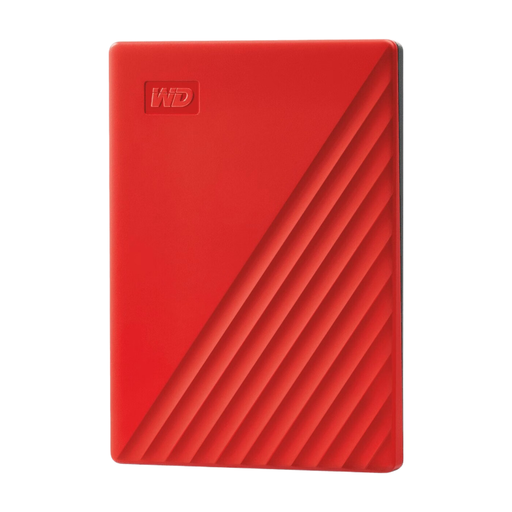 Image unavailable
A good fit for keeping a dataset and versions when 4 TB is enough for your storage needs.
The listing states 4 TB, USB 3.0, included backup software and plug-and-play use.
The listing states password protection and 256-bit AES hardware encryption. Check compatibility with your computer and file system before use.
According to the comparison cited, a mechanical HDD is more susceptible to knocks than an external SSD.
 Image unavailable
A good fit for regularly transferring files or working directly from external storage, if 2 TB is enough.
The listing states USB Type-C 3.2 Gen 2, maximum read speeds of 1.050 MB/s and write speeds of 1.000 MB/s, plus 256-bit AES encryption.
The listing states drop protection of up to 2 metres and includes two types of cable. Speed may vary depending on usage.
No, not if it’s your only separate copy. For important data, the NCSC recommends keeping three versions: the original and two backups. Keep separate copies as part of a backup plan.
First check the exact model and file system. Western Digital’s My Passport specification says that writing on macOS requires a downloadable NTFS driver or reformatting; make a copy of the existing contents before reformatting.
If you process personal data, the GDPR requires appropriate technical and organisational security measures. According to the Dutch Data Protection Authority, what’s appropriate depends on the risks; establish whether your dataset contains personal data and follow the relevant research or organisational policy.
No. According to the Dutch government, the Netherlands has no fixed statutory warranty period of exactly two years. If a product is faulty, the seller must provide a solution; what you can reasonably expect depends on the product and the circumstances. A manufacturer’s warranty is in addition to your statutory rights.
According to the Dutch government, purchases made remotely from a business usually come with a 14-day cooling-off period. There are situations where the rules for distance selling don’t apply, so check which terms and conditions apply to your purchase.