
Manager of a growing archive
You store lots of finished designs and need to plan for storage space, version history and a recoverable copy.


For a large collection of finished designs that you mainly need to store, a high-capacity HDD is an obvious choice. For projects you regularly open, move or take with you, a portable SSD is a better fit. If your archive is both in active use and needs to remain recoverable, a working drive alongside a separate backup can serve different purposes. Neither type of drive, on its own, replaces a tested recovery plan.
You store lots of finished designs and need to plan for storage space, version history and a recoverable copy.
You regularly open or move large project files and want to assess the drive, cable and computer as one complete workflow.
You want files to work on the team’s computers and to manage access appropriately if the archive contains personal data.
First, work out how many files and older versions you want to keep. Then consider whether the drive will mainly stay in one place or travel with you for active work. Also plan separately how you’ll make copies and test restoring them.
| What to consider | What to look for when buying | Who is this important for? |
|---|---|---|
| Archive storage space | Check how much space you currently use, decide which versions to keep, then choose the capacity based on the exact model. A desktop model may need a power adapter. | As the archive manager, I want space for finished designs and the versions we plan to keep. Around 28% of consumers put archive storage space first. |
| Recovery after loss or errors | Plan a separate copy, agree how often it will be updated and test that files can be restored. The Digital Trust Center advises against relying on a single location. | If something goes wrong, I want to be able to restore a usable version. Around 28% of consumers prioritise recoverability. |
| Transferring active projects | Check the computer’s USB port and cable. The stated maximum speeds don’t guarantee how quickly your files will transfer. | When I often open or move large projects, I want the entire connection to suit the way I work. Around 22% of consumers prioritise active work. |
| Use with different computers | List the computers and connections involved, and check the file system format. Test both reading and writing before the drive holds the only archive copy. | If volunteers use different computers, I want the files to work on them. Around 11% of consumers give compatibility top priority. |
| Portability and access | Decide whether the drive will travel often, what data it will contain and who needs access. A password or encryption feature doesn’t replace a separate backup. | If the drive travels between volunteers or some files need restricted access, I want to plan for portability and access in advance. Around 11% of consumers prioritise these considerations. |
The capacity of a single working drive doesn’t tell you whether files can be recovered after loss, damage or an error.
Plan a separate copy, assign someone to manage it and regularly test that you can restore your files.
A separate copy requires extra storage space and time for management and restore tests.
The stated speeds apply to specific interfaces and are maximums. The drive, cable and computer port all need to be compatible.
Check the connections on all your equipment before choosing a drive based on its stated speed.
The existing file system format and operating system support both help determine whether files can be read and written.
Check which computers will be used and test reading and writing before transferring the only copy. Allow time to check compatibility or transfer data.
Expansion Desktop is an HDD range designed for a fixed workstation. The STKP8000400 model reviewed has 8 TB of storage.
My Passport is a portable HDD range. The black WDBPKJ0050BBK-WESN model has 5 TB of storage.
The T7 Shield range is worth considering for active work and travel. The black MU-PE2T0S/EU model reviewed has 2 TB of storage.
The XS1000 is a compact portable SSD range, including a 2TB model for files you take with you.
This selection includes portable HDDs for archive storage, desktop storage for a fixed location, and portable SSDs for active work and travel.
 No image available
A portable HDD for a large collection of finished designs.
6 TB of storage; the product name mentions password protection and automatic backup software.
The drive alone isn’t a separate backup stored in another location.
 No image available
A portable HDD for archive files when you need a USB-C connection.
4 TB of storage; USB-C is listed in the product name.
Check the file system format for the computers you’ll be using to read and write files. The drive isn’t a separate backup stored in another location.
 No image available
A portable SSD for active work with large files, provided your computer has a compatible connection.
2 TB of storage; USB Type-C and USB 3.2 Gen 2x2 are listed in the product name.
The stated connection alone doesn’t determine how quickly your files will transfer. The drive isn’t a separate backup stored in another location.
 No image available
A portable SSD for active projects and taking files with you.
2 TB of storage; USB Type-C and USB 3.2 Gen 2 are listed in the product name.
The product description lists IP65 and clarifies that this doesn’t mean protection against immersion. The drive isn’t a separate backup stored in another location.
 No image available
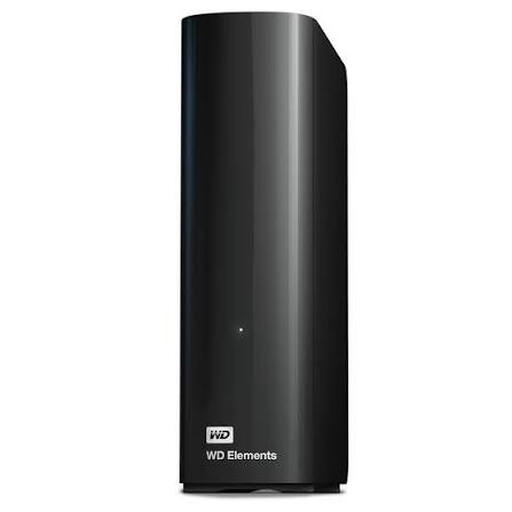
Desktop storage for a large collection of finished designs kept in one place.
8 TB of storage; the product description lists USB 3.0 and use with Windows PCs.
Check that the connection is compatible with your computer. The drive isn’t a separate backup stored in another location.
Not if it contains the only stored copy. The Digital Trust Center advises keeping a separate copy in another location and periodically testing that you can restore your files. This is backup advice, not a legal standard for drives.
They can if the file system format and any required software are compatible with the computers being used. Apple lists exFAT as a format compatible with Windows; Western Digital sets out additional requirements for writing to the My Passport WDBPKJ0050BBK-WESN on macOS. Back up your files before reformatting a drive.
Check the file system before choosing a drive. Microsoft documents a maximum file size of 4 GB for FAT32; choose a format that works on all the computers you need to use.
Make separate copies on an agreed schedule and periodically try restoring a file. Also decide how long you need to keep older versions, as a longer version history requires more storage space.
When you buy as a consumer, your statutory guarantee applies alongside any manufacturer’s warranty. According to ACM ConsuWijzer, the seller is your point of contact if a product used normally doesn’t meet your reasonable expectations. If you’re buying on behalf of an organisation, check which contractual and legal terms apply; this guidance from ACM ConsuWijzer is for consumers.