A desktop HDD suits a CAD archive that is mainly kept in one place, while a portable SSD is more convenient when projects regularly move between workstations. Measure the size of complete projects, including linked files and versions, and plan separate copies and integrity checks: one drive alone is not an archiving strategy. The Library of Congress recommends keeping copies on different storage media and in different physical locations, and describes separate file integrity checks.
Who is this relevant to?
Manager of a growing archive
You store complete projects and versions in one place and want to be able to find and restore files later. The Library of Congress recommends keeping copies on different media and in different physical locations for digital preservation.
Volunteer transferring projects
You take CAD projects between workstations and want to check that linked files still open after being moved. Autodesk Support warns that external references using absolute paths need to be reset after a move.
Manager of sensitive project data
If projects contain personal data, you also need to consider access, retention periods and protection in the event of loss. The Dutch Data Protection Authority emphasises that appropriate security and retention periods depend on the processing and the organisation.
What to consider when choosing
First decide whether the archive will mainly stay in one place or regularly move between workstations. Then work out how much space you need for project files, versions and a separate copy.
| What to consider |
What should you check? |
Who should prioritise this? |
| Recoverability and integrity |
Plan to store a copy in another physical location, and decide how you will check files and test recovery. |
I want to be able to restore projects after a loss and check that files are intact; around 36% of consumers put recoverability first. |
| Space for projects and versions |
Measure a complete collection of projects and decide how many versions to keep; check the capacity of the exact model. |
I want to leave room for complete projects and previous versions as the archive grows; around 29% of consumers put capacity first. |
| Transfers and CAD references |
Check the connections on your work computers and test whether a moved project opens with its linked files. |
I take projects to other workstations and want to be able to open the linked files there too; around 21% of consumers put portability first. |
| Access and retention period |
Establish whether the archive contains personal data and, if necessary, assess access management, security and deletion. |
If projects contain personal data, I want to manage access and retention carefully; around 14% of consumers put personal data protection first. |
Common pitfalls
-
Assuming one large drive is a complete backup strategy
Capacity or a possible recovery service does not, on its own, give you a second stored copy.
Plan separate copies and test that you can restore your files, whether you choose an HDD or SSD.
-
Copying only the main drawing
After a move, external references using absolute paths may no longer point to the right files. Autodesk Support describes this issue with moved AutoCAD files.
Where your CAD software supports it, gather the complete project package and open a test copy from the intended archive location. Finding missing files and restoring paths takes extra time to manage.
-
Confusing an SSD’s stated speed with CAD performance
A stated maximum transfer speed does not guarantee the speed of a CAD project; the host hardware, software and way you use it can all make a difference.
Check the USB connections on your workstations and choose according to the capacity and workflow you need.
-
Confusing a password feature with complete privacy management
If the archive contains personal data, protecting it also requires agreements on access and retention; a drive feature cannot set these up for you.
Establish what data is held and assess the appropriate security and deletion measures for your organisation.
Relevant brands for reference
Seagate
The Expansion Desktop range is worth considering for an archive kept at a fixed workstation. Seagate lists an 8 TB EMEA model.
- Seagate says that a power adapter, USB cable and Toolkit backup software are included.
- The desktop model needs a mains socket. Seagate says the Rescue service is not available in every country, so check coverage for the model you choose.
Samsung
The portable T7 Shield 2TB is an option for taking projects between workstations.
- For model MU-PE2T0S/EU, Samsung lists USB 3.2 Gen 2, IP65 and maximum sequential read and write speeds of 1.050 and 1.000 MB/s respectively.
- These are manufacturer specifications, not independently measured CAD performance. Check that the capacity is right for complete projects and versions.
Kingston
The XS1000 2TB is a compact SSD option for transferring files between computers with different USB connections.
- For SXS1000/2000G, Kingston lists a USB-A cable with a USB-C adapter and maximum read and write speeds of 1.050 and 1.000 MB/s respectively.
- The stated speed also depends on the host hardware, software and how you use it. Check the warranty terms for the model you choose.
Western Digital
The My Book range is worth considering if you are looking for a fixed archive location and access security.
- The Western Digital My Book manual describes scheduled backups and password protection with hardware encryption.
- Check that these features apply to the specific model and its accompanying software. They do not replace a separately stored archive copy.
Products on Joybuy
This selection includes portable SSDs for taking projects with you, and desktop or portable HDDs for storage in a fixed or mobile location.
 No image available
SanDisk Portable SSD 1TB
This portable SSD is designed for taking files and projects with you.
Capacity: 1 TB. The description lists read speeds of up to 800 MB/s and drop protection from a height of up to 2 metres.
View on Joybuy
 No image available
WD Elements Desktop 6TB
This desktop HDD is suited to storage in a fixed location with access to mains power.
Capacity: 6 TB. The description lists USB 3.0, a USB cable and external power adapter, and plug-and-play use with Windows.
View on Joybuy
 No image available
WD Elements Portable 2TB USB-C Graphite
This portable external drive is designed for taking files between workstations.
Capacity: 2 TB. The title lists USB-C; the description says it works with Windows and Mac computers.
View on Joybuy
 No image available
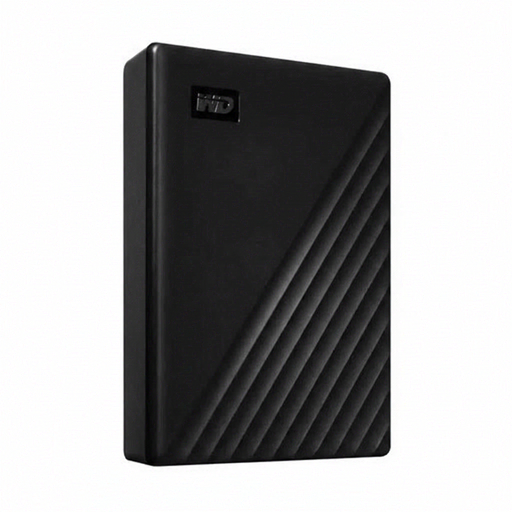
Western Digital WD Elements Desktop 24TB
This desktop HDD is designed for a large collection kept in a fixed archive location.
Capacity: 24 TB. The description lists USB 3.2 Gen 1, backwards compatibility with USB 2.0 and an external power adapter.
View on Joybuy
 No image available
Portable SSD 1TB 1000MB/s
This portable SSD is an option for taking project files with you.
Capacity: 1 TB. The description lists USB-C, USB 3.2 Gen 2 and maximum read speeds of up to 1.000 MB/s. It also lists compatibility with Android, iPadOS, macOS and Windows, and drop protection from a height of up to 2 metres.
View on Joybuy
Frequently asked questions
How can you make sure a copied CAD project will still open later?
Include the linked files and test the project from the archive copy. Autodesk Support explains that absolute paths can break external references after a move. For supported Vault projects, Autodesk Pack and Go gathers the file and its references, unless you exclude them.
Is one external drive enough for a community archive?
One drive does not provide a separate copy to restore from if it is lost. The Library of Congress recommends keeping copies on different storage media and in different physical locations, and describes separate file integrity checks.
Which connections should you check before use?
Check the ports on your work computers, the cables supplied with the exact model and whether the CAD project opens after transfer. Kingston lists a USB-A cable and USB-C adapter for the XS1000; compatibility also depends on the host hardware and software.
Can a recovery service replace a separate archive copy?
No. Plan a separate copy and test recovery rather than relying on a recovery service. Seagate says its Rescue Data Recovery service is not available in every country, so check coverage for the model you choose.
Can a Dutch community archive keep personal data indefinitely?
No. According to the Dutch Data Protection Authority, personal data must not be kept for longer than necessary, and appropriate security measures are required. The right retention period and measures depend on the data and the organisation.


