For active RAW projects that you open regularly or take with you, a portable SSD is a good fit. For an archive kept in one fixed location, a desktop HDD may be more practical. If several studio team members need to access files over the network, set up network sharing and access permissions first: a standalone USB drive won’t provide these automatically. Also check the connection, the capacity you need and that you have a separate backup.
Which type of storage is right for you?
Studio with multiple editors
You want colleagues to be able to find RAW files, with access managed according to each task. A USB drive isn’t the same as properly configured network sharing; Synology explains how to share a connected drive through a compatible NAS.
Photographer with active RAW projects
You regularly open or move large project folders, so you’ll want to consider a portable working drive, suitable connections and a separate backup. Samsung and Crucial describe portable SSD ranges designed for active files.
Studio archive manager
You keep completed projects in one fixed location and plan space for both the archive and separate copies. Seagate lists an 8 TB EMEA version of the Expansion Desktop STKP8000400.
What should you consider when choosing?
First decide whether you need to take files with you, store them in one fixed location or give several studio team members network access. Then check capacity, permissions and backup arrangements separately.
Portable external SSD
Best for: active RAW projects that you open often or take between workstations.
Keep in mind: transferring files requires the drive to be connected; it won’t automatically provide network storage or a separate backup.
External desktop HDD
Best for: an archive that’s mainly kept at one fixed workstation.
Keep in mind: the Expansion Desktop described comes with a power adapter and is less convenient to move.
External drive connected via a NAS
Best for: a studio with a compatible Synology NAS that wants to share a connected drive over the network.
Keep in mind: Synology states that usbshare doesn’t support Windows ACL permissions at file and subfolder level. Check whether this suits the access arrangements you need.
| Thing to consider |
What should you check? |
Who is this important for? |
| Access for colleagues |
Check whether you need access from multiple computers. With a NAS, check the model, drive format and available folder permissions. |
If I want to share files with several colleagues, I need to be able to manage access for each task; around 31% of consumers put shared access first. |
| Protection and recovery |
Set aside a separate location for an additional copy and decide how you’ll check that recovery works. Restrict access if files contain personal data. |
I want to manage the risk of losing RAW files or allowing unwanted access; around 25% of consumers give file protection and recovery top priority. |
| Active RAW projects |
Check that your computer, port and cable are compatible with the drive. Don’t assume the stated maximum speeds are guaranteed in your workflow. |
When I regularly open or move current projects, I want a suitable connection and working drive; around 25% of consumers prioritise working speed. |
| Archive space |
Calculate space for existing projects and expected growth separately from the space needed for additional copies. Check the capacity of the exact version. |
If I want to keep completed shoots in one fixed location, I need space for my archive to grow; around 19% of consumers put archive space first. |
Common pitfalls
-
Assuming a larger or faster drive is a backup plan
Even a high-capacity drive is still just one copy. If it contains the only copy, you have no separate copy to fall back on.
Decide which files are active, where separate copies will be stored and how you’ll check that recovery works.
-
Assuming a USB drive automatically provides detailed studio permissions
Synology states that usbshare doesn’t support Windows ACL permissions at file and subfolder level. This may matter if different colleagues need different levels of access.
Test the permissions you need with the NAS and folder type you plan to use before sharing client files.
-
Assuming an SSD’s maximum speed is guaranteed in the studio
Crucial says the X9 Pro’s stated maximum speed requires a suitable USB 3.2 Gen 2 host and USB-C cable, so the connection and computer also affect performance.
Check the drive, port and cable together as one connection, and don’t choose based on MB/s alone.
Relevant brands and product ranges
These product ranges illustrate different ways of working with storage. A brand mention alone doesn’t indicate availability or suitability for every studio.
Samsung
The Portable SSD T7 Shield is a range of portable SSDs. The Netherlands version described here is the 2 TB MU-PE2T0S/EU.
- Samsung Netherlands lists USB 3.2 Gen 2, IP65 and maximum sequential speeds of 1,050 MB/s read and 1,000 MB/s write for this version.
- These are manufacturer specifications, not measured performance at a studio workstation. Network sharing and a separate backup need to be arranged separately.
Seagate
The Expansion Desktop is a range of fixed external HDDs. Seagate’s data sheet describes the 8 TB EMEA version, STKP8000400.
- Seagate’s data sheet lists USB 3.0 and a power adapter for this version.
- The drive is designed for a fixed storage location. Connecting it directly won’t automatically give other computers access or create a separate backup.
Crucial
The X9 Pro is a range of portable SSDs for active files. The version described here is the 2 TB CT2000X9PROSSD9.
- Crucial lists maximum read and write speeds of 1,050 MB/s and delivery in exFAT format. For the best speed, Crucial specifies a suitable USB 3.2 Gen 2 host and USB-C cable.
- Performance also depends on the connected equipment. Crucial warns that formatting erases existing data.
Synology
Synology NAS software may be useful for a studio that wants to share an external drive through a compatible NAS. It doesn’t replace the need to choose the drive itself.
- Synology’s Knowledge Centre explains how to use usbshare for connected drives and manage shared folders.
- According to Synology, usbshare doesn’t support Windows ACL permissions at file and subfolder level. First check whether it allows the access arrangements you need.
Joybuy products for external storage
These products are portable external storage devices for use with a connected computer. A standalone USB drive won’t automatically provide network access or a separate backup.
 No image available
SanDisk Portable SSD 1TB
This 1 TB portable SSD is a good fit for active RAW files that you want to take between workstations. You’ll need to make separate arrangements for network sharing or a dedicated backup.
View at Joybuy
 No image available
My Passport USB-C 2TB, black
This portable hard drive offers 2 TB of storage and USB-C. Check that the connection is compatible with the computer you use for your RAW files. The drive won’t automatically provide network sharing or a separate backup.
View at Joybuy
 No image available
My Passport USB-C 5TB, black
With 5 TB of storage and USB-C, this is a portable option for storing a larger number of files on a connected computer. Arrange network access and additional copies separately.
View at Joybuy
 No image available
My Passport USB-C 1TB, black
This portable hard drive offers 1 TB of storage and USB-C. Check that the connection is compatible with your workstation; a standalone drive isn’t automatically network storage or a separate backup.
View at Joybuy
 No image available
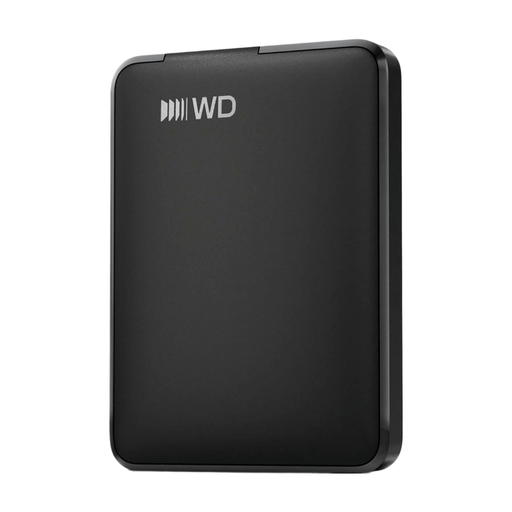
WD Elements Portable 1TB USB-C, graphite black
This portable hard drive offers 1 TB of storage and USB-C for use with a connected computer. Allow for additional setup if you need studio access and a separate backup.
View at Joybuy
Frequently asked questions
Can several studio team members use one external USB drive?
Not automatically as shared network storage. If you already have a compatible Synology NAS, Synology’s Knowledge Centre explains how to share a connected drive as a usbshare folder. Check the supported drive format and the permissions you can set for that folder first.
What should I do before disconnecting or formatting a drive?
Eject the drive through your operating system before removing the cable. Before formatting, make a copy of any files you want to keep: Synology warns that formatting deletes data on the drive.
Is an included recovery service the same as a backup?
No. Seagate lists Rescue Data Recovery Services with the Expansion range, but says the service isn’t available in every country. Check the terms for your exact purchase and keep separate copies as well.
Does the GDPR apply to RAW photos of identifiable people in a commercial studio?
Yes, if the studio processes photos of identifiable people as an organisation. The Dutch Data Protection Authority considers identifiable images to be personal data and says the exception for purely personal or household use doesn’t apply to business use. Organisations must match their security measures to the risks and restrict unauthorised access; the Authority doesn’t prescribe one specific drive model.
Can the Lightroom Classic catalogue be stored on the same shared network drive as the photos?
No. Adobe distinguishes between catalogue files and photos. Photos can be stored on a network drive, but Lightroom Classic catalogue files can’t. Agree where each editor will store the catalogue and how you’ll coordinate changes to shared RAW files.


