
Creators who want to protect their sessions
You want to keep a complete, separate copy of your project and recordings after editing. Ableton recommends manually copying projects and recordings to a separate backup drive.


An external HDD is a good fit for finished projects you mainly want to archive. An SSD makes more sense if you regularly open, copy or take your projects with you. First decide whether the drive will be used for active work, archiving or a separate backup, then choose one that offers enough space and works with your computer’s connections. Keep a separate copy too, and check that the entire project folder, including linked media, has been transferred.
You want to keep a complete, separate copy of your project and recordings after editing. Ableton recommends manually copying projects and recordings to a separate backup drive.
You need space for sessions you open less often and want to weigh the capacity you need against the convenience of a faster working drive. The Consumers’ Association explains the trade-offs between external HDDs and SSDs.
You use projects or samples in more than one studio or workspace. Connections, file formats and whether linked media files are included all affect how practical this is. Ableton also points out that plug-ins need to be installed separately.
First decide whether the drive will mainly be used for a separate backup, a project archive or active work. Then check how much space you need, as well as the connection and file format.
| What to consider | What to look for when buying | Who should prioritise this? |
|---|---|---|
| Separate backup | Keep the working version and the backup separate. After copying, open a project from the destination drive to check the files. | If I want to keep a complete copy after a long session, I also want to be able to check it. Around 33% of consumers prioritise a recoverable copy. |
| Space for an archive | Compare the drive’s capacity with the size of your full project folders, including recordings and samples. | For finished projects I rarely open, enough archive space matters more than a fast working drive. Around 27% of consumers put archive space first. |
| Regular access and reuse | Check the drive’s interface and your computer’s port. Stated maximum speeds do not guarantee the same speed on your system. | If I often return to active projects or samples, I want to be able to open files again quickly. Around 20% of consumers give fast access and reuse top priority. |
| Transferring between computers | Check that the cable, ports and file format are suitable for the computers you want to use to open the project. Make sure you include linked media too. | If I want to open projects on another computer, the media files need to come with them and the drive must work with that computer. Around 20% of consumers put transferability first. |
If the project is stored only on the external drive, losing the drive or having it fail is still a single point of failure.
Keep the working version and backup separate, and check that you can open a project from the copy.
This means you’ll need extra storage or a separate backup solution.
An Ableton Live set may refer to audio files outside the project folder. The collect option does not copy plug-ins.
Collect the relevant media and copy the entire project folder. On the other computer, check which plug-ins need to be installed separately.
Finding missing recordings or samples and reinstalling plug-ins takes extra time.
Your computer’s port and connection can limit transfer speeds, so a higher stated maximum won’t automatically make a difference.
Check the interfaces on both the drive and your computer before choosing a model with a higher stated speed.
Toshiba states that Canvio Basics comes pre-formatted as NTFS and needs to be reformatted for the macOS versions specified.
Check the format and requirements of the computers you want to use the drive with beforehand, and first make a separate copy of any files already on it.
Allow time for an extra copy and any reformatting that may be needed.
Canvio Basics is a range of portable HDDs for anyone mainly looking for archive space or a local copy.
Expansion Portable is a compact, USB-powered HDD for local storage.
XS1000 is a compact external SSD range available in 1 or 2 TB capacities, designed for regular copying and portability.
The T7 and T9 portable SSD ranges offer different interfaces for anyone who regularly uses or transports projects.
Extreme Portable SSD is a range of portable SSDs for taking with you and transferring files.
This selection includes portable external SSDs for active projects and transferring files, as well as HDDs for keeping project copies and archives.
 No image available
A portable SSD for storing and taking a project copy with you.
The product description lists 1 TB of storage, read speeds of up to 800 MB/s, drop protection from heights of up to 2 metres and an attachment loop.
 No image available
A portable SSD for project files you want to store and move between locations.
The description lists 1 TB of storage, USB-C, USB 3.2 Gen 2 and read speeds of up to 1.000 MB/s.
 No image available
A portable HDD for keeping project copies or a local archive.
The description lists 2 TB of storage, USB 3.2 Gen 1, 256-bit AES hardware encryption and backup software. Do not move the drive while transferring data.
 No image available
A portable HDD for music files and project copies.
The description lists 1 TB of storage, USB 3.2 Gen 1 and compatibility with USB 2.0. It says the drive needs to be reformatted for use with a Mac; make a separate copy of any existing files first.
 No image available
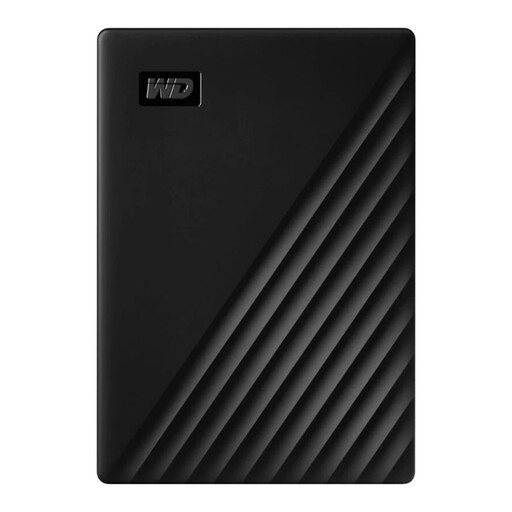
A portable HDD for storing or copying project files.
The description lists 1 TB of storage, USB 3.0, a 2.5-inch form factor and a weight of 122 grams.
Not if the set refers to audio files outside the project folder. If needed, use ‘Collect All and Save’, then copy the entire project folder. Ableton says this does not include plug-ins, which need to be installed separately.
Apple lists exFAT as a Windows-compatible format for volumes larger than 32 GB. Also check your music software’s requirements, and make a separate copy of any existing files before reformatting a drive.
First check that the copied files are on the drive and, if possible, open a project from the copy. Microsoft recommends safely ejecting external drives in Windows before disconnecting them to help prevent data loss.
If a product is faulty, contact the seller about your statutory guarantee. According to the Dutch government, there is no fixed statutory guarantee period in the Netherlands; what you could reasonably expect from the product and the cause of the fault are taken into account.
According to the Dutch government, the take-back scheme for household electrical equipment applies when you buy a new, similar item, including online purchases. You can also ask at a suitable collection point or your local council recycling centre. Erase your data before handing in the drive.