
Archive manager who needs to demonstrate recovery
You want to keep invoices organised and be able to restore them if the originals go missing. The National Archives describes digital archiving as selecting, organising and describing information.


Start by considering the size of your archive, the computers you’ll need to access the invoices on later, and how you’ll test recovery. A portable HDD is a good fit for a backup that will usually be stored away; an SSD may suit you better if you’ll be carrying it around regularly. The National Cyber Security Centre advises keeping at least three versions of important business data: the original and two backups.
You want to keep invoices organised and be able to restore them if the originals go missing. The National Archives describes digital archiving as selecting, organising and describing information.
You connect the drive to different computers. So check the cable, file system and connections on the computers you use in advance. Toshiba and Apple Support outline points to consider when formatting for Windows and Mac.
If invoices contain personal data, you need to decide who can access them and what security measures are appropriate to the risks. The Dutch Data Protection Authority stresses that security measures should match the risks.
Don’t choose based on the drive alone: first decide how you’ll organise, copy and restore files. The National Archives stresses the importance of selecting, organising and describing information; the National Cyber Security Centre recommends keeping multiple backup versions of important business data.
A good fit for: a backup that will usually be kept in a safe place, when capacity and room for extra copies matter more than transfer speed.
Bear in mind: the Dutch Consumers’ Association reported in Digitaalgids (July 2022) that HDDs are more susceptible to wear and knocks than SSDs.
A good fit for: a copy that you regularly carry between archive locations, provided the capacity and connections suit your computers.
Bear in mind: quoted top speeds haven’t been measured on your computers. For small invoice files, your recovery routine, access requirements and capacity may matter more.
| What to consider | What should you check? | Who is this important for? |
|---|---|---|
| Recoverable copy | List your invoices and related exports, check that your backup process includes them, and test restoring files. | If I make a copy, I want to know that I can restore the invoices later. Around 33% of consumers put recoverability first. |
| Room for versions | Measure the size of your archive and decide which files and backup versions you want to keep before comparing capacities. | I want enough room for both the invoices and the versions I plan to keep. Around 27% of consumers put archive space first. |
| Access to data | Work out who needs access and check that the exact model has the security feature you want. Also make a plan for managing passwords and keys. | If invoices contain personal data, I want to restrict access to the people who are authorised to see them. Around 20% of consumers give access security their top priority. |
| Readability on computers | Check operating systems, ports and backup software. Before formatting, make a separate copy of any files already on the drive. | I want to be able to open invoices on the computers used by different archive managers. Around 20% of consumers put compatibility first. |
A drive won’t automatically give you an up-to-date, easy-to-find copy that you can restore.
Decide which files you’ll copy, where you’ll keep a separate copy and how you’ll test recovery. Then choose a suitable capacity.
Managing extra copies, versions and recovery tests takes time and may require more storage space.
A manufacturer’s specification isn’t a measurement taken on the archive’s computers. For small invoice files, your backup routine may matter more than speed.
Start by assessing capacity, recovery and portability. Then consider whether speed makes a difference for your needs.
Apple Support warns that formatting can permanently erase data already on a drive.
Before formatting, check whether there are any files on the drive and make a separate copy of them first.
Recreating lost copies can take extra time.
If an organisation processes personal data, the Dutch Data Protection Authority says its security measures must be appropriate to the specific risks.
Decide who should have access. As well as any drive security, make arrangements for managing passwords and handing them over to the next manager.
Managing access and handing over passwords requires agreed procedures for the archive.
Canvio Basics is a range of portable HDDs. Toshiba lists the black HDTB520EK3AA model with 2 TB.
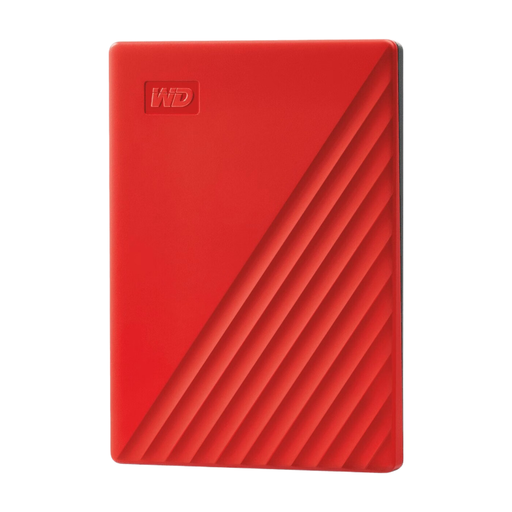
My Passport includes portable HDDs, such as the black WDBYVG0020BBK-WESN model with 2 TB.
Expansion Portable is a range of portable HDDs. The data sheet identifies STKM2000400 as the black 2 TB model.
Portable SSD T7 is a range of portable SSDs. Samsung identifies MU-PC1T0T/WW as the grey 1 TB model.
Kingston positions the XS1000 as portable storage, while the IronKey Vault Privacy 80 has hardware encryption, according to Kingston.
These Joybuy picks include portable HDDs and SSDs for invoice archives. Compare their capacity and connections with your computers, and consider whether you’ll be carrying the copy around regularly.
 No image available
This portable SSD is an option if you’ll be moving a copy around regularly.
The product information lists 1 TB and a quoted read speed of up to 800 MB/s.
The description mentions a fastening loop for carrying.
 No image available
This portable HDD is designed for use with Mac computers; the product information mentions Time Machine.
The description lists preformatting for Mac, password protection and hardware encryption.
A USB-A cable and USB-C adapter are included, according to the product information.
 No image available
The capacity may suit an archive that needs space for files and planned backups.
The product information lists 6 TB and software for scheduled backups.
According to the product information, password protection and hardware encryption must be activated using the included software.
 No image available
This portable HDD may suit you if your archive and the backup versions you want to keep need extra space. Work out how much in advance.
The product information lists 4 TB and software for automatic backups.
According to the product information, password protection and hardware encryption must be activated using the software.
 No image available
This portable SSD is an option if you’ll be taking a copy with you regularly.
The product information lists USB-C, 1 TB and a quoted read speed of up to 1,000 MB/s.
The description mentions drop protection from heights of up to 2 m.
Don’t rely on a single drive as your only way to recover your files. The National Cyber Security Centre advises keeping at least three versions of important business data: the original and two backups. The National Archives also stresses that long-term digital archiving requires files to be organised and described.
Restore files from the backup and check that you can read them. Include the necessary invoices and related exports in your checks. The National Cyber Security Centre gives financial records as an example of data to include and describes testing as part of a backup strategy.
First check the file system and the requirements of your backup method. Toshiba says Canvio Basics comes preformatted as NTFS and needs to be reformatted for macOS. Apple Support warns that reformatting can permanently erase existing data, so first make a separate copy of any files already on the drive.
For the records of a foundation or association, the Tax and Customs Administration’s Foundation and Association Desk generally specifies a minimum retention period of 7 years; for property records, it specifies 10 years. First establish which organisation and records the invoices belong to, as these periods don’t necessarily apply to every document in every community archive.
No. A product feature alone isn’t enough to demonstrate compliance. If the organisation processes personal data, the GDPR requires security measures that are appropriate to the risks, according to the Dutch Data Protection Authority. Also assess what data is stored, who has access, where copies are kept and how passwords are managed.
Don’t assume a product warranty covers data loss. Western Digital lists a limited product warranty, and Seagate says its Rescue service isn’t available in every country. Check the terms for the specific model, and keep data recovery separate from your own backup and recovery routine.