Who is this buying guide for?

Designer with a growing project archive

You keep lots of completed projects and versions, and want enough space as well as an easy-to-find backup. The Consumers’ Association describes external storage as an option when your computer is running out of space.

Designer who often moves projects

You copy or open large folders at different workstations, weighing transfer speeds, connections and file systems against one another. Samsung, Crucial and Toshiba describe products for different portable storage needs.

Studio with sensitive client files

If your studio processes personal data, you also need to think about access, loss and recovery. The Dutch Data Protection Authority links appropriate security measures to the risks involved in processing.

What should you look for?

What to consider What should you check? Who should give this more weight?
Space for projects and versions Add up the folders and versions you want to keep, then compare the total with the capacity of the exact model. If my archive keeps growing, I want to keep projects and versions without constantly freeing up space. Around 31% of consumers put capacity first.
Recovery and protection Arrange a separate copy and test whether you can restore an earlier version. For sensitive files, assess access security too. If a design version could be lost or client files need protection, I want to know how to restore files and restrict access. Around 25% of consumers prioritise recoverability and protection.
Transferring large folders Check that your computer, cable and drive support the same required USB connection; treat stated speeds as maximums under the specified conditions. If I often copy or reopen large project folders, waiting time matters when I choose. Around 25% of consumers give transfer speed top priority.
Portability and computer compatibility Compare the ports and supplied cable with your computers, and check that the file system suits file transfers or a specific backup feature. If I move between workstations or computers, I want to take the drive with me and access my files. For around 19% of consumers, portability and compatibility matter most.

Common pitfalls

  • Confusing storage space with data protection

    A large drive may hold lots of projects, but it does not create a second copy by itself. If files are lost or overwritten, your archive could still disappear.

    Decide where you will keep a separate copy at the same time, and test how to restore a design version.

    A separate copy needs extra storage space and time to check that recovery works.

  • Assuming the stated speed is the speed you’ll get with a project folder

    Manufacturer figures apply under certain conditions and are not a measure of your entire design workflow.

    Check which host device and cable are needed for the stated speed, then compare them with your computer’s connection.

  • Using a Windows drive straight away for every Mac backup

    Time Machine cannot back up directly to a drive formatted for Windows. Reformatting deletes the files on it.

    Choose in advance between file sharing and a Time Machine destination, and make a copy first before changing the format.

    Safely copying files before reformatting may require extra time and temporary storage.

  • Not checking the cable or power supply

    The desktop HDDs reviewed use a power adapter; the portable models mentioned have different connections and cables.

    Compare the ports on your work computers with the exact model and packaging, and consider whether the drive will stay in one place.

Brands to compare

Western Digital

The WD Elements Desktop range is designed for a fixed workstation where archive capacity comes first.

  • Western Digital identifies model WDBWLG0100HBK-EESN as a 10 TB version with USB 3.2 Gen 1/USB 3.0 and a mains power adapter.
  • The manufacturer says reformatting is required for macOS. The product specifications are not an independent reliability assessment.

Seagate

Expansion Desktop is a desktop HDD option for large archives.

  • Seagate identifies STKP8000400 as an 8 TB EMEA version with USB 3.0 and a power adapter.
  • Seagate lists Rescue Data Recovery Services; check whether the service applies to the specific version on sale. A recovery service is no substitute for a backup.

Samsung

The Portable SSD T7 Shield is a portable SSD option for anyone who regularly takes files with them or transfers them.

  • For the black MU-PE4T0S/EU, Samsung lists a capacity of 4 TB and sequential speeds of up to 1.050 MB/s read and 1.000 MB/s write.
  • Samsung lists IP65 and a drop height of 3 metres. These product specifications do not guarantee that files can be recovered after an incident.

Crucial

The X9 Pro is a compact SSD option for regular transfers; the model mentioned, CT4000X9PROSSD9, has 4 TB.

  • Crucial lists speeds of up to 1.050 MB/s for reading and writing, and says the drive comes formatted as exFAT.
  • According to Crucial, the top speeds depend on a suitable USB 3.2 Gen 2 host and cable. A USB-A adapter is available separately.

Toshiba

Canvio Basics is a portable HDD option if you want to take the drive with you.

  • Toshiba identifies HDTB540EK3CA as a 4 TB EMEA version powered via USB.
  • Toshiba lists NTFS for Windows; reformatting is required for macOS. Also check that the supplied Type-A-to-Micro-B cable fits your ports.

Joybuy products for project archives

This selection includes portable and desktop HDDs for archive storage, as well as portable SSDs for regularly transferring project folders.

WD Elements Portable 5TB USB-C, Graphite Black

WD Elements Portable 5TB USB-C, Graphite Black

A portable HDD for an archive you take with you regularly.

The product description lists 5 TB, USB-C and compatibility with Windows and Mac; check the file system and connection for your computers.

View on Joybuy

WD Elements Desktop 6TB USB 3.0

WD Elements Desktop 6TB USB 3.0

A desktop HDD for an archive kept at a fixed workstation.

The product description lists 6 TB, USB 3.0 and an external power adapter. Reformatting may be required for Mac use.

View on Joybuy
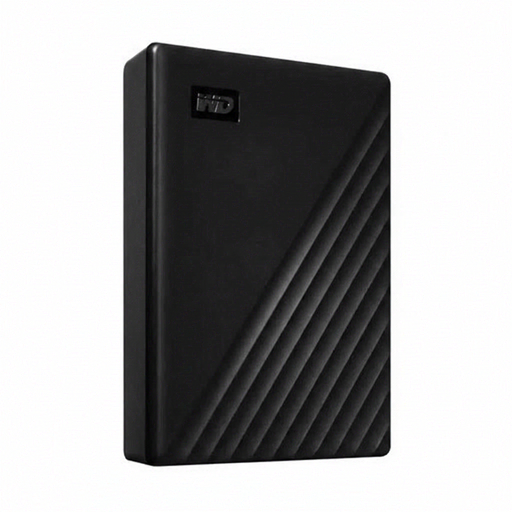
Western Digital WD Elements Desktop 24TB USB 3.2 Gen 1

Western Digital WD Elements Desktop 24TB USB 3.2 Gen 1

A desktop HDD for a large archive kept in one place.

The product description lists 24 TB, USB 3.2 Gen 1 and an external power adapter. Reformatting may be required for use with some other operating systems.

View on Joybuy

Samsung MU-PG2T0B 2TB USB Type-C 3.2 Gen 2x2 Black

Samsung MU-PG2T0B 2TB USB Type-C 3.2 Gen 2x2 Black

A portable SSD for anyone who regularly moves large files between workstations.

The product description lists 2 TB and USB 3.2 Gen 2x2. Check that your computer’s connection is compatible with this interface.

View on Joybuy

Samsung MU-PE2T0R 2TB USB Type-C 3.2 Gen 2 Blue

Samsung MU-PE2T0R 2TB USB Type-C 3.2 Gen 2 Blue

A portable SSD for taking and transferring project files.

The product description lists 2 TB, USB 3.2 Gen 2 and a rubber casing. The stated IP65 protection covers dust and water jets; do not submerge the drive.

View on Joybuy

Frequently asked questions

Does keeping an archive on one external drive count as a backup?

The external drive is a separate copy only if the originals are stored somewhere else. Safe Internet describes a backup as a copy of existing files. For irreplaceable designs, keep a second copy in another location too, and regularly test whether you can restore a file.

Can the same drive share files between Windows and Mac and also be used for Time Machine?

Not without considering the file system: Apple lists exFAT as compatible with Windows, but Time Machine cannot back up to a drive formatted for Windows. Set up a drive or suitable volume for the function you need, and copy any files already on it first, as reformatting erases its contents.

How do I include project folders outside my default folders in a Windows backup?

Microsoft says that File History backs up libraries. If a project folder is outside them, add it to an existing or new library, then check that you can restore an earlier version.

How much space does Apple recommend for a Time Machine drive?

Apple ideally recommends a backup drive with at least twice the storage capacity of your Mac. This advice applies to Time Machine and is not a general minimum capacity for every design archive.

Is encryption required for a design archive containing personal data?

Based on this information, there is no general requirement for every buyer to encrypt an external drive. Organisations that process personal data must choose appropriate security measures based on the risks, according to the Dutch Data Protection Authority. Assess whether encryption is appropriate for your processing activities.
