
Club backup administrator
Wants to restore club files after deletion or computer failure, so checks that the backup routine works. The Digital Trust Center advises regularly restoring a backup and checking that it works as expected.


Start with a backup routine that lets you restore the right club folders and, where needed, older versions. Make sure you test the recovery process too. A portable HDD is an option if capacity is your priority, while an SSD is worth considering if you often take the backup with you or transfer files. Neither replaces a separately stored copy and a recovery test.
Wants to restore club files after deletion or computer failure, so checks that the backup routine works. The Digital Trust Center advises regularly restoring a backup and checking that it works as expected.
If the computer used for working from home contains personal data, its security needs to match the risks involved in processing that data. The Dutch Data Protection Authority stresses that appropriate measures depend on those risks.
Moves club files between locations and weighs portability and transfer against having enough capacity for a recoverable copy.
First decide what you need to be able to restore. Then choose the capacity you need and check who will have access to the backup.
| Priority | What to look for | Who it matters to |
|---|---|---|
| Recoverability | Check that the club folders are selected, how versions are retained and whether a test restore works. | I want to be able to restore the right files after deletion or computer failure. Around 33% of consumers put recoverability first. |
| Data access | Establish whether the backup contains personal data, then check the available security features and how recovery access is managed. | If club files contain personal data, I want to put appropriate access controls and security in place. Around 27% of consumers give access protection their highest priority. |
| Capacity and versions | Measure the folders you want to copy, allowing for growth and the version history you need. | For a growing archive, I want enough room for files and earlier versions. Around 27% of consumers put capacity first. |
| Portability and transfers | Check that the port, cable and file system are compatible with the computers you want to use the drive with. | If I take the backup with me regularly, I want to be able to use the files on the other computer too. Around 13% of consumers prioritise portability and transfers. |
A high-capacity drive won’t automatically contain the right folders, and it could be lost in the same incident as the computer.
Record what gets copied, keep an additional copy in another location and try restoring files. The Digital Trust Center advises storing copies in different locations and testing recovery periodically.
You may need a separate copy or additional storage for version history.
A product feature isn’t automatically activated or sufficient for the risks associated with club data.
Check the settings for the exact model and agree who will manage recovery access. The Dutch Data Protection Authority advises tailoring security measures to the data processing and its associated risks.
Time Machine may require you to reformat a drive with a Windows file system, which could erase existing data.
Check your computer and the backup software requirements before formatting a used drive. Apple explains the limitations of drives used with Time Machine.
The My Passport range is worth comparing if you’re looking for portable storage and configurable access protection.
Expansion Portable is a range of portable HDDs worth comparing if capacity for a local copy is your priority.
The T7 Shield is a range of portable SSDs worth comparing if you take a backup with you or transfer large files.
The X9 Pro is a range of portable SSDs worth comparing if you move files between compatible computers.
These product picks include portable HDDs for local storage and external SSDs for a backup you can take with you.
 No image available
A portable SSD to consider if you regularly take the club backup with you.
The product name lists 1 TB and 2.000 MB/s. The stated maximum read speed requires a compatible USB 3.2 Gen 2x2 device; write speeds are lower.
 No image available
A portable HDD to compare if the space you need for a local archive fits within 6 TB.
The product name lists 6 TB and the colour White. Check the security and backup settings for the exact model before using it for your backup.
 No image available
A portable HDD to compare if the space you need for the club backup fits within 2 TB.
The product name lists 2 TB and the colour Blue. Check the settings for the exact model before scheduling backups.
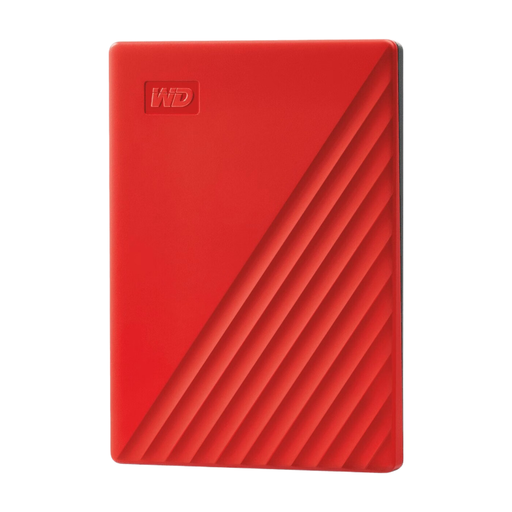 No image available
A portable HDD to compare if you need more space than a smaller model offers, but your estimated requirements fit within 4 TB.
The product name lists 4 TB and the colour Red. Check the security and backup settings for the exact model.
 No image available
An external SSD to compare if you often take the club backup with you and your storage needs fit within 2 TB.
The product name lists 2 TB, USB Type-C and USB 3.2 Gen 2. Check that the connections are compatible with the computers you want to use the drive with.
Check which folders are selected in the backup software, then restore a file as a test. Windows File History includes libraries; if necessary, you can add folders outside them to a library.
Not necessarily. Apple says that Time Machine doesn’t store backups on a drive with a Windows file system. You may need to reformat it, which will erase existing data. Check this before saving club files to the drive.
Not if that drive is your only recovery copy. The Digital Trust Center advises keeping copies in different locations and testing recovery periodically. Decide what additional storage or service suits your club’s routine.
The Dutch Data Protection Authority requires appropriate security based on the risks, and gives encryption and backups as examples. That doesn’t mean every club drive has to be encrypted in the same way; assess which measures are appropriate for the data and access involved.
That depends on the circumstances and the risk posed by the data breach. According to the Dutch Data Protection Authority, a breach must be reported unless a risk to the rights and freedoms of the people affected is unlikely. If a breach must be reported, the deadline is 72 hours from when you become aware of it. Assess any specific incident against these conditions.