Brands and product ranges to consider
These product ranges suit different storage needs; check the capacity and features of the exact model before buying.
Seagate
The Expansion Desktop range is an option for a large library that stays at a fixed workstation.
- For model STKP8000400, Seagate lists 8 TB, USB 3.0 and a supplied power adapter.
- You’ll need a mains socket and a compatible computer port. The specifications don’t say anything about the reliability of an individual drive.
Toshiba
The Canvio Basics range is a good fit if you’re looking for a portable, USB-powered HDD and the available capacity is enough for you.
- Toshiba lists USB bus power and use with Windows without installing software.
- The Dutch product range goes up to 4 TB. Toshiba says the drive needs to be reformatted for use with macOS.
Crucial
The X9 range offers a portable SSD option for anyone who regularly transfers large files.
- For the 4 TB X9 model reviewed, Crucial lists a maximum sequential read speed of 1.050 MB/s, measured on a high-performance desktop computer.
- Crucial says actual performance also depends on the computer, connection and formatting; the quoted speed is no guarantee of a complete backup.
Western Digital
My Book and Elements Desktop are desktop ranges to consider; features vary between model series.
- According to Western Digital’s compatibility matrix, certain My Book model series include hardware encryption and password protection.
- The matrix doesn’t list these features for Elements Desktop USB 3.0. Western Digital also distinguishes between hardware encryption and a password you set; check the exact model series.
Joybuy products for video backups
This selection includes desktop HDDs for a fixed workstation, portable HDDs and portable SSDs. Compare the capacity with your library, and consider portability, connection and formatting.
 Image unavailable
WD Elements Desktop 6TB
A good fit for a fixed workstation if your library fits within the quoted capacity and you can use a separate power adapter.
The Joybuy product listing states 6 TB of storage, USB 3.0, a USB cable and a mains power adapter. It’s listed as formatted for Windows.
View at Joybuy
 Image unavailable
WD My Passport 6TB White
A portable HDD to consider if your library fits within 6 TB and you want to be able to move the drive around.
The Joybuy product listing mentions scheduled backup software, 256-bit AES hardware encryption and password protection. Check which features suit your needs and the exact model.
View at Joybuy
 Image unavailable
Toshiba Canvio Basics 4TB 2.5"
A good fit for a portable backup if your library fits within 4 TB and you don’t want to use a separate power adapter.
The Joybuy product listing states 4 TB, USB bus power and formatting for Windows. According to the listing, the drive needs to be reformatted for use with macOS; back up any existing files somewhere else first.
View at Joybuy
 Image unavailable
Samsung Portable SSD T7 2TB Blue
A portable SSD to consider if your library fits within 2 TB and you transfer files regularly.
The Joybuy product listing mentions USB 3.2 Gen 2, supplied USB-C-to-C and USB-C-to-A cables, and a maximum sequential read speed of 1.050 MB/s. This quoted figure doesn’t guarantee the speed of a complete backup.
View at Joybuy
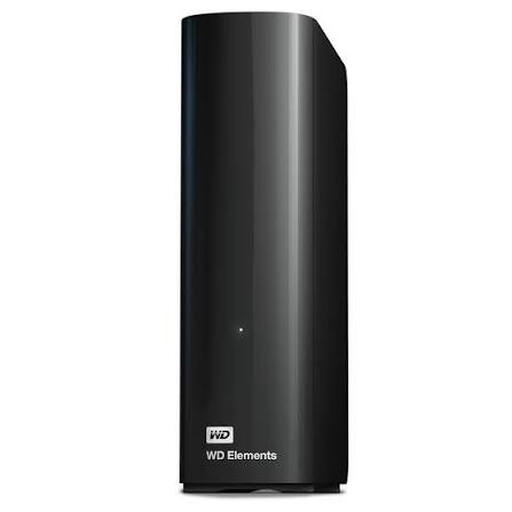 Image unavailable
WD Elements Desktop 8 TB
A good fit for a fixed workstation if your video library fits within the quoted capacity.
The Joybuy product listing states 8 TB and USB 3.0, with compatibility for USB 2.0 devices.
View at Joybuy
Frequently asked questions
How do I get started with automatic backups of video folders in Windows?
Microsoft describes File History as a way to copy files regularly to an external drive or network location. The default Videos library is included; add video folders in other locations to a library if you want to back them up with this feature. Then check that you can restore your files.
Can I use a Windows-formatted drive with Time Machine as it is?
No, check the formatting first. Apple says Time Machine can’t store backups on a Windows-formatted drive and warns that the drive may be erased during setup. So save any existing files somewhere else first; for a full Mac backup, Apple recommends a capacity at least twice that of the Mac.
Is the manufacturer’s warranty the same as my statutory warranty in the Netherlands?
No. According to ACM ConsuWijzer, your statutory warranty is separate from any warranty offered by the seller or manufacturer. If a product breaks during normal use sooner than you could reasonably expect, the seller is responsible for providing an appropriate solution at no cost; a manufacturer’s warranty period is therefore not automatically the limit of your statutory rights.
Does the GDPR apply to backups of my personal videos?
According to the Dutch Data Protection Authority, the GDPR doesn’t apply to the processing of personal data carried out solely for personal or household use. Don’t assume this applies to professional or commercial use; assess recordings in that context separately.


