
Creator with a growing video archive
You keep completed projects with their local source files and mainly need plenty of space and a project structure you can restore.


For completed projects stored mainly in one fixed location, a desktop HDD is an obvious choice. If you take projects with you or regularly reopen them, compare portable HDDs and SSDs for capacity, connection and speed. Keep the source files you need too, and check that the project opens again after copying. Backblaze recommends the 3-2-1 approach to data protection: three copies on two different types of media, with one copy stored elsewhere.
You keep completed projects with their local source files and mainly need plenty of space and a project structure you can restore.
You take projects between work locations. USB power, connections and portability matter more than they do for a drive that stays on your desk.
You regularly open existing projects and want to transfer source footage quickly or work directly from the drive.
| Priority | What to look for | Who is this important for? |
|---|---|---|
| Space for complete projects | Count all project folders and source files, and allow room for future projects. | If I want to keep completed projects, including their source footage, the capacity needs to fit the complete folders. Around 36% of consumers prioritise space for complete projects. |
| Keeping and restoring files | Check that the copied project folder contains the media you need, and keep a separate copy elsewhere. | If I want to reopen projects later, I don’t want to rely on a single drive or location. Around 29% of consumers give keeping and restoring files their highest priority. |
| Portability and connection | Check the connection you need, the included cable and the file system of the exact model. | If I travel between work locations with projects, I want to connect the drive to the computer I use without needing extra equipment. Around 21% of consumers prioritise portability and compatibility. |
| Speed when reusing files | Compare the specifications for the exact model and check that your computer has a compatible USB connection. | If I often transfer large files or regularly reopen projects, I want to know what the drive can deliver with my setup. Around 14% of consumers give speed when reusing files their highest priority. |
A drive can fail, or it and the files stored on it can be lost at the same time.
Make a separate copy of projects you want to keep, and store at least one copy elsewhere.
A separate backup location requires extra storage and management.
A project file may not be enough to edit a project again later if the associated source files are missing. Adobe Premiere can copy used media to one location; the ‘Exclude Unused Clips’ setting can leave out unused media.
Decide whether you want to keep all the original files or just the media you used. Open the copied project folder and check that the project works before clearing out the original files.
Missing media can mean extra work if you have to track down files later.
An interface specification and a maximum sequential speed quoted for a different model do not guarantee a particular transfer speed for the way you work.
Compare the specifications of the exact models and check your computer’s USB capabilities. Give speed more weight if you use the archive regularly.
The Expansion Desktop range is designed for storage at a fixed workstation; the STKP8000400 model reviewed has 8 TB of capacity.
The portable Canvio Basics is available in a 4 TB version, among others, with the part number HDTB540EK3CA.
The portable T7 Shield SSD reviewed is the Dutch 4 TB version, MU-PE4T0S/EU.
The Rugged USB-C range offers portable HDDs up to 5 TB; the d2 Professional range is desktop storage for a fixed workstation.
This selection includes portable HDDs and SSDs for storage on the go or regular file transfers, as well as desktop storage for a fixed workstation.
 No image available
A portable HDD for anyone who wants to take project files with them and needs space for video.
Capacity: 5 TB.
Connection: USB-C; the product information describes a portable 2.5-inch model.
 No image available
A portable HDD for storing and taking video files with you.
Capacity: 2 TB; size: 2.5 inches.
Connection: Micro-USB B, USB 3.2 Gen 1. The product information states that it is USB bus-powered.
 No image available
A portable SSD for anyone who regularly transfers video files and wants to match the connection to their computer.
Capacity: 2 TB; USB 3.2 Gen 2x2.
Maximum sequential speeds quoted: 2.000 MB/s read and 1.950 MB/s write.
The product information lists USB-C and USB-A cables.
 No image available
A portable SSD for storing and regularly transferring project files.
Capacity: 2 TB; USB 3.2 Gen 2.
Maximum sequential speeds quoted: 1.050 MB/s read and 1.000 MB/s write.
The product information lists IP65 protection; it is not designed to be submerged in water.
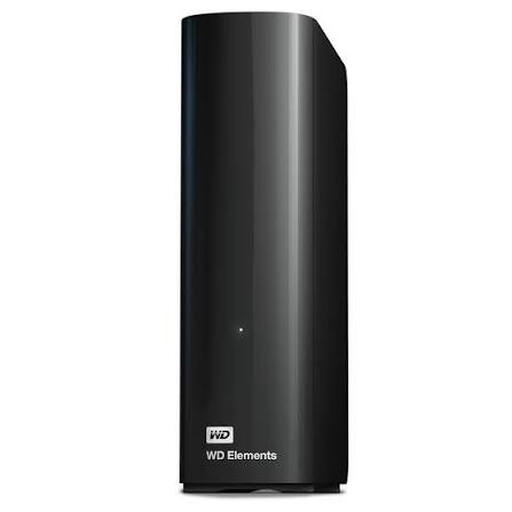 No image available
Desktop storage for video projects kept at a fixed workstation.
Capacity: 8 TB; USB 3.0.
The product information states that it is plug and play.
Not if you need the local source files to reopen the project later. Adobe Premiere can copy used media to one location along with the project. Also check whether you want to keep unused original footage, and open the copy to make sure the media is available.
That depends on the file system and model. Toshiba says the NTFS-formatted Canvio Basics needs reformatting for macOS. Before formatting, check whether the drive contains any files you want to keep.
No. According to the Dutch Government, there is no fixed statutory guarantee period in the Netherlands: a product must meet the standard you can reasonably expect, and the seller must provide a solution if it is faulty. A manufacturer’s warranty is additional, so check the terms for the model you choose.
If an organisation processes personal data, the Dutch Data Protection Authority says it must choose appropriate security measures based on the risks involved. This does not mean that a specific type of encrypted drive is required for every personal video archive.
For household appliances, the Dutch Government describes options including handing them in when buying a similar new appliance and using local council facilities. According to that source, the take-back scheme does not apply to businesses. Move any files you need to another storage location before handing the drive in.