What should you look for when choosing?
First, decide how many project versions you want to keep and how often you’ll need to access them. Then choose between a portable HDD, a desktop model with its own power supply, or an SSD for regular file transfers.
| What to consider |
What should you check? |
Who is this important for? |
| Archive space |
Add up the project folders and versions you want to keep, then compare the total with the capacity of the exact model. Remember that formatting uses some of the available space. |
If I mainly archive completed projects, I want enough space for the versions I really want to keep. Around 31% of consumers put having enough archive space first. |
| Space and ease of connection |
Check the dimensions, included cables, USB port type and whether the model you’ve chosen needs a separate power adapter. |
If space is limited, I don’t want an extra box, adapter and cables on my desk. Around 25% of consumers put limited desk space and ease of connection first. |
| Accessing projects |
Compare the advertised speed of the exact SSD model with your computer’s USB capabilities and cable. Maximum speeds don’t guarantee a particular copy speed. |
When I often revisit projects or work from external storage, fast access matters a lot. Around 19% of consumers give project access the highest priority. |
| Keeping project files safe |
Decide where your second copy will be stored, how often you’ll update it and whether you want to encrypt files containing confidential information. |
If projects are irreplaceable, I don’t want to rely on a single drive. Around 25% of consumers put keeping separate copies of projects first. |
Joybuy picks for video archiving
This selection includes portable external HDDs, an external SSD and a desktop HDD. Compare the capacity, connection and space needed with your archive and workspace.
 No image available
WD Elements Portable 5 TB USB-C – Graphite Black
A portable HDD option for keeping project files on a single drive and connecting it in a small workspace.
5 TB; USB-C.
View at Joybuy
 No image available
Western Digital My Passport USB-C 4 TB – Black
A portable HDD option for keeping a video archive on an external drive if you need USB-C.
4 TB; USB-C.
View at Joybuy
 No image available
Toshiba Canvio Ready 4 TB – Black
A portable HDD option for keeping a larger project archive on one drive without needing a separate power adapter on your desk.
4 TB; 2.5 inch; Micro-USB B; USB 2.0/3.2 Gen 1 (3.1 Gen 1).
View at Joybuy
 No image available
Samsung Portable SSD T7 2 TB USB Type-C 3.2 Gen 2 – Blue
An external SSD option for anyone who regularly moves project files and wants a compact storage solution.
2 TB; USB Type-C; USB 3.2 Gen 2 (3.1 Gen 2).
View at Joybuy
 No image available
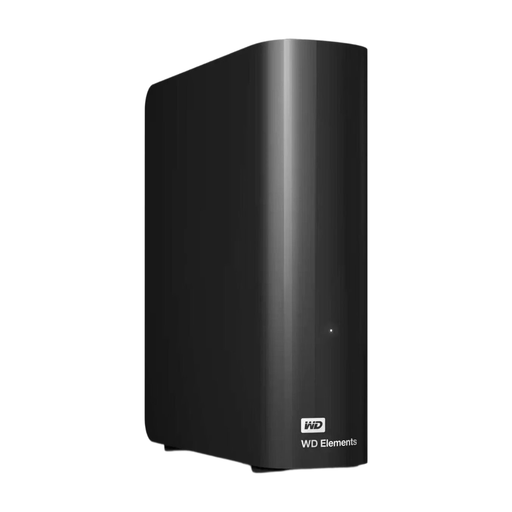
WD Elements Desktop 16 TB
A desktop HDD option for keeping a large video archive in a fixed workspace if you have room for a power adapter.
16 TB; USB 3.0.
Make room for the desktop enclosure and a socket for the mains power adapter.
View at Joybuy
Frequently asked questions
Is one external drive enough to keep irreplaceable video projects safe?
No, not if it’s the only remaining copy. Keep important projects in a separate location or on another drive too, and keep that copy up to date.
What should I check before connecting a drive in a small workspace?
Check the USB port and cables included with the exact model. For a desktop dock, you’ll also need to make room and have a suitable power connection. For the LaCie 2big Dock, the manufacturer says to use the supplied power cable.
How can I maintain my archive without overwriting a copy?
Create a new backup at regular intervals and check that you can access the project files you need at the other location. VeiligInternetten describes automatic and manual backups, and mentions encryption as an extra safeguard.
Is there always exactly a two-year statutory warranty on an external drive in the Netherlands?
No. According to the Dutch government, there is no fixed statutory warranty period in the Netherlands; you’re entitled to a product that works as it should. If a product is faulty, the seller must provide a solution. A manufacturer’s warranty is in addition to your statutory rights.
Where can I take an old external drive as a private buyer?
When you buy a similar new electrical appliance, the shop must take your old one free of charge, according to the Dutch government. This also applies to online purchases. You can also take it to a designated collection point or your local council. This take-back scheme applies to equipment owned by private individuals, not businesses.


