Products at Joybuy
Products for copying and storing recordings, with portable SSD and HDD options.
 Image unavailable
Western Digital My Passport 2TB Blue
A portable HDD for storing and transferring recordings; the description lists 2 TB of storage.
USB 3.0. The description lists AES hardware encryption and password protection; these are activated via WD Discovery.
View at Joybuy
 Image unavailable
Portable SSD 1TB 1000MB/s
A portable SSD for carrying and transferring files; the description lists 1 TB of storage.
USB-C and USB 3.2 Gen 2. The quoted read speed is up to 1.000 MB/s. The user instructions say an adapter may be needed for a USB-A port.
View at Joybuy
 Image unavailable
Toshiba Canvio Ready 1TB, black
An external hard drive for carrying and transferring files; the description lists 1 TB of storage.
2.5-inch, USB 3.2 Gen 1 and Micro-USB B connector. The description lists compatibility with Windows and Mac; check that the connection is suitable for your computers.
View at Joybuy
 Image unavailable
Samsung Portable SSD T7 2TB, grey
A portable SSD for copying files between workstations; the description lists 2 TB of storage.
USB-C-to-C and USB-C-to-A cables. Samsung specifies maximum read speeds of 1.050 MB/s and write speeds of 1.000 MB/s. These maximums require a compatible USB 3.2 Gen 2 connection and are not measured copy times. The description lists AES 256-bit encryption.
View at Joybuy
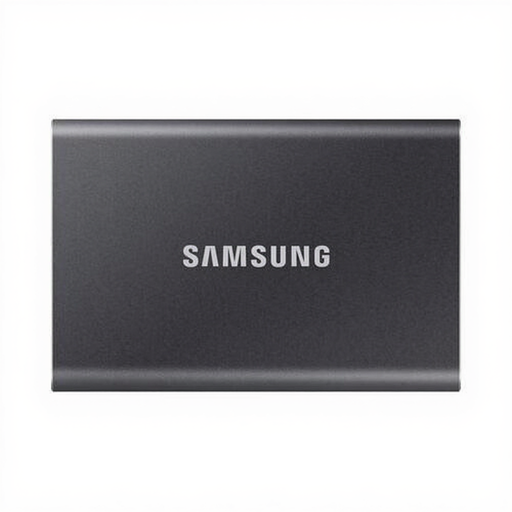 Image unavailable
Samsung Portable SSD T7 1TB, grey
A portable SSD for carrying and transferring files; the description lists 1 TB of storage.
The description lists USB-C-to-C and USB-C-to-A cables and AES 256-bit encryption. Samsung specifies maximum read speeds of 1.050 MB/s and write speeds of 1.000 MB/s. These maximums require a compatible USB 3.2 Gen 2 connection and are not measured copy times.
View at Joybuy
Frequently asked questions
Can I use the same drive with a Windows PC and a Mac?
Yes, with a suitable connection and file system. Apple recommends ExFAT for a drive larger than 32 GB that will be used with both Windows and Mac. Formatting deletes existing files, so make a copy first, then test the drive on both studio computers.
How can I check a transfer before disconnecting the drive?
Open the copied files on the destination drive to check that they are in the right place, then safely eject the drive. Microsoft describes both steps when transferring files to external storage.
Is one external drive enough for a backup?
Not if it contains the only remaining copy. Keep a separate backup and check that you can restore your files. For example, Microsoft describes using File History to back up to an external drive or network location.
What do the manufacturer's warranty and statutory guarantee mean if a product develops a fault?
According to the Dutch Government, a manufacturer's or seller's warranty is in addition to your statutory guarantee. If there is a problem with a product, the seller must provide a solution. Also check the manufacturer's terms for the exact drive.
Can I simply copy recordings that identify individuals to a shared drive?
Don't assume that you can. The Dutch Data Protection Authority considers identifiable audio recordings to be personal data and says that an organisation processing this kind of data must tailor its security to the risks. Whether a particular copy and access arrangement is permitted depends on how the data is processed and who has permission to access it.


