If you often copy complete project folders containing sewing patterns, or take the drive with you, an external SSD is an obvious choice. For a growing archive that you transfer less often, an external HDD may be a good fit. Compare the capacity you need, your computer’s ports and the file format, and keep important patterns in a separate, up-to-date backup too. The SSD speeds quoted by manufacturers are maximums under certain conditions, not measured copy times for your folders.
Who buys an external drive for sewing patterns?
Frequent project-folder copier
You often move complete folders of patterns and project files, so a suitable, fast connection is a priority. Samsung, Crucial and Kingston publish maximum speeds for specific SSD models; actual copy times also depend on your computer and the files.
Pattern archivist
You keep adding to your project folders and choose a drive based first on the storage space you need. Consumentenbond and VeiligInternetten treat storage and backups as separate considerations, so don’t assume that one drive should be your only backup.
Maker using multiple computers
You use your patterns on different computers, so it’s important to check that the port, cable and file format are compatible. Samsung, Crucial and Seagate specify connection or formatting requirements for particular product ranges.
What should you look for when choosing?
Start by considering the size of your project folders and how quickly they’re growing. Then think about how often you copy files, which computers you use, and whether the drive is for transferring files or for backups.
| What to consider |
What to look for |
Who is it important for? |
| Space for project folders |
Compare the size of your current folders and their expected growth with the capacity of the exact model. Formatting means that not all the stated capacity will be available for files. |
If I keep patterns, versions and project files together, I want enough space for my growing collection. Around 33% of consumers say storage capacity is their top priority. |
| Copying and connecting |
Check the ports on your computer and drive, the cable, and the read and write specifications. Manufacturer speeds apply under stated conditions and are not measured copy times for project folders. |
If I often transfer complete folders, I want to know whether the connection works with my computer and what the quoted speeds really mean. Around 27% of consumers prioritise copy time. |
| Using the drive with different computers |
Check that the supplied cable or an adapter fits your computer’s USB port. Also check which file format your computers need; formatting can erase existing data. |
If I use my patterns on multiple computers, I want to connect the drive without losing my files. Around 20% of consumers say compatibility is their main buying concern. |
| Being able to restore files |
Decide whether you’re transferring files or keeping backups. Keep important patterns in a separate, up-to-date copy too, and check that you can restore your files. |
If I lose my patterns or overwrite a file, I want a usable backup to fall back on. Around 20% of consumers prioritise recoverability. |
Common buying and usage mistakes
-
Moving a folder to your only external drive and calling it a backup
If the files are only on that drive, you don’t have a separate copy to fall back on. VeiligInternetten describes a backup as a copy of files that lets you restore them.
For important patterns, keep a recent copy in another location or on another storage device too, and check that you can restore a file.
-
Assuming a quoted SSD speed is the copy time you’ll get
Maximum read and write speeds apply under the manufacturer’s test conditions. Your computer’s connection and the files you’re copying also affect the speeds you’ll experience in practice.
Check the ports on both your computer and drive, the cable, and the read and write specifications. Don’t expect a guaranteed copy time for a project folder.
A faster connection won’t make much difference if your computer doesn’t support the required standard.
-
Formatting a drive before securing the files already on it
Formatting can erase data on the drive. Seagate says the Basic must be reformatted for use with a Mac.
First check which file format you need, and make a copy of any existing data elsewhere before reformatting the drive.
Relevant brands and product ranges
Samsung
The Portable SSD T7 is an SSD option for frequent copying, with USB-C and USB-A connections available.
- For its 1 TB T7 in the Netherlands, Samsung lists supplied C-to-C and C-to-A cables, plus sequential maximum speeds of 1.050 MB/s read and 1.000 MB/s write.
- These are manufacturer specifications, not measured speeds for sewing project folders.
Crucial
The X9 Portable SSD is a compact USB-C option for copying files and making backups.
- Crucial lists models with capacities of up to 4 TB and a maximum sequential read speed of 1.050 MB/s.
- Compatibility may depend on the computer and formatting. Crucial recommends a USB-A adapter for older devices and warns that formatting erases data.
Seagate
The Basic Portable Drive is a portable HDD option for storing folders and transferring them less often.
- Seagate documents a USB-powered model with USB 3.0, and EMEA models including a 2 TB option.
- Seagate says the Basic must be reformatted for use with a Mac. The product sheet doesn’t give a measured speed for these project folders.
Kingston
The XS1000 is a compact SSD option with stated connection options for USB-A and USB-C.
- Kingston lists 1 and 2 TB models, a C-to-A cable and an A-to-C adapter.
- The stated maximum speeds of 1.050 MB/s read and 1.000 MB/s write require a compatible USB 3.2 Gen 2 host for optimal performance; they aren’t measurements of sewing project folders.
Joybuy products for project folders
This selection includes portable SSDs for frequent copying and HDDs for storing project folders. Check that each model’s capacity, connection and file format work with your computer and intended use.
 No image available
SanDisk Portable SSD 1TB
A portable SSD for project folders you copy regularly or want to take with you.
1 TB of storage. The description lists read speeds of up to 800 MB/s and drop protection from heights of up to 2 metres.
View at Joybuy
 No image available
My Passport USB-C 2TB Black
A portable HDD option for storing project folders.
2 TB of storage, a USB-C connection and pre-formatted in exFAT, according to the product description. The description says it works with Windows and Mac.
View at Joybuy
 No image available
My Passport USB-C 1TB Black
A portable HDD option for storing project files.
1 TB of storage and a USB 3.0 connection. The product description says you may need to format it for your operating system; check this before transferring files.
View at Joybuy
 No image available
Western Digital My Passport USB-C 4TB Black
An HDD model for a project archive that needs more storage space.
4 TB of storage and USB Type-C. The product description lists exFAT and compatibility with Windows and Mac.
View at Joybuy
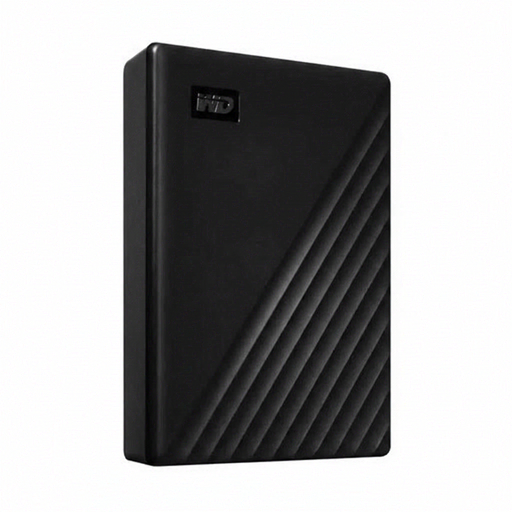 No image available
Western Digital WD Elements Desktop 24TB
A desktop HDD for a large archive that stays in one place.
24 TB of storage and USB 3.2 Gen 1. This desktop model uses an external power adapter.
View at Joybuy
Frequently asked questions
Do I always need to buy an SSD for large folders?
No, not necessarily. If you often copy project folders, an SSD is worth comparing; for an archive you mainly want to store, a portable HDD is still an option. Compare the capacity and connections you need, and don’t treat manufacturers’ quoted speeds as measured copy times.
How do I set up a backup of my pattern folders in Windows?
You can use File History and choose an external drive as the destination. Microsoft says you can add folders outside the default libraries to a library and restore previous versions, so check that your pattern folders are actually included.
Can I format a drive set up for Windows for my Mac straight away?
First check what you want to use the drive for, and copy any existing data elsewhere. Seagate says the Basic must be reformatted for use with a Mac; Crucial warns that formatting erases the data on the drive.
Are external drives in the Netherlands only covered by a standard two-year warranty?
No. According to the Authority for Consumers & Markets, the seller is responsible for the statutory guarantee if a consumer product doesn’t meet what you could reasonably expect from it. Any manufacturer’s warranty doesn’t replace this statutory right.
Can I return an external drive bought online if it isn’t suitable?
For online consumer purchases, ACM ConsuWijzer says you usually have a statutory cooling-off period of up to 14 days after delivery, with some exceptions. Check the applicable terms before cancelling your purchase.


