
Pattern makers who want to keep copies
You want to be able to restore a recent copy of your local pattern files if a file or computer fails. Veilig Internetten describes a backup as a copy of files; of course, you need to actually make that copy.


If you mainly keep your pattern files on one computer and storage space is your top priority, compare portable HDDs. If you regularly take the drive with you or often copy files between computers, compare portable SSDs. The Consumentenbond identifies storage capacity, speed and usage as factors to consider. Also check the capacity you need, the connection and whether you want a separate, recoverable backup. To connect a drive directly to a sewing or embroidery machine, check the manual for that exact machine model.
You want to be able to restore a recent copy of your local pattern files if a file or computer fails. Veilig Internetten describes a backup as a copy of files; of course, you need to actually make that copy.
As well as patterns, you might also store photos or project files. The Consumentenbond lists storage capacity as one of the factors to consider when comparing external drives, so first check how much space your current folders take up.
You copy files between workstations and need to consider the size, connections and how to disconnect the drive safely. Microsoft Support recommends safely removing USB storage before disconnecting it.
Best for: A drive that stays mainly with one computer, where archive space is the priority. The Consumentenbond identifies capacity as an important factor when comparing external drives.
Keep in mind: An HDD has moving parts and is more susceptible to knocks. Also check the connection and, if you have a Mac, whether the drive needs formatting for your specific model. Seagate advises checking this for its Basic range.
Best for: You regularly take the drive with you or often copy files between computers, and want to make sure the connection and cables suit those devices.
Keep in mind: Manufacturers’ maximum speed claims don’t tell you how fast your files will transfer. For example, Samsung lists maximum speeds for the 1 TB T7, but those figures alone don’t show how quickly your pattern files will copy.
For local sewing patterns, start by identifying your main need: keeping a recoverable copy, connecting your devices, allowing enough space for your archive or taking files with you.
| What to consider | What should you check? | Who should prioritise this? |
|---|---|---|
| Recoverable copy | Check which folders your backup method includes and try restoring a file. | If I want to be able to recover my patterns after a problem with a file or computer, keeping an up-to-date backup is my main concern. Around 36% of consumers prioritise having a recoverable copy. |
| Connections and devices | Check the connector type, cable and operating system. For a direct connection to a machine, consult the manual for your specific model. | I want to use files between my computer and any other devices without connection problems. Around 29% of consumers prioritise compatibility with their own devices. |
| Space for your archive | Check the size of your pattern folders and any photos or project files, then compare it with the stated capacity. | As my collection grows, I want enough space for the files I actually keep. Archive space is the top priority for around 21% of consumers. |
| Taking it with you | Check the dimensions, weight and included cables or adapters for the devices at both workstations. | I copy files in different places and want a drive that’s easy to carry and connect. Around 14% of consumers say portability is their top priority. |
If you only move files to the new drive, it could become the only remaining copy. Veilig Internetten describes a backup as a copy of files, so simply moving them doesn’t give you an additional recoverable copy.
Keep the original or another separate copy, and test that you can restore a pattern file.
Manufacturers’ maximum speed claims aren’t measurements of how quickly your pattern files will transfer. The USB connection available and the files you’re copying also make a difference.
First check your port, cable and file size. Then compare speed figures with the conditions the manufacturer gives for those claims.
The fact that a computer can read a drive doesn’t prove that a sewing or embroidery machine can support it too. Brother’s instructions describe using USB flash drives with the machines covered by those instructions.
Before buying, check the manual for your specific machine model to see which storage media and file formats it supports.
The Basic range is a useful point of reference for portable HDD storage if you mainly copy files from a computer.
The Portable SSD T7 range is a useful point of reference if you’re looking for a compact external SSD and suitable connection cables.
The XS1000 range is a useful point of reference for a compact SSD to carry around and copy files with.
This selection includes portable SSDs for taking files with you and copying them, as well as portable HDDs for keeping a local pattern archive.
 No image available
A portable SSD option for storing pattern files and taking them with you if needed.
The product description lists read speeds of up to 800 MB/s and drop protection up to 2 m.
 No image available
A portable SSD option for copying files between workstations, with connections to suit your devices.
The product description lists a weight of 46,9 g, a USB-C cable and a USB-A adapter. Read speeds of up to 2.000 MB/s require a compatible USB 3.2 Gen 2x2 host.
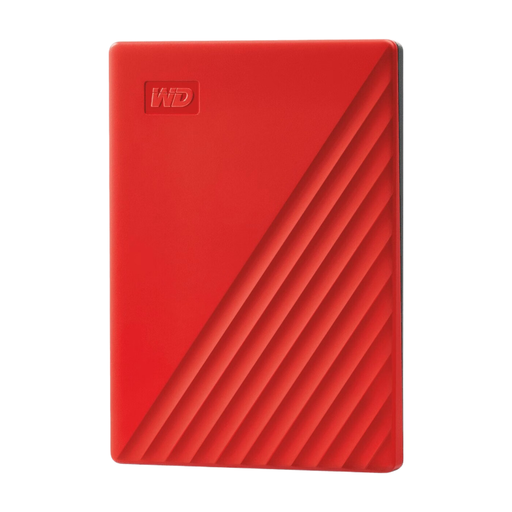 No image available
A portable HDD option for keeping a larger local pattern archive.
The product information lists USB 3.0, 256-bit AES hardware encryption and automatic backup software.
 No image available
A portable HDD option for storing pattern files and other documents.
The product description lists USB 3.0, 256-bit AES hardware encryption, password protection and an included USB cable.
 No image available
A portable SSD option for storing and copying pattern files.
The product description lists USB-C, an integrated USB-C cable and read speeds of up to 1.000 MB/s. Formatting on Windows may be needed the first time you use it.
A copy can serve as a backup as long as it remains available if the original file or device is lost. Make an up-to-date copy regularly and check that you can restore a file. Windows File History and Apple Time Machine each have their own way of doing this.
This depends on the exact machine model, so there’s no general answer. Brother’s instructions describe importing via a USB flash drive for the machines they cover, but don’t confirm support for an external HDD or SSD. Check your machine’s manual for supported storage media and file formats.
Check that the copied files are readable and safely eject the drive before disconnecting the cable. Microsoft Support recommends safely removing USB storage to help prevent data loss.
Apple recommends using your Time Machine backup drive only for Time Machine, not for other files. Before setting it up, decide whether you need a separate destination for your backup and a drive for individual pattern files.
According to the Dutch government, consumers are entitled to a product that is fit for purpose, and the Netherlands has no fixed statutory warranty period. The seller is your point of contact if a product is faulty; the appropriate outcome depends on factors including the fault and how the product has been used.