
Keeper of family scans
You want to preserve irreplaceable photos and organise your storage so that separate copies are available.


Choose an external HDD if you mainly store large folders of scans and only open them occasionally. Choose an external SSD if you often move projects or edit them directly from the drive. First, measure your folders and check the connection and format. Also keep a copy on another storage medium and in a different physical location: the Library of Congress recommends keeping multiple copies on different media and in different locations.
You want to preserve irreplaceable photos and organise your storage so that separate copies are available.
You collect large project folders and want to know in advance how much space your existing scans and future additions will need.
You regularly open, edit or move projects, so you pay attention to the connection, portability and transfer speed.
A good fit if: you mainly store large, growing project folders at home and don’t work from the drive all the time.
The trade-off: an HDD is more prone to wear and more vulnerable to knocks than an SSD, so keep a separate copy too. Consumentenbond described this difference in its July 2022 issue of Digitaalgids.
A good fit if: you regularly take scan projects with you or edit them directly from the drive.
The trade-off: quoted speeds depend on your computer, port and cable, and don’t guarantee the transfer speed you’ll get with your project folders.
| What matters | What to look for when buying | Who should pay particular attention? |
|---|---|---|
| Keeping a complete copy | Plan to keep a copy on another storage medium and in a different physical location, and check that you can read the files back. The Library of Congress recommends keeping multiple copies on different media and in different locations. | If I don’t want my scans to depend on a single drive, I prioritise keeping separate copies. Around 36% of consumers put preserving their archive first. |
| Room for growing folders | Measure your existing folders, allow for future scans and compare the total with the capacity of the exact model. Remember that formatting and other features may use some of the space (Seagate). | If my scan folders keep growing, I want enough room for the files I actually keep. Around 29% of consumers make storage capacity their top priority. |
| Working and travelling | Check the USB mode supported by your computer and cable. Quoted interface speeds are not measured transfer speeds for your folders. | If I often open, edit or take projects with me, I pay extra attention to transfer speeds and the connection. Around 21% of consumers prioritise working smoothly with scan projects. |
| Using the drive with your devices | Check the file system: according to Microsoft Learn, FAT32 has a 4 GiB file-size limit. For Time Machine, Apple recommends APFS or APFS Encrypted. | If I want to use the drive with different computers or for a backup, I want to know in advance which format is suitable. Around 14% of consumers put device compatibility first. |
If your only drive fails or goes missing, extra terabytes on that same drive won’t protect your scans.
Keep a separate copy on another storage medium and in a different physical location.
A second storage medium takes up extra space and needs regular attention to keep the copy up to date.
For the best performance from the Kingston XS2000, Kingston specifies USB 3.2 Gen 2x2 support on the host device. A USB-C plug alone doesn’t confirm that support.
Check your computer’s and cable’s USB specifications before letting the quoted speed determine your choice.
Apple warns that reformatting a drive for Time Machine erases the data already on it.
First check that your files are on another drive and can be read from it. Only then choose the format for your backup.
An interface rating or quoted sequential speed doesn’t tell you how quickly your project folders will actually transfer. The right choice for an archive you rarely open may be different from the right choice for an active working drive.
First decide how often you’ll work from the drive, then compare the capacity and connection of the exact model.
The WD Elements Portable range offers portable HDD storage, with Western Digital listing models of up to 6 TB.
Expansion Portable is a range of portable HDDs for large files. Seagate lists a 5TB model, STKM5000400.
The Canvio Basics USB-C range offers portable HDD storage, including a 4 TB EMEA model.
The T7 Shield is a range of external SSDs for projects you regularly move or edit. The black 2TB model has the model code MU-PE2T0S/EU.
The XS2000 is a range of compact external SSDs, including the 2TB model SXS2000/2000G.
These Joybuy products are external HDDs for storing growing scan and project folders. The list includes both portable models and a desktop drive for a permanent storage location.
 No image available
Suitable for a permanent storage spot at home for keeping large project folders.
6 TB; 3.5-inch desktop drive; USB 3.0; AC adapter and USB cable listed.
This desktop drive needs a mains socket. Also keep a copy on another storage medium and in a different location.
 No image available
Suitable if you want to keep a growing photo archive on a portable drive.
5 TB; portable 2.5-inch HDD; USB-C; exFAT listed.
Use this drive alongside a separate copy on another storage medium and in a different physical location.
 No image available
Suitable if you want to store large project folders on a portable drive and take them with you.
4 TB; USB-C cable and exFAT listed for use with Windows and Mac computers.
Also keep a copy on another storage medium and in a different physical location.
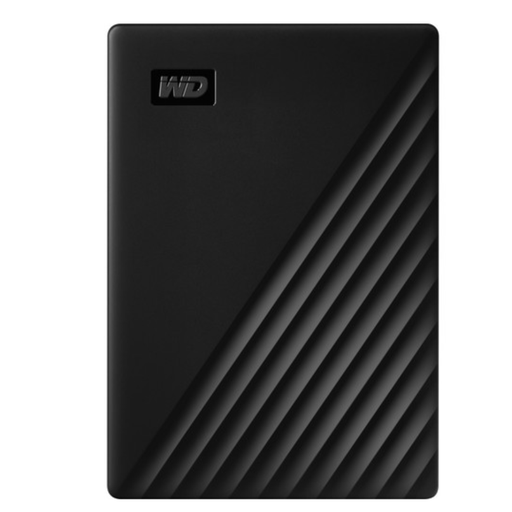 No image available
Suitable for a large archive you want to keep on a portable HDD.
5 TB; USB 3.2 Gen 1; NTFS for Windows; USB-powered. A Micro-USB-to-USB-A cable is listed.
Reformatting erases the data on the drive. If you need to reformat it for use with a Mac, first save your files elsewhere.
 No image available
Suitable if you’re looking for a USB-C drive for an archive that fits within the listed capacity.
2 TB; USB-C; exFAT and hardware encryption listed.
Compare the capacity with your measured folders and future scans. Also keep a copy on another storage medium and in a different physical location.
Not if it holds your only copy. The Library of Congress recommends keeping copies on at least two different storage media and in different physical locations. Also check that you can recover your files from a copy.
Check the total folder size, the drive’s capacity, the connection and the file system. Microsoft Learn lists a 4 GiB file-size limit for FAT32. This limit applies to an individual file, not to a project folder as a whole.
First check that the format is suitable for your Time Machine drive: Apple recommends APFS or APFS Encrypted. Reformatting erases existing data, so set up the backup only after you’ve safely stored those files elsewhere.
According to ACM ConsuWijzer, the seller is responsible for the statutory guarantee if a product breaks during normal use earlier than you could reasonably expect. A manufacturer’s guarantee period doesn’t automatically cover the full duration of your statutory rights. A guarantee is no substitute for a backup copy of your photos.
The Dutch Data Protection Authority describes an exception to the GDPR for purely personal or household use when photos remain private or are shared only with a very limited group. This exception doesn’t apply to wider publication or business use. Consider that use separately before sharing images.