A compact, USB-powered SSD is a better fit if desk space is limited and you move episodes regularly. A portable HDD is an option if capacity matters more as your archive grows. Check the size of your archive and how much it is likely to grow, confirm the port, cable and file system, and keep a separate recoverable copy alongside your archive drive.
Who is this choice relevant to?
Podcast creator with a small desk
Wants to store episodes locally without a bulky enclosure or separate power adapter on the desk. Check the dimensions, power requirements and cable for the exact variant; Kingston lists the XS1000 as measuring 69,54 × 32,58 × 13,5 mm.
Manager of a growing episode archive
Needs enough storage for existing episodes and new recordings, while keeping archiving separate from a recovery copy. The Consumers' Association and Safe Internetting explain why keeping a separate copy is important for recovery.
Creator who moves episodes between devices
Connects the drive regularly and needs to match the cable, USB port and file format to the computers they use. Samsung lists USB-C to USB-C and USB-C to USB-A cables in the Dutch T7 specifications; Toshiba says Canvio Basics uses NTFS and needs reformatting for macOS.
What should you look for when choosing?
Compact external SSD
Best for: a small desk and regular connection or use on the move.
Bear in mind: check that the cable and port are compatible with your computer and that the capacity suits your archive. Manufacturers' quoted speeds are maximums, not measurements of how fast your podcast files will transfer.
Portable external HDD
Best for: an archive where capacity matters more than having the smallest enclosure.
Bear in mind: an HDD has moving parts and, according to the Consumers' Association, is more vulnerable to knocks than an SSD. Also check the connection and pre-formatted file system.
| Consideration |
What to look for |
Who should give this more weight? |
| Recoverable copy |
Plan a separate copy and check that you can restore an episode from it. |
If I want to be able to recover my episodes after they are lost or overwritten, I keep a second copy. Around 31% of consumers give recoverability their highest priority. |
| Desk space |
Compare the dimensions, cable and power requirements of the exact variant. |
When every bit of desk space counts, I want to know how much room the drive and cable will take up. Around 25% of consumers prioritise a small desk. |
| Archive capacity |
Check the size of your current files and allow for planned growth and any copies. |
If my recordings and exports keep growing, I want to match the capacity to the archive I actually plan to keep. Around 19% of consumers give future storage space their highest priority. |
| Connection and file format |
Check the USB port, included cable and file system you need for your intended use. |
If I want to use the same drive with my computer and a particular backup feature, I check compatibility with both. Around 13% of consumers make this their priority. |
| Transferring files |
Check the USB specifications of both the drive and the computer; don't treat quoted maximums as guaranteed transfer speeds. |
If I move episodes frequently, I want to know whether the connection suits my needs without relying solely on a maximum speed claim. Around 12% of consumers give regular file transfers their highest priority. |
Common pitfalls
-
Deleting episodes as soon as they’re on one external drive
An archive drive is not automatically a separate recovery copy. If that one drive fails or files are overwritten, you could lose your only copy.
Keep a second, up-to-date copy and test that you can restore an episode from it.
Losing your only remaining copy could mean that an episode can never be recovered.
-
Checking only the USB plug when using a Mac
A compatible plug doesn’t guarantee that the chosen file format is suitable for your intended use. Toshiba lists NTFS for Canvio Basics and says it needs reformatting for macOS; reformatting can erase existing data.
Before use, check the port, included cable and file format. First make a copy of any files already on the drive.
You may need a different cable or adapter; reformatting also means you’ll need a safe copy of your existing files.
-
Assuming an SSD’s maximum speed is its guaranteed transfer speed
Manufacturers' quoted maximum speeds don’t tell you how fast your particular combination of computer, connection and files will perform.
Base your choice first on capacity, dimensions, connection and how often you transfer large files.
Brands to compare
Kingston
The XS1000 is a compact external SSD range designed for limited desk space.
- Kingston lists the XS1000 as measuring 69,54 × 32,58 × 13,5 mm, with 1 and 2 TB variants available.
- The quoted maximum speeds of up to 1.050 MB/s read and 1.000 MB/s write are manufacturer figures. Check the connection, included cable and capacity of the variant you choose.
Samsung
The Portable SSD T7 is a compact SSD range supplied with several USB cables, according to the Dutch product specifications.
- Samsung lists a USB-C to USB-C cable and a USB-C to USB-A cable for the grey 1 TB T7.
- The quoted read and write speeds of up to 1.050 and 1.000 MB/s are manufacturer maximums, not independent measurements or proof that you need that speed for podcast archiving.
Toshiba
Canvio Basics is a portable HDD range that includes a 2TB variant.
- Toshiba lists USB-powered operation and a USB-A to Micro-B cable for the range.
- According to Toshiba, the drive comes pre-formatted as NTFS; it needs reformatting for macOS. Check the file format before saving your files.
Seagate
Expansion Portable is a range of portable, USB-connected HDDs for local storage.
- Seagate lists USB 3.0, which also supports USB 2.0, for this product range.
- Check the full model and file format of the variant you’re considering.
Products at Joybuy
These product picks include a compact external SSD and portable HDDs for storing podcast episodes on a desk.
 No image available
SanDisk Portable SSD 1TB
A portable SSD option for anyone who wants to store episodes in a small workspace.
Storage capacity: 1 TB.
View at Joybuy
 No image available
WD Elements Portable 5TB USB-C Graphite Black
A portable HDD option for anyone who needs plenty of archive space and wants to connect the drive via USB.
Storage capacity: 5 TB. USB-C is listed in the product name.
View at Joybuy
 No image available
My Passport 6TB White portable hard drive
A portable hard drive for an archive where the stated storage capacity is an important factor in your choice.
Storage capacity: 6 TB.
View at Joybuy
 No image available
WD Elements Portable 2TB USB-C Graphite Black
A portable HDD option for a local archive; check that the connection is compatible with the computer you’ll use the drive with.
Storage capacity: 2 TB. USB-C is listed in the product name.
View at Joybuy
 No image available
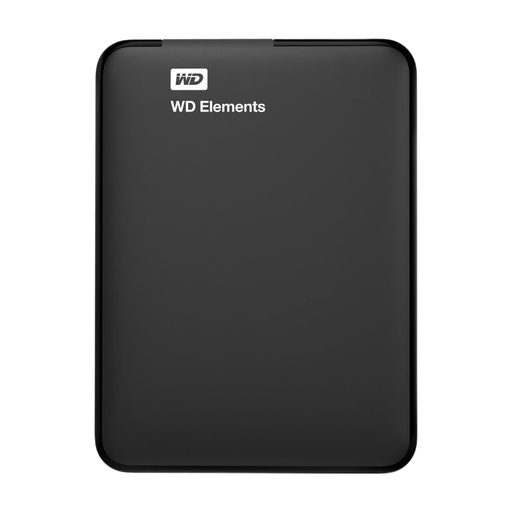
WD Elements Portable 1TB USB 3.0
A portable HDD option for anyone who wants to store an archive on an external drive; check the file format is suitable for your intended use before you start.
Storage capacity: 1 TB. USB 3.0 is listed in the product name.
To use a Windows-formatted drive with a Mac, you’ll need to reformat it; reformatting erases data.
View at Joybuy
Frequently asked questions
Does storing my podcast archive on one external drive count as a backup?
No. A backup is a copy that lets you recover files if the original is lost. So, alongside an archive drive, keep a separate, up-to-date copy and try restoring a file from it.
How do I set up a Windows backup of my podcast folders?
Microsoft describes File History as a way to save copies to an external drive or network location. First add podcast folders that aren’t already included in the relevant libraries to a library, then check that they’re included in the backup.
Can I use a Windows-formatted drive with Time Machine without risking my data?
Check the file format first. Apple recommends APFS or encrypted APFS for Time Machine. Reformatting a Windows-formatted drive deletes existing data, so make sure you’ve safely copied it somewhere else first.
What are my rights in the Netherlands if the drive fails too soon or I change my mind about an online purchase?
If you’ve used the product normally and it doesn’t meet what you could reasonably expect, the seller is responsible for providing a solution under the legal guarantee, according to ACM ConsuWijzer; this isn’t simply a fixed two-year period. For online purchases from a business, the Dutch government says you’ll usually have a 14-day cooling-off period, subject to legal exceptions.


