
Building a lecture archive
You’re keeping more and more recordings on one home computer and want to plan for enough space without losing sight of the need for a second copy.


For a growing lecture archive that will mostly stay at home, a portable HDD is a practical option if capacity and USB connectivity are your priorities. A desktop HDD suits a fixed workspace, but requires a power adapter. An external SSD is the better choice if you regularly move large files or work directly from the drive. Whichever option you choose, keep a separate back-up and check the capacity, connection and format of the exact model.
You’re keeping more and more recordings on one home computer and want to plan for enough space without losing sight of the need for a second copy.
You want to be able to recover files after accidental deletion, drive failure or infection, so you’re looking for an external drive that fits into a separate back-up plan.
You regularly move large recording files or work from external storage, and need to weigh transfer speeds against the space your archive requires.
Best for: mainly storing and watching recordings, with the option to take the drive with you without a separate power adapter.
Bear in mind: check the capacity of the exact model and make sure you have a separate back-up.
Best for: an archive that stays in one fixed workspace, where you’re considering a desktop model.
Bear in mind: according to Seagate, the Seagate Expansion Desktop tested uses a power adapter and USB cable.
Best for: regularly copying or taking large files with you, or editing them directly from the drive.
Bear in mind: the stated maximum speed for a specific model isn’t a guarantee of the speed you’ll get on your computer; you’ll still need a back-up.
| What to consider | What should you check? | Who is this for? |
|---|---|---|
| Space for a growing archive | Add up your existing files and estimate how many new recordings you’ll make; compare this with the capacity of the exact model. | If you want to keep current and future recordings in one place, capacity matters most. Around 31% of consumers prioritise storage space. |
| A recoverable copy | Check that your back-up software includes the recordings folder, and decide where you’ll keep a separate copy. | If you want to restore deleted or changed recordings, keep the back-up separate from your computer. Around 31% of consumers prioritise recoverability. |
| Computer and formatting | Check the USB port and included cable. Also consider the file system and which computers you want to use the drive with. | If you want to use the drive with your home computer and possibly a second computer, the connection and format need to be compatible. Around 19% of consumers start with compatibility. |
| Transfer and use | Check the USB capabilities of the drive and computer; don’t treat a stated maximum speed as the speed you’re guaranteed to get in practice. | If you often move or edit large files, transfer speed may matter more than it would for an archive you rarely access. Around 13% of consumers prioritise speed. |
| Confidentiality | Check which access or security features the exact model offers and who can physically access the drive. | If restricting access to your recordings is your main concern, look at the security features of the model you’ve chosen, as well as the rules on recording and sharing. Around 6% of consumers prioritise confidentiality. |
An external drive that stays connected can also be affected by ransomware, warns the Dutch Consumers’ Association. If it contains your only copy, recovery can be difficult.
Keep a separate copy too, and try restoring a recording to make sure you can do it. An additional back-up destination means you’ll need more storage or another destination.
A compatible port doesn’t necessarily mean a pre-formatted drive will work straight away with every operating system. Toshiba says the Canvio Ready comes pre-formatted for Windows; using it with the Mac versions listed may require reformatting.
Before buying, check both the port and cable and the format. Move existing files elsewhere before formatting, as this will erase the files on the drive.
Reformatting takes time, and you may also need a suitable cable or adapter.
For the T7 Shield 1 TB, model MU-PE1T0R/EU, Samsung quotes maximum sequential read and write speeds of 1,050 and 1,000 MB/s respectively. These are stated maximums; speeds on your computer may vary.
Prioritise speed if you regularly move large files or work from the drive, and check your computer’s USB capabilities.
Canvio Ready and Canvio Basics are portable HDD ranges for USB storage. Choose the range and capacity that suit your archive.
Expansion Portable is portable USB storage, while Expansion Desktop is a desktop alternative available in different capacities.
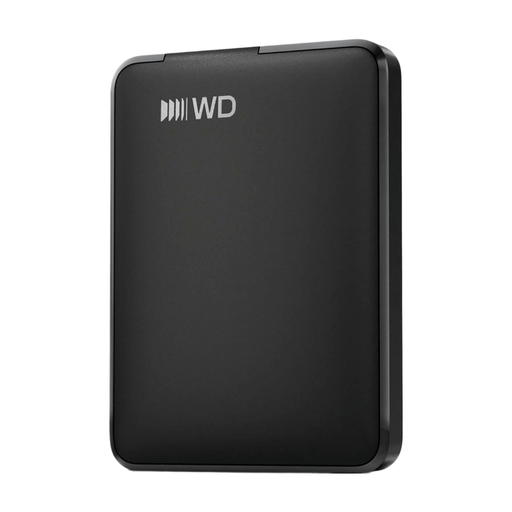
WD Elements Portable is a portable HDD range for local storage; check the capacity and model number for each version.
The T7 Shield is an external SSD range for anyone who regularly moves large files or works from the drive.
This Joybuy selection includes portable external HDDs and a portable external SSD for storing and transferring lecture recordings locally.
 No image available
A portable SSD with 1 TB of storage for keeping recordings close at hand.
 No image available
A portable external HDD with 5 TB of storage for keeping a growing archive of recordings.
No image available
A portable external HDD with 6 TB of storage for anyone who needs more room for recordings.
 No image available
A portable external HDD with 2 TB of storage for keeping recordings locally.
 No image available
A portable external HDD with 1 TB of storage for a smaller collection of recordings.
Add up the file sizes of your existing recordings and estimate how many more you’ll make using the same recording settings. Compare the total with the capacity of the exact model, and allow extra space for a separate back-up. Without details of your files, there’s no universal minimum in TB.
Microsoft recommends File History for automatically copying files to an external drive or network location. Check that your recordings folder is included and test that you can restore a file. If the external drive would otherwise stay connected all the time, keep another copy separate from your PC too.
This depends, among other things, on the format and the requirements of the model you choose. Apple recommends ExFAT for using a drive larger than 32 GB with Windows and Mac, and warns that formatting erases all files on the drive. So move your existing files elsewhere first, and check the connection too.
According to the Dutch government, the seller must provide a solution if there’s a problem with a product; there is no fixed statutory warranty period in the Netherlands. Any manufacturer’s warranty is in addition to your statutory rights. A repair or replacement for a faulty drive isn’t a substitute for a separate copy of your recordings that you can restore.
There is no blanket permission to make every lecture recording. The Dutch government distinguishes between making a copy of copyright-protected material for personal use and distributing or publishing it. The Dutch Data Protection Authority says the exception for personal or household use depends on keeping recordings private or sharing them only to a very limited extent. Before recording or sharing, also check your educational institution’s rules and whether you need permission.