Choose a roomy external HDD if you mainly archive invoices and large project folders from time to time; a portable SSD is a better fit if you copy or carry those files frequently. Whichever option you choose, one drive isn’t a complete backup strategy: keep a separate copy, test that you can restore your files, and consider access protection if the files are sensitive. Manufacturers’ speed figures are maximums under specific connection conditions, not guaranteed transfer times.
Who is this relevant for?
Manager of large project archives
You want to store invoices and growing project folders, while being able to retrieve older files. The Digital Trust Center advises testing your backups regularly, so first work out how much space you need for your files and their versions.
Someone who often copies large folders
You regularly move or restore large projects and may need to take the drive with you. Check that your computer’s connection is compatible with the drive, and bear in mind the conditions behind quoted SSD speeds.
Manager of sensitive invoices
You may store personal data or business records. As well as capacity, consider access protection, recoverability and any retention requirements that apply to your situation. The Dutch Data Protection Authority says security needs to be tailored to the circumstances.
What should you look for when buying?
First, work out how much space you need for your current files and older versions. Then consider recovery, transfer and the level of protection appropriate for the data on the drive.
| What to consider |
What to look for |
Who is it important for? |
| Capacity and versions |
Measure the size of your files and decide how far back you need to go in older versions; keeping files for longer may require more storage. |
If your project folders are growing and you want to keep older versions, prioritise enough space for your archive and version history; around 31% of consumers say capacity is their main requirement. |
| Recoverability |
Check that all the folders you need are included in the backup, keep a separate copy and regularly test that you can restore files. |
If you really need your invoices or project files after a loss, you’ll want to know that a copy works, not just that files have been saved; around 31% of consumers prioritise recoverability. |
| Transfer |
Check your computer’s connection and cable, and compare quoted SSD speeds only under the stated conditions. |
If you often copy large folders or take the drive with you, transfer time will influence your choice; around 19% of consumers prioritise transfer speed. |
| Access protection |
Consider who needs to be able to access the drive and what security options are available for the exact model and computer you’re using. |
If your invoices or projects contain personal data, you’ll want to control access without overlooking recovery; around 19% of consumers make confidentiality their top priority. |
Common buying mistakes
-
Relying on one external drive as your entire backup
The Dutch Data Protection Authority says ransomware can also affect a connected drive. A fault, loss or other damage to that single copy can also make recovery more difficult.
Keep a separate copy in addition to your external drive, and periodically restore a file to check that recovery works.
Setup or formatting takes time; formatting can also erase files already on the drive.
Relevant brands to consider
Western Digital
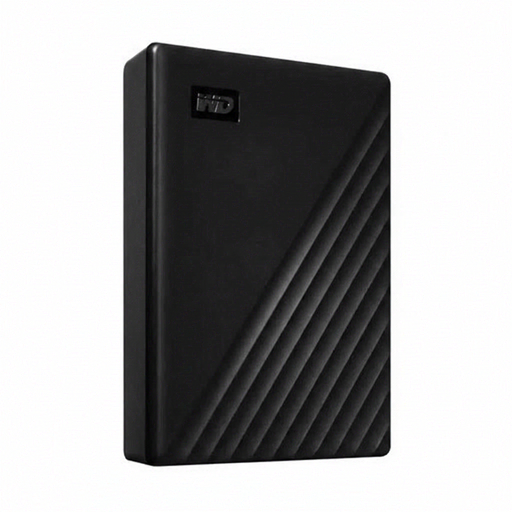
The My Passport model reviewed is a portable HDD for anyone looking to combine capacity with the backup software and access protection offered by WD.
- For the 4 TB black version, model WDBPKJ0040BBK-WESN, WD lists password protection, hardware encryption and a USB-A cable.
- These features don’t guarantee that a single connected drive will prevent ransomware or data loss.
Seagate
The Expansion Portable model reviewed is a portable HDD for large files and straightforward backups.
- Seagate lists model STKM5000400 as a 5 TB portable drive with USB 3.0.
- Seagate says the drive needs to be reformatted for use with Time Machine; check your backup method before you start.
Samsung
The 2 TB T7 Shield model reviewed is a portable SSD for frequent transfers and use on the go.
- For model MU-PE2T0S/EU, Samsung lists USB 3.2 Gen 2, maximum sequential read and write speeds of 1.050 and 1.000 MB/s, and an IP65 rating.
- These are Samsung’s figures for the T7 Shield, not specifications for every Samsung SSD or the standard T7.
Crucial
The 2 TB X9 Pro model reviewed is a portable SSD for large files, provided the connection and security method are suitable.
- For model CT2000X9PROSSD9, Crucial lists read speeds of up to 1.050 MB/s and write speeds of up to 1.050 MB/s, subject to computer and cable requirements.
- Crucial says formatting affects compatibility and that reformatting erases the data on the drive.
External drives for archiving and transferring files
These Joybuy products include portable SSDs and HDDs for storing and transferring invoices and large project folders, as well as a desktop HDD for an archive kept in one place.
 No image available
SanDisk Portable SSD 1TB
A portable SSD for anyone looking for a compact external drive for files they move regularly.
The product name specifies 1 TB of storage.
Joybuy
 No image available
WD Elements Portable 5TB USB-C, graphite
A portable HDD for anyone who wants to keep project files and documents on one external drive.
The product name specifies 5 TB, USB-C and a graphite finish.
Joybuy
 No image available
WD My Passport Portable Hard Drive 6TB, white
A portable HDD for anyone who wants to store an archive of files and take access protection into account.
The product name specifies 6 TB, password protection and backup software.
Joybuy
 No image available
Samsung Portable SSD T7 2TB, blue
A portable SSD for anyone who regularly transfers large folders and values a security feature.
The product name specifies 2 TB, USB Type-C and USB 3.2 Gen 2. The quoted maximum speed depends on the connection and conditions of use.
Joybuy
 No image available
WD Elements Desktop 24TB external hard drive
A desktop HDD for a large archive that stays in one place.
The product name specifies 24 TB, USB 3.2 Gen 1 and a 3.5-inch form factor. The product information doesn’t mention password protection or encryption, so bear this in mind if you’re storing sensitive invoices.
Joybuy
Frequently asked questions
Should an external backup drive always stay connected?
No. One connected drive isn’t enough as your only backup. The Dutch Data Protection Authority warns that ransomware can also affect files on connected drives. Keep a separate copy as well and test that you can restore your files; the Digital Trust Center includes this in its advice on effective backups.
How do I include project folders outside Documents in Windows File History?
Add folders in other locations to an existing or new library. Microsoft says that File History copies libraries; run a restore test to check that it includes the project files you need.
How long do business invoices need to be kept in the Netherlands?
For invoices in records covered by the rules, the Dutch Tax and Customs Administration generally specifies 7 years; invoices relating to immovable property must be kept for 10 years. A 10-year retention period also applies to the one-stop shop schemes mentioned. Keep digital invoices in the form in which they were received or sent; these periods don’t automatically make a particular drive a sufficient archive.
Is built-in encryption required for every drive containing invoices?
There is no general product rule requiring built-in encryption on every drive. If an organisation processes personal data, the Dutch Data Protection Authority says it must choose appropriate security based on the processing and the risks. So consider what data is on the drive and how access and recovery are managed.
What does a manufacturer’s warranty mean when I buy as a consumer in the Netherlands?
A manufacturer’s warranty is in addition to your statutory rights. ACM ConsuWijzer explains that statutory rights depend on what you could reasonably expect from the product under normal use, rather than one fixed Dutch time limit. This consumer guidance doesn’t determine which terms apply to a business purchase.


