Choose an external HDD if the journal is kept mainly in one place and your group needs room for files and older versions. A portable SSD is a better choice if volunteers often take the backup with them. Whichever drive you choose, one device is no substitute for an additional backup or a recovery test: the National Cyber Security Centre recommends keeping at least three versions of important data. If the journal contains personal data, tailor its security to the risks and check that any encryption is actually enabled.
Who is this guide for?
Volunteer responsible for recovery
This volunteer wants to record which journal files are copied, how often this happens and whether an older version can be restored. The National Cyber Security Centre recommends making backups and testing that they can be restored.
Administrator handling confidential contributions
If the journal contains personal data, this administrator needs to tailor access and security to the risks of loss or unauthorised access. The Dutch Data Protection Authority stresses that personal data must be properly protected.
Volunteer who takes the drive with them
This volunteer wants a connection that works with the computers in use and a drive that can handle regular transport. The Consumers’ Association describes HDDs as more vulnerable to knocks than SSDs.
What to look for when buying
External HDD
A good choice when: the journal stays mainly in one place and your group needs room for files and older versions.
Keep in mind: an HDD is more vulnerable to knocks than an SSD when being transported; basic storage does not automatically provide access protection.
Portable SSD
A good choice when: volunteers regularly take the backup with them or transfer large files between computers.
Keep in mind: for a small text-based journal, speed may matter less than having a consistent backup and recovery process; an SSD can still be lost.
| What to consider |
What to look for when buying |
Who is this important for? |
| Recovery and versions |
Check that the drive works with your chosen backup method. Agree a copying schedule and test whether files can be restored. |
I want to be sure that the right files and older versions can be recovered. Around 36% of consumers put recoverability first. |
| Access and privacy |
Establish what data the journal contains and check what security features the drive and the computer in use support. Also decide who has access and how recovery will work. |
If contributions contain personal data, I want to prevent unauthorised access. Around 29% of consumers prioritise protecting confidential data. |
| Storage capacity |
Check the size of the journal folder, including attachments, and decide how many versions your group wants to keep before choosing a capacity. |
If attachments or older versions are making the archive grow, I want to leave enough room. Around 21% of consumers put capacity first. |
| Connection and formatting |
Check the computer ports, cable and backup software. Make sure the format is suitable and secure any existing data before reformatting the drive. |
I want volunteers to be able to connect and use the drive with the computers in use, including when they take the backup with them. Around 14% of consumers base their choice mainly on compatibility and portability. |
Common pitfalls
-
Thinking an external drive is a complete backup plan
If working files and the only backup are on the same drive, losing that device could mean losing both copies.
Decide who makes the copies, where they are stored and when recovery will be tested. The National Cyber Security Centre recommends keeping at least three versions of important data.
An additional copy requires separate storage and time for recovery tests.
-
Assuming a security feature is already switched on
Password protection or encryption will not help if it has not been set up or if authorised volunteers lose access.
Assess the risks, set up your chosen security measures and test whether an authorised volunteer can recover the data.
-
Checking the format only after files have been added
A drive formatted for Windows will not necessarily work straight away with every Mac backup method. Reformatting can erase existing data.
Check the computers and backup feature you use before buying, and keep files safe before erasing a drive.
Reformatting can take time and requires another secure copy of the existing data.
Brands to consider
Samsung
The Portable SSD T7 Shield is a range of portable SSDs worth considering if volunteers often take the backup with them; the blue variant listed in the Netherlands is MU-PE1T0R/EU.
- Samsung specifies USB 3.2 Gen 2 and sequential read and write speeds of up to 1.050 and 1.000 MB/s respectively. These are manufacturer specifications, not speeds measured on your group’s computers.
- Check that the connection is suitable and set up any security features you need.
Seagate
The Expansion Portable range includes portable HDDs; Dutch support information lists, among others, the 2 TB model STKM2000400.
- Seagate lists several capacities and model numbers, so you can compare the exact variant with your group’s storage needs.
- Seagate says that reformatting may be needed to use the drive with Time Machine. Check the variant and secure existing data before erasing a drive.
Toshiba
Canvio Basics is a range of portable HDDs; the 2 TB variant listed is HDTB520EK3AA.
- Toshiba lists USB power and a Type-A to Micro-B cable included with this variant.
- According to Toshiba, this variant is formatted as NTFS for Windows and must be reformatted for the Mac use mentioned. Make a copy of any existing data first.
Western Digital
My Passport is a range of portable HDDs to look into if access protection is important.
- Western Digital describes password protection through WD Security for supported drives with AES hardware encryption.
- This feature is not available automatically on every My Passport variant, nor is it switched on by default. Check the full model number and set up the security feature.
Products on Joybuy
This selection includes portable SSDs and external HDDs for storing and transporting backups of a group journal.
 No image available
SanDisk Portable SSD 1 TB
A portable SSD for volunteers who want to take a backup with them.
The product description lists drop protection from heights of up to 2 metres.
View on Joybuy
 No image available
Portable SSD 1 TB 1.000 MB/s
A portable SSD option for taking journal files with you.
The product description lists 1 TB of storage, a USB-C connection and drop protection from heights of up to 2 metres.
View on Joybuy
 No image available
Samsung MU-PE1T0S 1 TB USB Type-C 3.2 Gen 2 (3.1 Gen 2) Black
A portable SSD for groups that regularly take their backup with them.
The product description lists 1 TB, USB Type-C, USB 3.2 Gen 2, IP65 and drop protection from heights of up to 3 metres. Password protection must be set up using software; IP65 does not mean the drive is protected against prolonged submersion.
View on Joybuy
 No image available
My Passport 6 TB White
A portable HDD for a group that needs room for files and saved versions.
The product description lists 6 TB and 256-bit AES hardware encryption. Password protection and encryption must be activated using software; an HDD is more vulnerable to knocks than an SSD when being transported.
View on Joybuy
 No image available
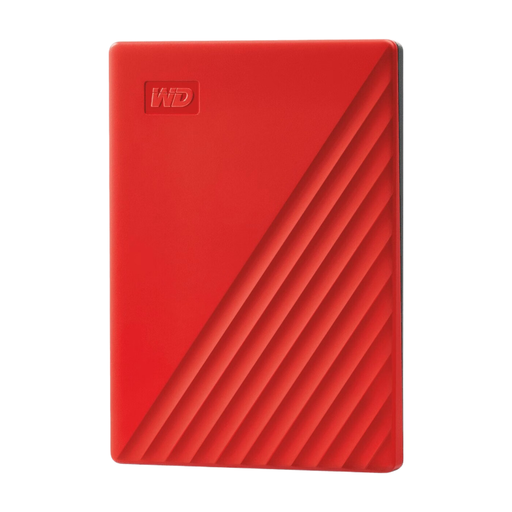
My Passport 4 TB Red
A portable HDD for a growing archive or several saved versions.
The product description lists 4 TB, USB 3.0 and 256-bit AES hardware encryption. Password protection and encryption must be activated using software; an HDD is more vulnerable to knocks than an SSD when being transported.
View on Joybuy
Frequently asked questions
Is one external drive enough to back up a group journal?
No, do not rely on a single drive as your only backup. The National Cyber Security Centre recommends keeping at least three versions of important data: the original files and two backups. Agree who will make the copies and test whether journal files can be restored.
Does a new drive need to be formatted first?
That depends on the computer and backup method. Apple recommends APFS or encrypted APFS for a new Time Machine backup drive. Toshiba says that the Canvio Basics variant mentioned is formatted as NTFS for Windows and must be reformatted for the Mac use mentioned; make sure existing data is safe first.
How can the group check that the backup works?
As well as checking the backup notification, carry out a recovery test. The National Cyber Security Centre recommends opening files from a backup; for example, check that a few restored journal files are readable.
What recurring costs or services are included?
A standalone drive and an optional additional storage service are separate parts of a backup plan. Check the terms for the exact drive and any software or service; a manufacturer’s warranty is no substitute for a separate backup.
How can the group decide what security the journal needs?
If your group processes personal data, it must protect it appropriately. The Dutch Data Protection Authority recommends tailoring measures to the risks of the specific processing activity. Check which security features your chosen drive supports and make sure they are actually set up; encryption is not automatically a fixed requirement for every journal.


