
Family archive keeper
You want to check that all the original photos have been copied and that you can restore a file from the backup before the handover. The Digital Trust Center advises testing your backups.


Choose a drive to suit the size of your photo folders and how often you’ll take it with you. A portable HDD suits an archive that’s mainly kept in storage, while an SSD may be more convenient if you regularly move large folders. Don’t rely on the new drive as your only copy, and test that you can read files back before the handover, as the Digital Trust Center advises. Check the connection and file system too. If you’re handling identifiable images for business purposes, assess the security measures needed for that specific situation in line with the Dutch Data Protection Authority’s guidance.
You want to check that all the original photos have been copied and that you can restore a file from the backup before the handover. The Digital Trust Center advises testing your backups.
You store lots of photos or versions and want to choose a capacity that suits the actual size of your folders. The Dutch Consumers’ Association and manufacturers’ specifications can help you compare specific models.
You copy files at another location or connect the drive to different devices. In that case, the connection, suitable cables and a successful read test all matter.
Choose this option: if you mainly need to store a large photo collection and capacity matters more to you than a quick transfer time.
Bear in mind: the Dutch Consumers’ Association describes HDDs as more vulnerable to knocks than SSDs. Even a large HDD is still just one copy, so keep another copy separately.
Choose this option: if you often transfer large photo folders or take the drive with you to the handover.
Bear in mind: quoted top speeds are manufacturer figures. Your connection and cable also affect the speeds you can achieve in practice. An SSD is no substitute for a separate, tested backup.
First, decide which need matters most to you: a copy you can read back, enough archive space, portability and copy time, connection to multiple devices, or appropriate access to identifiable photos.
| What to consider | What to look for | Who should pay extra attention? |
|---|---|---|
| Restorable backup | Check that all the folders you need have been copied, and try restoring some files. | If you don’t want to lose any photos, you’ll want to make sure you can restore them before the handover; around 29% of consumers put recoverability first. |
| Space for photos and versions | Check the size of your originals, edits and delivery files, then compare it with the capacity of the exact model. | If you keep a large archive, you’ll want enough room for your full selection and all the versions you need; around 24% of consumers prioritise capacity. |
| Portability and copy time | Compare the connection and quoted speed; don’t treat manufacturer figures as guaranteed copy speeds. | If you’ll be taking the drive with you or copying large folders shortly before the handover, its size and speed matter; around 18% of consumers prioritise portability or copy time. |
| Readability across devices | Check the cable, port and file system, then test both reading and writing on the devices you plan to use. | If you need to connect the drive to several devices, you’ll want to know in advance that the files can be read on them; around 18% of consumers prioritise this compatibility. |
| Access to identifiable photos | Check that the security feature is available on the exact model and find out how to manage access keys. | When handing over photos of identifiable people for business purposes, appropriate access is important; around 11% of consumers make this their top priority. |
A copy you haven’t tested may turn out to be unusable when you need the photos.
Keep a separate copy and try restoring some files before deleting the originals.
Manufacturer figures for sequential speeds don’t tell you exactly how long it will take to copy your photo folders. The connection and cable also make a difference.
Check your device’s port and consider whether you regularly transfer large files.
Western Digital lists only specific supported models for WD Security. According to Western Digital, you may lose your data if you forget the password you set.
Check support for the exact model and decide in advance how you’ll store your access details securely.
The Expansion Portable range includes HDD models for anyone looking for local photo storage.
The Portable SSD T7 Shield is an SSD range for moving and transferring large files.
The XS1000 is a compact SSD range for copying files and taking them with you.
Canvio Basics is an HDD range for USB storage.
My Passport is an HDD range to consider if access protection is important on a supported model.
This selection includes portable SSDs for taking with you and transferring files, as well as portable HDDs for photo folders that fit within the stated capacity.
 No image available
A portable SSD for storing and carrying photo files.
Capacity: 1 TB.
The product description states transfer speeds of up to 800 MB/s.
The product description states that it offers 2-metre drop protection and has an integrated rubber attachment loop.
 No image available
A portable SSD for carrying and storing photo files.
Capacity: 1 TB; connection: USB-C.
The product description states that it features 256-bit AES hardware encryption and IP65 protection.
Read speeds of up to 2.000 MB/s with a compatible USB 3.2 Gen 2x2 device; write speeds are lower.
 No image available
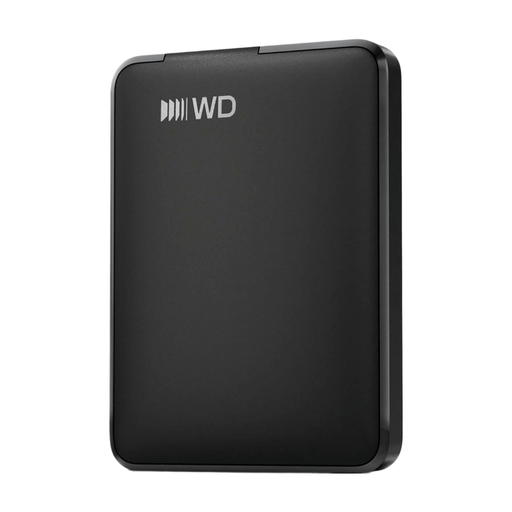
A portable external HDD for a photo copy that fits within the stated capacity.
Capacity: 1 TB; the title lists USB-C.
The product description mentions plug-and-play use and portability.
 No image available
A portable SSD for storing photos and transferring them between devices.
Capacity: 1 TB; the product description lists USB 3.2 Gen 2 and read speeds of up to 1.000 MB/s.
The product description mentions 2-metre drop protection and compatibility with Windows, macOS, iPadOS and Android, among others.
 No image available
A portable HDD for a large photo copy that fits within the stated capacity.
Capacity: 4 TB; 2.5-inch; USB 3.2 Gen 1 and compatible with USB 2.0.
The drive is pre-formatted for Windows. It needs to be reformatted for macOS; formatting may erase existing data.
Don’t treat one external drive as your only backup. The Digital Trust Center advises keeping another copy separately and testing that you can restore files. This isn’t a requirement for a particular number of drives for every consumer.
Check that the folders you need are on the drive, then try restoring some files. Also test it with the device and cable you’ll use for the handover.
No. ACM ConsuWijzer explains that statutory protection depends on what you could reasonably expect from the product. A manufacturer’s or seller’s guarantee with a stated duration is separate. This answer for consumers doesn’t automatically apply to a business purchase.
An exception may apply if you use the photos solely for personal or household purposes. According to the Dutch Data Protection Authority, this exception doesn’t apply to business use of photos in which people are identifiable. In that case, assess the legal basis and appropriate security measures for the specific processing. The term ‘family photos’ alone doesn’t tell you which situation applies.