What should you look for?
First, decide whether you’ll use the drive for active work or mainly for archiving. Then work out the capacity, connection and format you need. Keeping a separate copy is still important if you want to be able to restore your projects.
| What to consider |
What to look for when buying |
Who is this important for? |
| Storage space |
Add up your current project folders, allow for growth and compare the capacity of the specific model. |
If I want to keep several projects or years’ worth of work, I want to know in advance how much space I’ll need. Around 33% of consumers are most concerned about having enough archive storage. |
| Working speed |
Check your computer’s connection and compare drive benchmarks with its stated maximum speed. |
When I regularly open or move large files, the speed of both the drive and the computer port matters. Around 27% of consumers prioritise working faster with active files. |
| Sharing files between Mac and Windows |
Check that the connection is compatible and that the file system allows you to read and write files on both computers. |
If I share files between a Mac and a Windows computer, I want to be able to use them on both systems. For around 20% of consumers, this is their main concern. |
| Recovery and protection |
Decide where you’ll keep a separate copy and what measures are right for the files you store. |
When I don’t want to lose important projects, I plan to keep a separate recovery copy as well as my working drive. Around 20% of consumers give recovery and protection top priority. |
Joybuy products
This selection includes portable SSDs for active files and portable HDDs for storing project archives.
 No image available
SanDisk Portable SSD 1TB
A 1 TB portable SSD for taking your files with you when you’re out and about.
View at Joybuy
 No image available
WD Elements Portable 5TB USB-C
A 5 TB portable HDD for consumers who want to store project files rather than regularly work directly from the drive.
USB-C is listed in the product name.
View at Joybuy
 No image available
My Passport 6TB White
A 6 TB portable HDD for consumers who want to store a large project archive.
View at Joybuy
 No image available
WD Elements Portable 2TB USB-C
A 2 TB portable HDD for consumers who want to store and use project files across different computers.
USB-C is listed in the product name.
View at Joybuy
 No image available
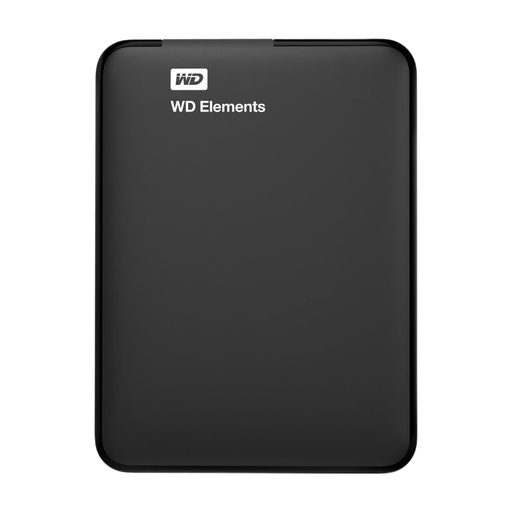
WD Elements Portable 1TB USB 3.0
A 1 TB portable HDD for storing and taking files with you.
USB 3.0 is listed in the product name. You may need to reformat it to use it with a Mac; formatting erases the stored data.
View at Joybuy
Frequently asked questions
Which file system should you choose for use with Mac and Windows?
Apple lists ExFAT as a Windows-compatible option for volumes larger than 32 GB. Also check the requirements of your software and backup method. PSD and PDF are file formats, not file systems for a drive.
Can one external drive be both your working drive and your only backup?
A single drive won’t provide an independent recovery copy if the drive or its stored files are lost. The National Cyber Security Centre advises keeping multiple versions of important business data, using different media and storing a copy in another location.
What do you need to connect a desktop HDD?
Check the connection and power requirements of the exact model. The Seagate Expansion Desktop manual lists an included 18 W power adapter and USB-micro-B-to-USB-A cable. If your computer only has USB-C, you’ll need to check the connection too.
What warranty and cooling-off period apply to an online purchase in the Netherlands?
For a consumer purchase, the seller must resolve an issue free of charge if a product doesn’t meet what you could reasonably expect under normal use. Online purchases usually come with a cooling-off period of up to 14 days after delivery, subject to legal exceptions. ACM ConsuWijzer explains these consumer rights; the terms for business purchases aren’t necessarily the same.
Should a designer always encrypt an external drive?
Encryption isn’t a universal requirement for every designer or every drive. If your organisation processes personal data, the GDPR requires appropriate security measures based on the risks. The Dutch Data Protection Authority lists drive encryption as one possible measure, not the only solution.


