
Designer with lots of project versions
You want to be able to find earlier concepts. Apple Support and Microsoft Support explain ways to restore older files or versions, provided the files are included in the backup.


For a large archive you rarely access, choosing based on the capacity you need is an obvious place to start. An external SSD is a better fit for large projects you regularly carry around or open. The drive itself won’t keep track of design versions: check whether your backup method can restore earlier files, and don’t keep important projects only on that one drive.
You want to be able to find earlier concepts. Apple Support and Microsoft Support explain ways to restore older files or versions, provided the files are included in the backup.
You keep lots of older projects and want to weigh up the storage space you need against how often you still open those files.
You regularly take large project files with you and want to check the connection, transfer and protection during travel before you buy.
First decide how you want to restore an earlier design version. Then compare the capacity you need and, if you often take the drive with you, its connection and transfer speed.
| Consideration | What to look for | Who is this important for? |
|---|---|---|
| Restoring earlier versions | Check whether your backup method includes your project folders and can restore older files. Test the restore process before relying on the archive. | I want to retrieve an earlier concept, not just store files. Around 36% of consumers put version recovery first. |
| Space for your archive | Check the size of your current project folder and allow for your intended retention period and future growth. Compare this with the usable capacity. | I keep lots of older projects and want enough room for successive versions. Around 29% of consumers prioritise archive capacity. |
| Taking files with you | Check that your computer’s port and the cable are compatible with the drive. Don’t assume the manufacturer’s maximum speed is guaranteed on your computer. | I work in different places and want to take and open large files. Around 21% of consumers put working on the move first. |
| Confidentiality | Consider what level of security is appropriate for your files, and check how passwords and recovery copies are managed. | I want to protect sensitive design or client files if a drive goes missing. Around 14% of consumers prioritise confidentiality. |
For a Mac, Apple Support recommends a drive with at least twice the Mac’s capacity for a full Time Machine backup. This isn’t a general minimum capacity for individual design files.
A single copy on an external drive won’t automatically give you access to earlier edits, and it still leaves you with just one storage location.
Set up version recovery, test that you can restore an older version, and keep important data in a separate location too.
The manufacturer’s maximum speed won’t necessarily apply with every computer port, cable or workflow. Samsung and Crucial qualify their speed information according to usage or test conditions.
Check your computer’s port and cable, and don’t base your choice on a single MB/s figure.
Some Mac backup settings may require you to reformat the drive. Reformatting erases the data on it.
Check the required format and make a copy you can verify in another location before formatting.
Western Digital warns that if you forget your password on supported WD Security drives, you may no longer be able to access the stored data.
Store your password securely and keep a separate backup that you can restore.
The Expansion Portable range is worth considering if you mainly want plenty of space for a portable archive.
The T7 Shield 2 TB, model MU-PE2T0S, is a portable SSD option to compare if you regularly transport files.
The My Passport range is worth considering if you want to weigh up archive space and potential access protection.
The X9 Pro is a portable SSD option to compare for file transfers.
The Rugged Mini range is a portable HDD line that Seagate targets at creative users.
These Joybuy products include portable SSDs for taking projects with you and external HDDs for archive storage. None of these drives manages the recovery history of design versions on its own.
 No image available
A portable SSD option for taking project files with you.
Listed features include USB-C, USB 3.2 Gen 2 and read speeds of up to 1.000 MB/s. The product information states drop protection up to 2 m and compatibility with Windows, macOS, iPadOS and Android, among others.
Restorable version history depends on your backup method, not just the drive.
 No image available
A portable HDD option for anyone looking for plenty of archive space.
The product information lists 6 TB, USB 3.0, 256-bit AES hardware encryption and automatic backup software.
Check that the security software is compatible with the exact model. A forgotten password may prevent access to your data, so keep a separate backup.
 No image available
A portable HDD option for an archive you also want to take between work locations.
The product information lists 2 TB, USB-C and plug-and-play use. Compatibility with Windows and Mac computers is also mentioned.
The drive won’t manage earlier design versions by itself; choose a backup method that supports recovery.
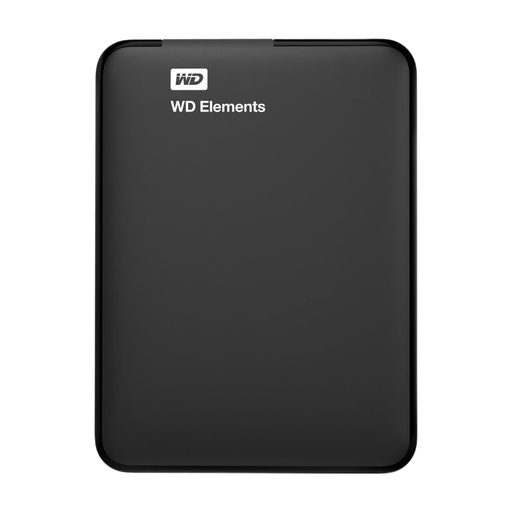 No image available
A portable HDD option for a smaller project archive you want to take with you.
The product information lists 1 TB, a 2.5-inch form factor, USB 3.0, bus-powered operation, a weight of 130 g and an included USB cable.
You may need to reformat the drive for use with a Mac; this erases the data on it. Make a copy in another location first.
 No image available
A portable HDD option for a project archive where password protection matters.
The product information lists 2 TB, USB 3.2 Gen 1 and 256-bit AES hardware encryption. Password protection must be enabled through WD software.
A forgotten password may prevent access to your data. The drive also won’t manage restorable version history by itself.
Use a backup method that keeps earlier versions of the files in question. On a Mac, Time Machine can restore earlier files from a backup; in Windows, File History can restore earlier versions of the folders it includes. Check that your project folder is included and test a restore.
No. Check whether the drive is suitable for your intended Time Machine setup and what format is required. Apple Support recommends a drive with at least twice the Mac’s capacity for a full Mac backup, and using that drive only for Time Machine. This isn’t a general minimum capacity for individual design files.
Don’t assume it does: check the warranty terms and keep a separate copy that you can restore. ACM ConsuWijzer says that, when a product is faulty despite being used normally by a consumer, the retailer is the point of contact for the statutory guarantee. The length of a manufacturer’s warranty does not, by itself, determine how long that statutory protection applies.
The Dutch Data Protection Authority says that organisations processing personal data must decide on appropriate security measures based on the risks. This doesn’t mean that encryption is a universal requirement for every external design drive. Assess the content, access and risks; encryption may be a relevant measure.