
Creative with a growing archive
You’re keeping more and more finished projects and mainly need enough space for a copy you can restore later.


Choose a portable HDD if making room for copies of your growing archive is your priority; an SSD is a better fit if you regularly move large projects. An SSD’s stated speeds don’t guarantee how quickly your computer will complete a full backup. And an external drive only makes a useful backup if you can restore files from it: VeiligInternetten describes a backup as a copy of your files.
You’re keeping more and more finished projects and mainly need enough space for a copy you can restore later.
You regularly move large working files and are weighing up portable storage space against an SSD’s stated speeds.
You want a drive that works with the backup feature you use, and to make sure it includes the right project folders and earlier versions.
Start by checking how much space your collection takes up now and how much it’s likely to need in future. Then decide whether you mainly want a restorable copy or regularly move large files.
| What to consider | What should you check? | Who should consider this? |
|---|---|---|
| Room to grow | Check the size of your existing project folders and compare their expected growth with the capacity of the exact model. | If my collection keeps growing, I want to be able to keep finished projects and new files without running out of space too soon. Around 36% of consumers put storage capacity first. |
| Restorable copy | Check which folders your backup feature includes and try restoring a file. | If my computer fails, I want to be able to recover my work, not just have an extra drive. Around 29% of consumers prioritise the ability to restore files. |
| Moving files | Check the exact SSD specifications and whether your computer’s port and cable are compatible. | If I often move large project files or work on the go, the connection matters as well as the capacity. Around 21% of consumers put transfer speed first. |
| Format and protection | Check which format your backup software requires; copy existing files elsewhere before formatting. | If I’m setting up a Mac or Windows backup, or storing sensitive files, I want to know which format and protection are right for how I use the drive. Around 14% of consumers prioritise format and protection. |
If your external drive becomes the only place where your portfolio is stored, a problem with that drive could affect your only copy. VeiligInternetten describes a backup as a copy of files that you can use if the originals are lost.
Keep a separate copy and try restoring files before deleting the originals.
The quoted speeds are sequential maximums. Crucial states that its maximum speed applies under certain test conditions; the time a full backup takes depends on more than that figure alone.
Check that your computer’s port and cable are compatible, and choose a capacity that suits your collection first.
Apple warns that formatting a drive for Time Machine can erase existing data.
Check the format and first make a copy elsewhere of any files you want to keep.
The Expansion Portable range includes portable HDD models, including the 5 TB STKM5000400.
The Canvio Basics range we reviewed includes portable, USB-powered HDDs; Toshiba’s information for the Dutch model goes up to 4 TB.
The Portable SSD T7 Shield model we reviewed is the 2 TB MU-PE2T0S/EU.
The compact 2 TB X9 Pro model we reviewed has the model number CT2000X9PROSSD9.
WD Elements Portable is an HDD range to consider when comparing options for archive copies.
These product picks include portable HDDs for archive storage and SSDs for regularly moving projects. Compare the capacity of the exact model with your collection’s needs.
 No image available
A portable SSD for moving projects; check whether 1 TB is enough for your collection.
The product name states read speeds of up to 2.000 MB/s. This maximum read speed requires a compatible USB 3.2 Gen 2x2 device; write speeds are lower.
 No image available
A portable HDD for storing files; compare its capacity with the size and growth of your portfolio.
The product name lists 2.5-inch, Micro-USB B and USB 3.2 Gen 1.
 No image available
A portable SSD for regularly moving projects; check whether 1 TB gives you enough space.
The product name lists USB Type-C 3.2 Gen 2. The stated dust and water resistance does not cover prolonged immersion.
 No image available
A portable SSD for large project files you move regularly; compare 4 TB with the expected growth of your archive.
The product name lists 4 TB.
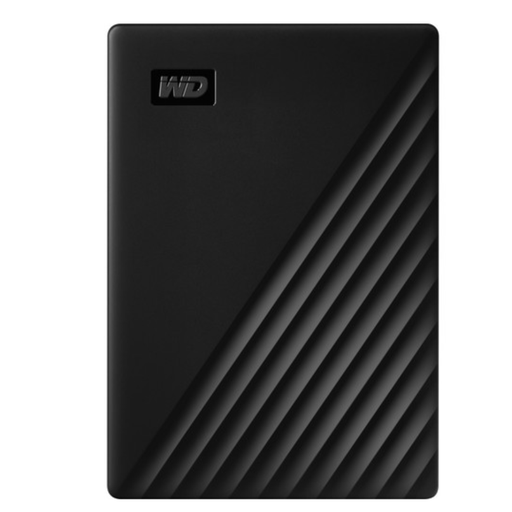 No image available
A portable HDD for a growing archive; compare 5 TB with the space your current and future projects need.
The product information states that reformatting is required for Mac use.
Keep your working files and a separate, up-to-date copy, and regularly check that you can restore files. Simply having an external drive doesn’t make it a backup.
No. Apple says Time Machine doesn’t save backups to a drive with a Windows format. Formatting can erase existing files, so copy them somewhere else first. Apple recommends a drive with at least twice the Mac’s storage capacity for a complete Mac backup.
Not necessarily. Microsoft explains that you can add folders outside the default libraries to an existing or new library. Then check that your project folder is included and try restoring a file.
No. According to the Dutch government, there’s no fixed statutory warranty period for all products in the Netherlands; your statutory rights to a product of satisfactory quality are separate from any manufacturer’s warranty. If there’s a fault, contact the retailer. This doesn’t automatically mean you’ll be compensated for lost files.
That depends on how the photos are used and the context. The Dutch Data Protection Authority distinguishes between strictly personal or household use and, among other things, business use; processing personal data may require a legal basis. Organisations must tailor security measures to the risks. This isn’t a general reason for every user to choose a particular type of drive.