
Creator with a growing project archive
You mainly keep completed art projects and want room for your folders, as well as a plan for restoring them later. For business data, the National Cyber Security Centre recommends keeping multiple copies.


For a large archive that will stay mainly in one place, a desktop HDD is a good fit. If you often take project folders with you or edit them, a portable SSD is another option. A portable HDD could work if you want to avoid a separate power adapter and its capacity is sufficient. For business data, the National Cyber Security Centre recommends keeping at least three copies: the original and two backups.
You mainly keep completed art projects and want room for your folders, as well as a plan for restoring them later. For business data, the National Cyber Security Centre recommends keeping multiple copies.
You take project folders with you and are weighing up a portable HDD that doesn’t need a separate power supply against an SSD for frequent transfers or editing. Toshiba states that Canvio Basics is USB-powered, while Samsung describes the T7 Shield as a portable SSD.
You may store personal data as part of client projects, so you need to consider appropriate security measures and separate copies as well as storage. The Dutch Data Protection Authority distinguishes between organisations and use that is purely personal or domestic.
For large digital art projects, the main considerations are capacity, recoverability, speed, portability and protecting client files.
A good fit if: you mainly store completed projects and can keep the drive at a fixed workstation.
Consider: a desktop model needs space and may require a separate power adapter. A portable HDD is an alternative if you want to take the drive with you.
A good fit if: you regularly open, edit or move large project folders.
Consider: check that your computer’s port is compatible with the drive. Advertised maximum speeds don’t guarantee the speed you’ll get in your workflow.
| Buying consideration | What should you check? | Which consumers does this matter most to? |
|---|---|---|
| Room for growing project folders | Compare the stated capacity of the exact variant with your current folders and planned growth. Seagate notes that formatting and other features use some of the capacity. | If I want to keep source files, exports and previous versions together, I’ll match the capacity to my current archive and allow for growth. Around 34% of consumers put capacity first when buying. |
| Recovering your archive | Plan a separate copy and test whether you can restore a complete project folder from it. The National Cyber Security Centre recommends keeping at least three copies of business data; the Consumers’ Association warns that ransomware can also affect connected external drives. | If my work can’t be recreated, I want to be able to restore a separate copy after data loss or an attack. Around 27% of consumers prioritise recoverability. |
| Speed when retrieving and editing files | Check the USB port, cable and capacity of the exact variant against your computer. An advertised maximum doesn’t, on its own, tell you how quickly your system will process files. | When I regularly open, edit or move project folders, I want the connection to suit my computer and workflow. Around 20% of consumers put speed first when buying. |
| Portability and computer compatibility | Check the ports on your computers and the drive’s file system. Toshiba states that Canvio Basics is USB-powered and needs to be reformatted for macOS. | If I move between workstations, I want to be able to take the drive with me and know in advance whether it will work with my computers. Around 13% of consumers prioritise portability and compatibility. |
| Protecting client files | Establish what data you store and in what capacity you process it. The Dutch Data Protection Authority emphasises the need for appropriate security when organisations process personal data. | If I store client data in project folders, I want to match the security measures to that data and how I use it. Around 6% of consumers put the security of client files first. |
If your only copy fails or a connected drive is hit by ransomware, you could lose files. The Consumers’ Association warns that ransomware can also affect files on connected external drives.
Decide where to keep a separate copy and check that you can restore a complete project folder from it. For business data, the National Cyber Security Centre recommends keeping the original and two backups.
This approach requires a second storage location and time to test your recovery process.
The space your computer shows as available for files may be less than the stated capacity. Seagate notes that formatting and other features use some storage space.
Compare the usable space with the size of your project folders, and allow for growth.
Stated speeds are maximums under specific conditions. Your computer’s port and the cable you use also affect the speed you’ll get.
Check your computer’s port, cable and the exact model variant before choosing an SSD based on its maximum speed.
Toshiba states that Canvio Basics uses NTFS and needs to be reformatted for macOS. Formatting can erase files already on the drive.
Check which computers you’ll use the drive with and find out which file system it uses. Make a safe copy of your files before reformatting.
My Book is a desktop HDD option for a large archive that can stay at a fixed workstation.
Canvio Basics is a portable HDD option if you want to avoid using a separate power adapter.
The T7 Shield is a portable SSD option for frequently transferring or editing project folders.
The 2 TB Extreme PRO Portable SSD is another SSD option for computers with a compatible connection.
Expansion Desktop is a desktop HDD option for storage at a fixed workstation.
This selection includes desktop HDDs for an archive kept at a fixed workstation, a portable HDD and portable SSDs for project folders you take with you or use regularly.
 No image available
A good fit for an archive kept at a fixed workstation.
6 TB; USB 3.0; AC adapter included. Pre-formatted for Windows; reformatting for Mac erases existing data.
 No image available
A good fit for an archive you want to take between workstations.
5 TB; USB-C; exFAT; USB-powered. The product information mentions hardware encryption with password protection.
 No image available
A good fit for project folders you want to take with you or transfer regularly.
2 TB; USB 3.2 Gen 2; stated sequential speeds of up to 1.050 MB/s read and 1.000 MB/s write. The product information mentions USB-C-to-C and USB-C-to-A cables.
 No image available
A good fit for a larger project folder you want to transfer regularly.
4 TB; USB 3.2 Gen 2x2; stated maximum sequential read and write speeds of up to 2.000 MB/s. Check that your computer has a compatible connection.
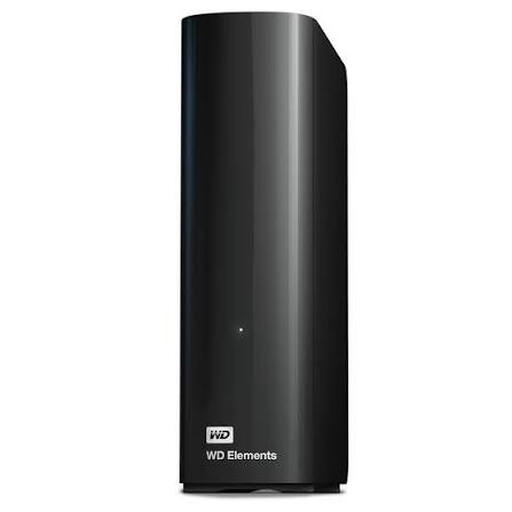 No image available
A good fit for a large archive that can stay at a fixed workstation.
8 TB; USB 3.0. The product information states that it’s plug-and-play with Windows 10 or later.
Not for work you can’t afford to lose. For business data, the National Cyber Security Centre recommends keeping the original and two backups; the Consumers’ Association warns that ransomware can also affect a connected external drive. Keep a separate copy and test that you can restore a project folder from it.
Don’t assume so without checking. Toshiba states that Canvio Basics uses NTFS and needs to be reformatted for macOS. Check the file system and back up your files before formatting.
No. A product warranty isn’t a file recovery plan. The Dutch Government states that the Netherlands has no fixed statutory warranty period; a manufacturer’s or retailer’s warranty is in addition to your right to a product of satisfactory quality. So keep a separate copy too.
It depends on how you use the data. According to the Dutch Data Protection Authority, processing that is purely personal or domestic isn’t covered by the GDPR; organisations that process personal data must protect it appropriately. For client projects, check what data is in your folders and what measures are appropriate for the risk.