What should you look for?
First, check the connection type and support for your exact tablet model. Then decide whether you want to charge while you work or need extra ports. Only after that should you compare the stated network speed with the studio connection.
| What to consider |
What should you check? |
Who is this important for? |
| Will the adapter work with my tablet? |
Note your exact tablet model, its port and its operating system. Check that the adapter lists support for them. |
If I work at different studio workspaces, I want to avoid finding that the adapter won’t connect to my tablet or isn’t supported. Around 36% of consumers put compatibility first. |
| Can I charge and stay online at the same time? |
Check whether the adapter has a USB-C Power Delivery charging port and what power supply it requires. A stated maximum doesn’t automatically mean that’s how much power your tablet will receive. |
If I work on my tablet for a long time, I want to use wired internet without disconnecting the power supply. Around 29% of consumers prioritise charging and connecting at the same time. |
| Does the speed suit the studio connection? |
Check the speed of the network port and the cable. For peak performance from the TP-Link UE302C, TP-Link specifies a Cat5e cable or higher. |
If I want to make the most of the available wired connection, I need to know whether the adapter could limit it. Around 21% of consumers prioritise network capacity. |
| Do I need extra ports? |
Make a list of the USB devices you need, any power supply and any display you might connect. Also check that your tablet supports the hub features you want. |
If I want to connect peripherals or a display as well as ethernet, I want to know in advance which features will work with my tablet. Around 14% of consumers prioritise extra connections. |
Joybuy products
These USB-C products provide wired internet: standalone RJ45 adapters and a hub with extra connections. Check that each product’s features suit your tablet and how you plan to use it.
 No image available
TP-Link USB Type-C to RJ45 Gigabit Ethernet Network Adapter
A standalone USB-C to RJ45 adapter for a tablet that supports a wired network connection through this adapter.
The stated network capacity is up to 1000 Mbps. The product description mentions tablet use and a foldable, portable design.
View at Joybuy
 No image available
HP USB-C to RJ45 Adapter G2
A standalone USB-C to RJ45 adapter for anyone who wants to use a wired gigabit ethernet connection with a compatible tablet.
The product description mentions tablets, gigabit ethernet up to 1 Gbps and a lightweight, portable design.
View at Joybuy
 No image available
acer Type C to Giga LAN Dongle
A standalone USB-C to RJ45 adapter for use with a tablet that supports it.
The product description lists gigabit ethernet and a lightweight, portable design.
View at Joybuy
 No image available
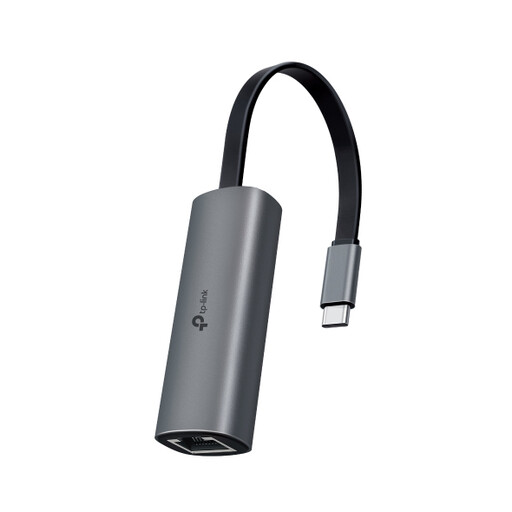
TP-Link UE302C USB-C to RJ45 Adapter
A USB-C to RJ45 adapter for making the most of higher network capacity, provided your tablet, cable and network can support it.
The product description lists ethernet up to 2.5 Gbps and mentions tablet use. TP-Link specifies a Cat5e cable or higher for peak performance.
View at Joybuy
 No image available
Verbatim CMH-13 USB-C hub, 10000 Mbit/s, silver
A hub for anyone who wants to combine wired internet with extra connections, provided the tablet supports the features they need.
The product description lists gigabit ethernet, USB ports, HDMI and Power Delivery up to 100 W. Power Delivery requires a suitable power supply and cable; observe the stated 100 W limit.
View at Joybuy
Frequently asked questions
Is USB-C on my tablet enough to use any ethernet adapter?
No. As well as checking the physical connection, make sure your exact tablet model supports the adapter you’ve chosen. TP-Link lists iPadOS support for the UE302C; the UE300C page mentions tablets, but doesn’t confirm support for every individual model.
What can I try if my iPad doesn’t recognise a USB-C accessory?
Unlock your iPad and reconnect the accessory. If it still isn’t recognised, Apple Support Netherlands advises disconnecting and reconnecting the accessory while the iPad is unlocked. Then check compatibility and the network connection too.
Does an ethernet adapter with a charging port also come with a charger?
Don’t assume it does. Belkin lists a USB-C Power Delivery port of up to 100 W for the INC019btBK and includes the adapter in the box. Check what power supply and cable you’ll need as well.
What are my rights in the Netherlands if I’m unhappy with an adapter bought online or it breaks too soon?
According to ACM ConsuWijzer, online purchases generally come with a statutory 14-day cooling-off period after delivery, with some exceptions. You’re also covered by the statutory guarantee: if the product doesn’t do what you could reasonably expect during normal use, the seller must offer a solution in line with the applicable conditions.


