What should you look for?
First check your tablet’s port and compatibility, then decide whether you want to charge it while it’s in use. Next, check that the cable connection works, and only then consider whether a faster Ethernet port would benefit your network.
| What to consider |
What should you check? |
Who is this important for? |
| Connection and tablet compatibility |
Check your exact tablet model, whether it has a USB-C or Lightning port, and which software it supports. |
If I want to use my tablet with a wired connection, I need to know whether the adapter works with my exact model. Around 36% of consumers say compatibility is their main concern when buying. |
| Charging while connected |
Check whether the adapter supports Ethernet and charging at the same time on your tablet, and whether you need a suitable power source. |
When working in one place for long periods, I don’t want my battery to run out while I’m using Ethernet. Around 29% of consumers say charging at the same time is their main concern when buying. |
| Cable connection to the garden office |
Test the RJ45 socket at your workstation and check that the whole connection is linked to the network. |
If there isn’t a working network connection in my garden office yet, I need to arrange one first. Around 21% of consumers say the cable connection is their main concern when buying. |
| Network speed you need |
Compare the Ethernet port speed with that of your tablet, cable and other network equipment. |
If I work with large files on a local network, I need to know whether my other devices can handle the faster speed. Around 14% of consumers say extra local network speed is their main concern when buying. |
Joybuy products
This selection includes USB-C to Ethernet adapters and docks for a wired workspace. Before buying, check that your tablet supports the adapter or dock and that the connection in your garden office is already working.
 No image available
TP-Link USB Type-C to RJ45 Gigabit Ethernet adapter
An option for a tablet with a supported USB-C data connection and a working RJ45 socket.
Gigabit Ethernet up to 1000 Mbps; check compatibility with your exact tablet model.
View product at Joybuy
 No image available
HP USB-C to RJ45 adapter G2
An option for a USB-C tablet, provided it supports this adapter and a working Ethernet connection is available.
Gigabit Ethernet; check compatibility with your exact tablet model.
View product at Joybuy
 No image available
Acer Type-C to Giga-LAN dongle
An option for connecting a supported USB-C tablet to an existing RJ45 network socket.
The listed Ethernet connection is 1 Gbps; check compatibility with your tablet.
View product at Joybuy
 No image available
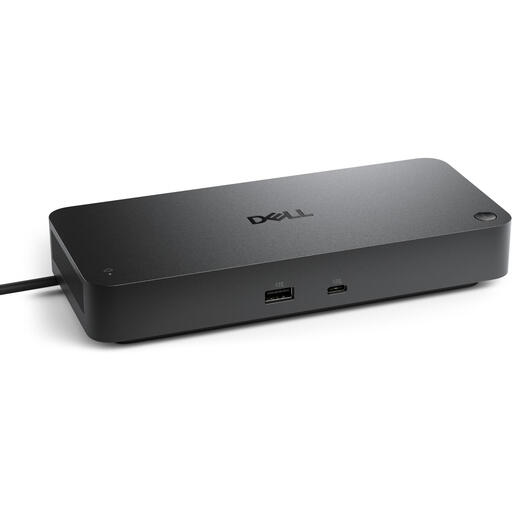
DELL Pro SD25 Wired USB 3.2 Gen 2 (3.1 Gen 2) Type-C Black
This USB-C dock is only an option if your tablet supports the host connection and the dock.
The listed Ethernet port supports 2.5 Gbps; a power adapter is listed. Check whether the rest of your network can handle this speed.
View product at Joybuy
 No image available
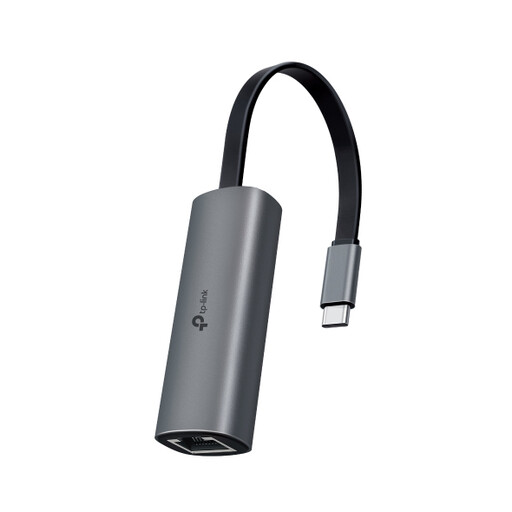
TP-Link UE302C USB-C to RJ45 adapter
An option if your tablet and network support the 2.5 Gigabit Ethernet port.
TP-Link lists support for iPadOS 13.3 and later and recommends a Cat5e cable or higher for peak performance. Also check support for your exact tablet.
View product at Joybuy
Frequently asked questions
Can I use any USB-C Ethernet adapter with my tablet?
No. Check your exact tablet model and the software it supports. TP-Link lists iPadOS 13.3 and later for the UE302C, while the UE300C product page doesn’t list iPadOS in the same way.
Can my tablet charge while I’m using Ethernet?
Only if the combination you choose supports it. Belkin describes Ethernet and USB-C pass-through charging for the INC019, and Ethernet with power for the Lightning adapter F8J227. Check that the solution suits your tablet and power source.
How do I connect the adapter in my garden office?
Connect the adapter to a working network socket with an RJ45 cable, then plug it into the right port on your tablet. First, check that the socket in your garden office is actually connected to the network; the adapter won’t create that connection for you.
When is a 2.5 Gb Ethernet adapter useful?
It may be useful if your tablet, cable and other network equipment support that speed and you need the extra capacity, for example when transferring data over a local network. The adapter’s port speed doesn’t guarantee that your internet connection will reach the same speed.
Do I need to report plans to install a cable to my garden office?
According to the Kadaster, in the Netherlands you must submit a KLIC notification in advance if you’re going to dig using a machine, even if someone else is doing the work on your land. This legal notification requirement doesn’t apply to digging by hand, but the Kadaster warns that cables or pipes can still be damaged.


