What should you look for?
First check your tablet’s port and compatibility, as well as network access in your room. Then choose the speed and any charging features you need.
| What to consider |
What should you check? |
Who is this important for? |
| Tablet compatibility |
Check whether your tablet has USB‑C or Lightning, and note its model and software version. Compare these details with the adapter documentation. |
I want to avoid choosing based on the plug shape alone and first check whether my tablet supports Ethernet. Around 36% of consumers make compatibility their main priority. |
| Access to the room’s network |
Ask your landlord or network administrator whether the RJ45 socket is active, what type of access applies and whether registration is required. |
I want to know whether I can actually use the socket in my room and whether I need to arrange anything myself. Around 29% of consumers make network access their main priority. |
| Charging while in use |
Check whether the adapter supports USB‑C Power Delivery pass-through and whether the tablet, power supply and cable are compatible with one another. |
If I use my tablet at my desk for a long time, I want to charge it and use the internet through the same USB‑C port. Around 21% of consumers prioritise this combination. |
| Ethernet speed |
Compare the adapter’s port capacity with the room’s connection, network equipment and cable. TP-Link recommends Cat5e or higher for peak performance with the UE302C. |
I’ll only consider speeds above gigabit if my network can handle them. Around 14% of consumers make a connection faster than gigabit their main priority. |
Joybuy products
This selection includes USB‑C-to-gigabit adapters, a USB‑C adapter with 2.5-gigabit Ethernet and a USB‑C hub with Ethernet and pass-through charging. Before buying, check that your tablet’s port and software are supported.
 No image available
TP-Link USB Type-C to RJ45 Gigabit Ethernet Network Adapter
An option for a USB‑C tablet if you want a wired internet connection via RJ45 and have checked that your tablet is supported.
The product information lists Gigabit Ethernet up to 1000 Mbps and plug-and-play support for the operating systems shown.
View at Joybuy
 No image available
HP USB-C to RJ45 Adapter G2
Suitable for a USB‑C tablet with a usable wired connection, provided the exact tablet model is supported.
The product information lists Gigabit Ethernet and plug-and-play functionality; check that it’s compatible with your tablet’s operating system.
View at Joybuy
 No image available
Acer Type C to Giga LAN Dongle
A USB‑C-to-Gigabit LAN option for a wired connection; check that your tablet is supported.
The product information lists a single 1 Gbps Ethernet connection.
View at Joybuy
 No image available
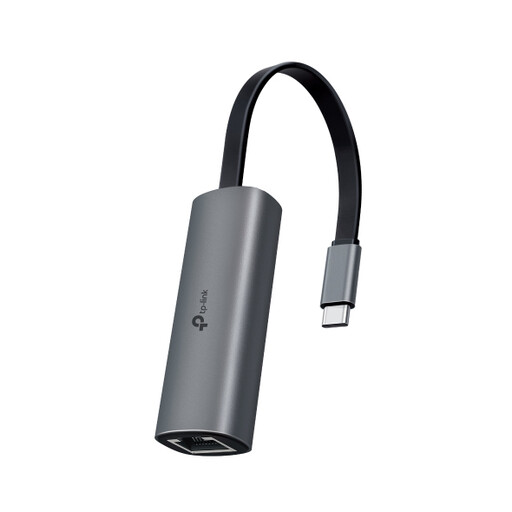
TP-Link UE302C
An option for a compatible USB‑C tablet if the rest of your network can also handle speeds above gigabit.
TP-Link lists support for iPadOS 13.3 and later, and recommends Cat5e or higher for peak performance. The speed of the full connection also depends on the rest of your network equipment.
View at Joybuy
 No image available
Verbatim CMH-13 USB Type-C hub
An option if you want to charge your USB‑C tablet through the hub while using a wired internet connection; check that the full setup works with your tablet.
The product information lists Gigabit Ethernet and USB‑C Power Delivery up to 100 W. This maximum doesn’t guarantee the tablet’s charging power.
View at Joybuy
Frequently asked questions
How can I tell if wired internet is available in my room?
Ask your landlord or network administrator which connection and access requirements apply to your room. DUWO describes different provider arrangements, including rooms where tenants need to arrange their own subscription. The University of Twente explains MAC address registration for its own wired network; this isn’t a general requirement for student rooms.
What can I try if my iPad doesn’t recognise the connected adapter?
Unlock your iPad and reconnect the accessory. Apple says an iPad usually needs to be unlocked before it can communicate with certain wired accessories. Also check that your model is supported and, if you’re using an Apple USB 3 Camera Adapter, whether extra power is required.
Does the package include an Ethernet cable or extra power supply?
Check what’s included with the exact product, and don’t assume that a cable or power supply comes with it. For the UE302C, TP-Link recommends Cat5e or higher for peak performance; accessories connected to the Apple USB 3 Camera Adapter may need extra power.
Can I return an adapter bought online if it doesn’t work with my tablet?
In the Netherlands, consumers who buy online generally have a statutory 14-day cooling-off period, subject to exceptions. ACM ConsuWijzer explains how the cooling-off period works; also check the returns information and any associated costs. The cooling-off period is separate from a manufacturer’s warranty.
Can I connect my own adapter to the room’s network?
Requirements depend on the network in your room, so ask the administrator what’s permitted and whether registration is needed. The University of Twente requires MAC address registration to access its own wired network; DUWO describes a range of connection and subscription arrangements.


