
Vandaag of morgen in huis

Kwaliteit gegarandeerd

Welkomstaanbiedingen ontgrendelen: GRATIS bezorging | Tot 80% korting | Gratis 30 dagen JoyPlus-proefperiode
Download de app
Prolonged computer use can lead to discomfort in the wrist, arm, or shoulder, and an unsuitable mouse is often a contributing factor. Choosing an ergonomic mouse is a step towards a more comfortable setup, but the sheer number of options can be overwhelming. This guide provides a practical overview of the key selection criteria and presents several top picks to help you make an informed decision.
Before choosing a model, it's helpful to understand a few key specifications. These factors determine how well a mouse will suit your body and workflow.
The most common ergonomic design is the vertical mouse. It positions your hand in a natural 'handshake' posture. This can reduce strain on the forearm and wrist, as it prevents the twisting of your forearm bones (the ulna and radius) that occurs with a traditional flat mouse.
An ergonomic mouse is not a 'one-size-fits-all' product. Manufacturers often offer models specifically designed for small, medium, or large hands. Furthermore, most ergonomic mice are designed for right-handed use. Left-handed users will need to specifically look for a left-handed or ambidextrous model.
Based on product specifications, we have selected three distinct ergonomic mice.
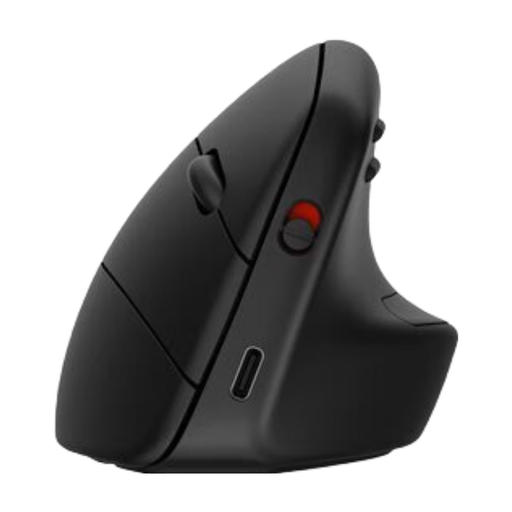
Why We Chose It The HP 925 is a wireless vertical mouse designed for comfort during extended use. According to HP, its design reduces muscle activity by 12%. The mouse is highly versatile, with the ability to connect to three devices simultaneously via Bluetooth 5.3 or the included dongle. The detachable wrist rest provides additional support.
Key Features
Who It's For This model is ideal for professionals who work across multiple devices (e.g., a laptop, tablet, and desktop) and are looking for a wireless, rechargeable solution with extensive compatibility.
View the HP 925 Ergonomic Vertical Mouse
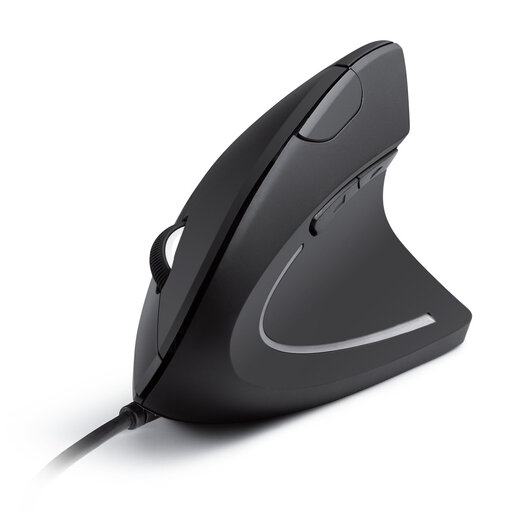
Why We Chose It The Anker CE100 is a functional and accessible wired vertical mouse. Its design promotes the 'handshake' posture to reduce strain. With a 1.5-metre USB cable, this mouse offers a reliable plug-and-play experience without the need to worry about batteries.
Key Features
Who It's For This mouse is an excellent choice for users seeking a simple, reliable, and budget-friendly solution for ergonomic support for wrist pain and who prefer a wired connection.
View the Anker CE100 USB Wired Vertical Mouse
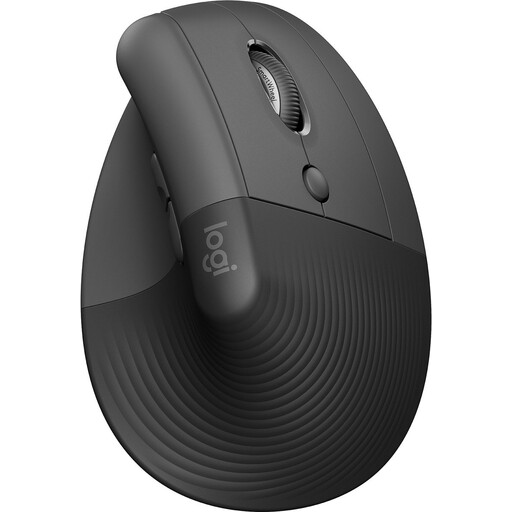
Why We Chose It The Logitech Lift is a compact wireless vertical mouse specifically designed for small to medium-sized hands. Its 57-degree angle is engineered to relieve pressure on the wrist. The mouse features silent clicks and a SmartWheel for smooth scrolling. It is Ergo-certified and made with 70% post-consumer recycled plastic.
Key Features
Who It's For The Logitech Lift is a great option for right-handed users with smaller hands who want a quiet, wireless, and durable mouse with exceptional battery life.
View the Logitech Lift Vertical Ergonomic Mouse
The products above are just a sample of our full range. Every hand and preference is different. If these models don't fully meet your requirements, many other options are available with various shapes, sizes, and features.
View all ergonomic mice in our main category
1. What is the benefit of a vertical mouse? A vertical mouse promotes a neutral, 'handshake' posture. This can help reduce muscle strain in the forearm and wrist compared to a traditional flat mouse, which forces the arm into a twisted position. This can contribute to greater comfort during prolonged computer use.
2. Can an ergonomic mouse really help with RSI and wrist pain? An ergonomic mouse is designed to support a more natural posture for your hand, wrist, and arm. While it is not a medical device, using one can reduce the load on muscles and tendons. This can help prevent or alleviate complaints related to poor posture, making it a good choice for those seeking a mouse to combat RSI. However, it is not a guaranteed cure and should be considered part of a comprehensive ergonomic workspace.
3. How long does it take to get used to an ergonomic mouse? The adjustment period varies from person to person. Most users need a few days to a week to become fully accustomed to the different posture and control of a vertical mouse. The controls may feel a bit awkward at first, but after this initial period, many people experience greater comfort.
