
Vandaag of morgen in huis

Kwaliteit gegarandeerd

Welkomstaanbiedingen ontgrendelen: GRATIS bezorging | Tot 80% korting | Gratis 30 dagen JoyPlus-proefperiode
Download de app
By the Joybuy Product Recommendation OfficerLast updated: July 5, 2026
Do you spend many hours a day at a computer? If so, you might be familiar with wrist fatigue, a stiff shoulder, or an aching arm. A standard mouse isn't always designed for long-term comfort. An ergonomic mouse is specifically shaped to support your hand, wrist, and arm in a more natural posture. This can help reduce the strain caused by repetitive movements.
This guide will help you understand the different options and find a model that suits your work style and physical needs. We'll look at the specifications and design so you can make an informed decision.
The search for the right mouse can seem overwhelming. By focusing on a few key points, you can make the process much simpler.
Ergonomic mice come in various forms, each with its own approach to comfort.
A clutter-free desk contributes to a pleasant workspace. A wireless mouse eliminates the tangle of cables. Most models offer two connection options:
A good office mouse does more than just move the cursor. Look for extras that make your workday more efficient:
Based on objective product specifications and design features, we have compiled a list of popular choices for you.
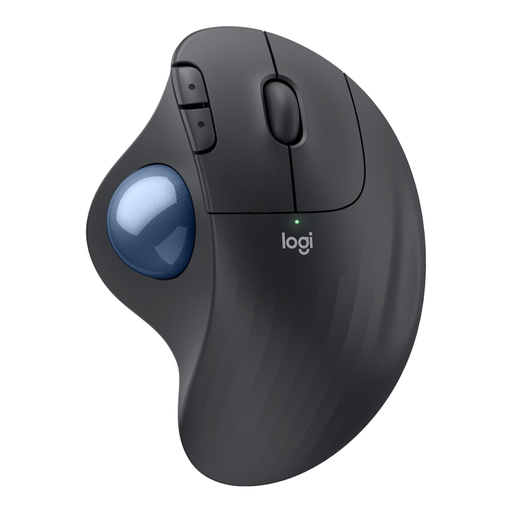
Why It Stands Out The Ergo M575 is a trackball mouse that provides comfort by minimizing arm movement. The cursor is controlled entirely by the thumb, allowing your hand and arm to remain relaxed. Its sculpted shape is designed to support a wide range of hand sizes.
Key Features
Who Is It For? This mouse is an excellent choice for users who want to reduce shoulder and arm strain or who work at a small or cluttered desk.
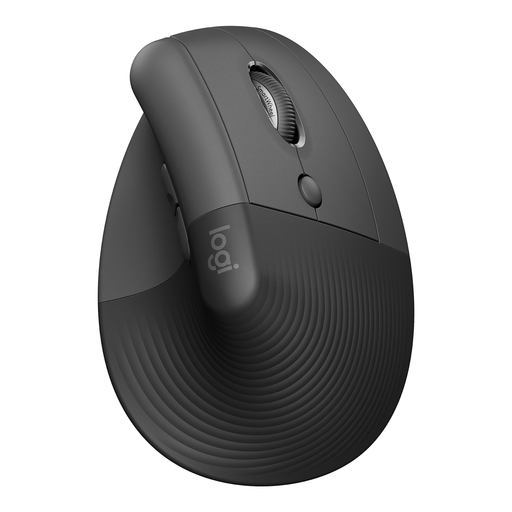
Why It Stands Out The Logitech Lift places your hand at a natural 57-degree angle, which the manufacturer claims relieves wrist pressure and promotes better upper body posture. The design is specifically aimed at small to medium-sized hands.
Key Features
Who Is It For? Ideal for users with small to medium-sized hands who are looking for a vertical mouse to adopt a more natural wrist posture during work.
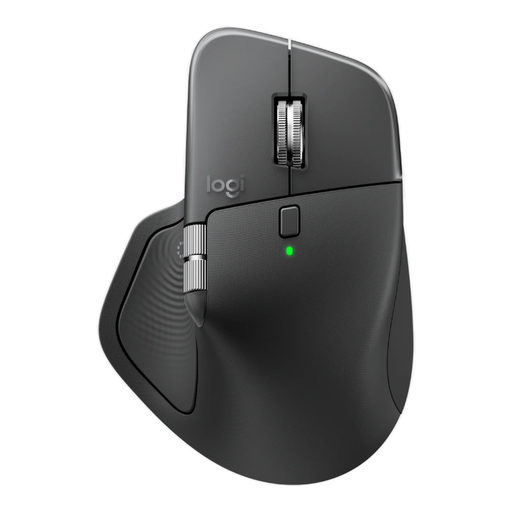
Why It Stands Out The MX Master 4 is designed for professionals who demand maximum productivity and precision. Its traditional yet highly contoured shape offers excellent hand support, including a thumb rest with a horizontal scroll wheel.
Key Features
Who Is It For? This mouse is aimed at power users, creatives, and programmers who need advanced features, high precision, and the ability to seamlessly switch between multiple computers and tasks.
The world of ergonomic mice is broad and diverse. If the models above don't quite match your needs, or if you're curious about other wireless options, there's much more to discover. A Bluetooth mouse, for example, offers great flexibility for a modern workspace.
Take a look at our wider assortment to find the perfect match for your desk.
An ergonomic mouse is designed to place your hand and wrist in a more natural, relaxed posture. This can help reduce the muscle strain that can develop from prolonged and repetitive computer use. The goal is to increase comfort and promote better posture, which is relevant for anyone considering a mouse for RSI-related issues.
The adjustment period varies from person to person. Most users report that they are fully accustomed to the new way of navigating after a few days to a week. It's advisable to start slowly with simple tasks and gradually increase usage.
Yes, that is one of its major advantages. Because the mouse itself remains stationary and you control the cursor with the ball, the surface doesn't matter. You can use it on glass, a cluttered desk, or even on your sofa without any performance degradation.
