Joybuy keyboards
These Joybuy keyboard options may suit writing at a shared desk; they differ in layout, connection and portability.
 No image available
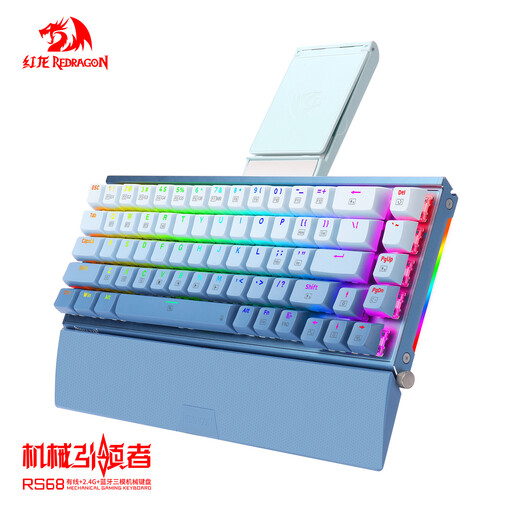
RS68 The Third Mock Examination Wireless Mechanical Keyboard, Gradient Blue
An option if you’re looking for a mechanical keyboard with wireless and wired connections; check that the full variant and layout suit the kind of writing you do.
The product title lists Bluetooth, a hot-swappable version and a detachable wrist rest.
View at Joybuy
 No image available
Apple Magic Keyboard with Touch ID, Dutch
An option if you use a Mac model with Apple Silicon and want the Dutch keyboard layout listed.
The product title lists Touch ID, a Dutch version and compatibility with Mac models with Apple Silicon.
View at Joybuy
 No image available
Voxis B033 Tri-Fold Wireless Bluetooth Keyboard with Touchpad
An option if you want to fold the keyboard away after writing and are looking for an integrated touchpad; check that it works with your device.
The product title lists Bluetooth, a foldable design and a touchpad.
View at Joybuy
 No image available
MageGee TS91 60% Wired Keyboard, QWERTY US, 61 keys
An option if you’re looking for a wired keyboard with an explicitly listed QWERTY US layout; check that it suits the editing keys you normally use.
The product title lists a 60% layout, 61 keys, QWERTY US and RGB lighting.
View at Joybuy
 No image available
Logitech MX Keys for Business, QWERTY US
An option if you specifically want the QWERTY US layout; check that it matches the keys you’re used to for writing and editing.
The product title lists the MX Keys for Business version and the QWERTY US layout.
View at Joybuy
Frequently asked questions
Do I need a separate ergonomic keyboard to write on a laptop?
Not every writer does. According to the Dutch Arboportaal, employees who work with screens for more than 2 hours a day must be able to use a separate monitor or keyboard when working on a laptop. This is not a general purchasing requirement for every private user, and a separate keyboard alone does not guarantee a well-set-up workspace.
How can I set up a shared workspace each time I use it?
Adjust your chair, desk and screen to suit you, and position the halves of a split model so that your wrists stay straight when viewed from above. Take breaks from prolonged screen work; Arboportaal recommends short microbreaks, among other things. The right settings depend on your workspace.
What should I look for in the connection and palm rest?
Check whether the version uses Bluetooth, a receiver or a cable, and whether the connection suits your device. If the model has a palm rest, check whether it can be removed and whether it’s practical for your shared workspace. RTINGS.com notes that the palm rest on the Wave Keys it tested is not removable.
Can I return a keyboard bought online if I don’t like the layout?
For a standard online consumer purchase in the Netherlands, ACM ConsuWijzer says you usually have a statutory cooling-off period of up to 14 days after delivery. Check the returns information and any exceptions; the cooling-off period is separate from the manufacturer’s warranty.
What if the keyboard breaks too quickly during normal use?
According to ACM ConsuWijzer, statutory consumer rights apply in addition to any manufacturer’s warranty. If the product does not provide what you could reasonably expect during normal use, the seller must offer an appropriate solution free of charge. There is no fixed statutory warranty period of exactly two years for every keyboard sold in the Netherlands.


