What should you look for when choosing?
TNO recommends placing the screen you use for your main task directly in front of you, with the second screen slightly to one side at an angle. Then work out how much space is left for your keyboard and mouse.
| What to consider |
What should you check? |
Who is this important for? |
| Hand and arm position |
Try the position of both hands; check whether any wrist rests or adjustment accessories are included with the version you’re considering. |
If I write for long periods, I want to be able to adjust the position of my hands and arms to suit me. Around 40% of consumers give this their highest priority. |
| Space for the keyboard and mouse |
Set up your two screens first, then measure the remaining space for your keyboard and mouse. |
If I switch between my chapter and source material, I want to position both screens comfortably without losing sight of the space I need for my mouse. Around 30% of consumers prioritise their desk and screen setup. |
| Key layout and getting used to it |
Check the exact QWERTY variant and the position of the characters; if possible, try an unusual split layout beforehand. |
If I want to keep my familiar typing and keyboard-shortcut routine, I pay close attention to the exact layout. Around 20% of consumers give familiarity their highest priority. |
| Connection |
Check whether your computer supports USB-A or your preferred wireless connection, and whether the receiver supplied suits the way you’ll use it. |
If I want to connect without any extra steps, I first check what my computer supports. Around 10% of consumers prioritise a compatible connection. |
Keyboards for your writing setup
This selection of Joybuy products includes compact keyboards and wired or wireless keyboard sets. Compare the physical layout, connection and space required with your two-screen setup.
 No image available
Trust Lyra keyboard and mouse, US QWERTY
A wireless keyboard and mouse set to consider if you’re looking for both input devices together.
The product title lists Bluetooth and a US English QWERTY layout; check that it suits the way you type.
View at Joybuy
 No image available
MageGee TS91 60%, 61 keys, US QWERTY
A compact wired option to consider if you want to free up desk space.
The product title lists 61 keys, RGB lighting and a US QWERTY layout; check that the compact key layout suits your work.
View at Joybuy
 No image available
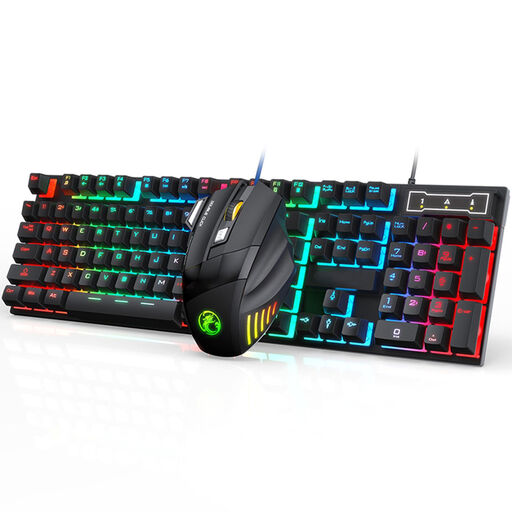
Wired keyboard and mouse set
A wired set to consider if you’re looking for a keyboard and mouse together.
The product information lists a 104-key keyboard. Bear in mind the desk space available and check the layout of the version you’re considering.
View at Joybuy
 No image available
REDRAGON wired mechanical keyboard, 94 keys
A wired option to compare if you’re looking for a mechanical keyboard.
The product title lists 94 keys, a phone holder and a wrist rest. Check that this version and the space available suit your workstation.
View at Joybuy
 No image available
ET Silent wireless keyboard and mouse set, US QWERTY
A wireless keyboard and mouse set to consider if you want to use both devices together.
The product title lists 2.4 GHz and US QWERTY. The product information describes a full-size keyboard with 104 keys; check the layout and available space.
View at Joybuy
Frequently asked questions
Where should you place two screens when writing?
Place the screen you use most directly in front of you, with the second screen slightly to one side at an angle. TNO recommends this setup for a screen used for the active task and a second screen used less intensively.
Should you use a separate keyboard when writing for long periods on a laptop?
For employees who do more than two hours of screen work a day, Arboportaal describes rules stating that the screen and keyboard must not be attached to each other; when using a laptop, it must therefore be possible to use a separate screen or keyboard. Whether this applies to you depends on your work and how you use your equipment. This is not a general legal purchasing requirement for personal use.
Are breaks or a break indicator enough to prevent discomfort?
No, a break indicator doesn’t replace the other considerations for screen work. Arboportaal recommends varying your posture and looking away from the screen regularly; R-Go Tools says the Split Break indicator works with R-Go Break software.
What are your return and warranty rights when buying online in the Netherlands?
For a standard online consumer purchase, you generally have a statutory 14-day cooling-off period after delivery, with exceptions for certain products or circumstances. You’re also covered by the statutory guarantee if a product used normally doesn’t meet the standards you’re entitled to expect; the seller is responsible for this. ACM ConsuWijzer explains these rights. Also check the seller’s information and any additional warranty terms.


