
Vandaag of morgen in huis

Kwaliteit gegarandeerd

Welkomstaanbiedingen ontgrendelen: GRATIS bezorging | Tot 80% korting | Gratis 30 dagen JoyPlus-proefperiode
Download de app
An ergonomic home office does not have to be complicated. Yet many people buy a large desk or a monitor with impressive specifications first, without checking whether everything suits their space, equipment and daily needs. The result: a screen that is too close, a desk that wobbles or not enough room for a keyboard, laptop and documents.
With this practical guide, you can focus on the specifications that really make a difference when working from home, studying, gaming and creating content in the Netherlands.
A large desk or a 49-inch curved monitor sounds appealing, but dimensions also determine how much space you have left to move around. An ultrawide screen also requires a deep, stable desk. Check the width, depth, maximum load and cable space beforehand.
A 120Hz monitor or 165Hz gaming monitor can display motion more smoothly than a standard 60Hz screen. However, this does not automatically tell you anything about colour reproduction, resolution, brightness or connections. For office work, design and video, the panel technology and resolution are important too.
An electric sit-stand desk is only practical if its adjustment range suits your height and chair. Also check the maximum load capacity. A heavy monitor, monitor arm, laptop, speakers and accessories can add up to a considerable weight.
For a compact workspace, a 120 x 60 cm desktop may be sufficient for a laptop, one monitor, keyboard and documents. If you use two screens or a deep monitor, you may need more depth.
With a height-adjustable desk, pay particular attention to:
A CE mark and references to European standards in the product information are useful points to check. They do not replace carefully following the assembly and safety instructions.
A QHD monitor with 2560 x 1440 pixels provides more workspace and sharper detail than Full HD on the same screen size. This is useful for spreadsheets, photo editing and working with multiple windows side by side.
Also consider:
According to the brands’ own information, features such as HDR, low blue light and flicker-free technology can contribute to a more comfortable viewing experience. Treat this as product information, not as a medical or health claim.

Why it suits this profile: The compact size is a good fit for a student bedroom, bedroom or smaller home office. The electric adjustment is useful for studying, office work and gaming.
The product listing states an adjustment range of 72–118 cm, two memory settings and a load capacity of 70 kg. However, check whether 120 x 60 cm is sufficient for your monitor setup.
Electric height adjustment, digital control panel, 70 kg load capacity and two hooks for accessories. The product information states CE and European standard certification.

Why it suits this profile: This screen is designed for users who want one large workspace for gaming, video editing, design and multitasking.
The combination of 5120 x 1440 pixels, a 32:9 aspect ratio and a height-adjustable stand makes the choice easy to assess. Measure your desk beforehand: the screen is 49 inches wide.
DQHD resolution, 165Hz, 1500R curvature, two HDMI 2.1 and two DP 1.4 connections. The product specifications also state VESA 75 x 75 mm and a minimum required load capacity of 15 kg.

Why it suits this profile: The walnut finish and black frame complement a classic ergonomic office, study space or gaming desk.
The height, load capacity and memory settings are stated in the product information. This helps when comparing options. With a large screen, bear in mind the limited depth of 60 cm.
72–118 cm adjustment range, 70 kg load capacity, digital display and two memory settings. The product listing states a P2 board and two storage hooks.
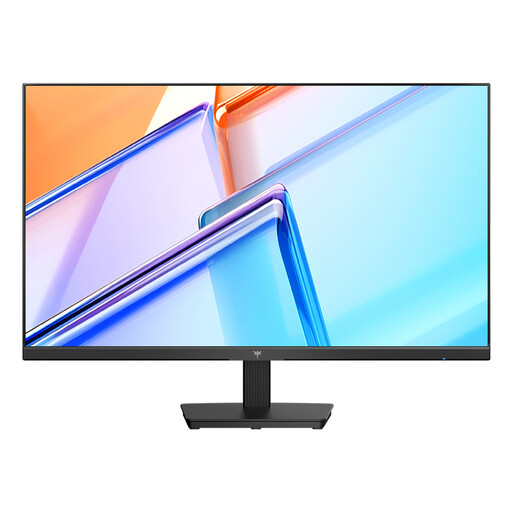
Why it suits this profile: A practical choice for home workers, students and gamers who want QHD resolution without immediately moving to an ultrawide screen.
The product name and information state both 2560 x 1440 pixels and 120Hz. This allows you to assess resolution and refresh rate separately rather than relying only on a marketing label.
IPS panel, Adaptive Sync, stated 123% sRGB, HDR and HDMI and DisplayPort connections. VESA mounting is stated for a customised screen setup.
We have put together a complete, up-to-date list of products that fully meet these strict selection criteria and the applicable European safety regulations.
There is no universal height. Adjust the desk so that your elbows remain relaxed by your sides and your forearms rest on the keyboard without a noticeable bend at the wrists. An adjustment range of 72–118 cm offers various starting points, but your chair, height and accessories determine the final setting.
Yes, a 120Hz monitor can feel more comfortable for scrolling, window animations and gaming. For office work, resolution remains at least as important. For example, a QHD monitor provides more pixels than Full HD at 27 inches, which can be useful for documents and multiple windows.
Exact consumption depends on the motor, how often you adjust the desk and its standby mode. The available product information does not state a specific wattage for these desks. Therefore, check the technical data sheet and unplug the desk during prolonged periods of absence if the instructions allow this.
