
Vandaag of morgen in huis

Kwaliteit gegarandeerd

Welkomstaanbiedingen ontgrendelen: GRATIS bezorging | Tot 80% korting | Gratis 30 dagen JoyPlus-proefperiode
Download de app
Buying electronics seems straightforward until you discover that a device isn’t suited to the way you use it. A tablet, for example, may have plenty of RAM but very little storage. An SSD might promise high speeds, but your laptop may not have the right connection. And with a gaming PC, a powerful graphics card won’t count for much if the processor, power supply or cooling system isn’t up to the job.
The most common pitfalls are:
By checking the connections, storage and intended use, you can make a purchase that’s better suited to life at home in the UK, studying, gaming or using on the go.
When it comes to storage, the connection matters. The Kingston A400 is a 2.5-inch SATA III SSD with a SATA interface of up to 6 Gbit/s. It fits desktops and laptops with a suitable 2.5-inch bay and SATA data and power connections. It isn’t designed for server environments.
An NVMe SSD such as the Kingston NV3, on the other hand, uses an M.2 2280 PCIe connection. Check beforehand that your device has an M.2 slot with NVMe support. An M.2 form factor doesn’t automatically mean that every M.2 SSD will work: SATA M.2 and PCIe NVMe use different protocols.
For an external SSD, the port and cable are particularly important. The Kingston XS2000 uses USB Type-C and USB 3.2 Gen 2x2. Older USB ports may limit transfer speeds.
500 GB may seem like plenty, but games, video files and photo libraries can fill a drive quickly. A gaming PC with 500 GB of NVMe storage is a good starting point, but keen gamers may need extra storage. For documents, studying and lightweight software, 128 GB on a tablet may be enough, especially if microSD expansion is available.
Also check the difference between internal and expandable storage. The DOOGEE U11 is listed with 128 GB of internal storage and supports a microSD card of up to 2 TB. The Lenovo Idea Tab also has 128 GB of storage and supports microSD cards. Check beforehand whether apps, downloads and media files can be saved to the memory card.
For tablets and e-book readers, the screen type, resolution and brightness all affect the experience. The Lenovo Idea Tab has an 11-inch IPS screen with 2560 × 1600 pixels, a 90 Hz refresh rate and a stated brightness of 500 cd/m². It’s well suited to taking notes, streaming and productivity.
An e-book reader such as the Bigme HiBreak Pro Color uses a colour e-ink screen. According to the product information, resolution is 300 ppi for black-and-white content and 150 ppi for colour. E-ink works differently from a standard tablet and is mainly intended for reading, documents and light Android use.
With a gaming PC, look beyond the graphics card. Check at least the processor, type of RAM, power supply, cooling and upgrade options. The Shark systems below, for example, use a Ryzen 5 processor, a dedicated graphics card and Windows 11 Home. The manufacturer describes support for 1080p and 1440p gaming, among other things; actual performance varies depending on the game, settings and updates.
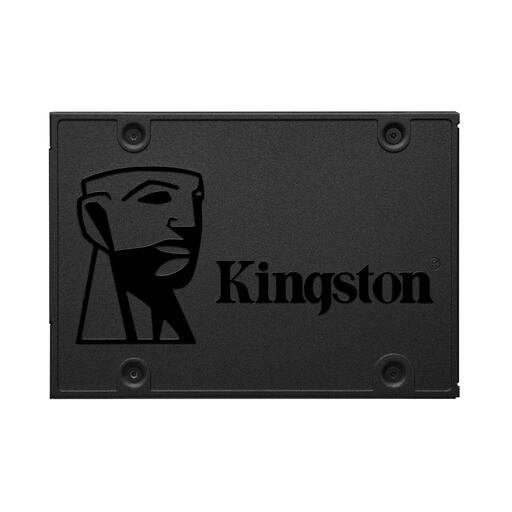
Why it suits this user: This Kingston SSD is a practical upgrade for an older laptop or desktop with a 2.5-inch SATA connection.
The product information clearly states the 2.5-inch form factor and SATA III interface. Be sure to check the available internal space and cables first.
240 GB storage, TLC flash memory, a stated read speed of up to 500 MB/s and no moving parts.
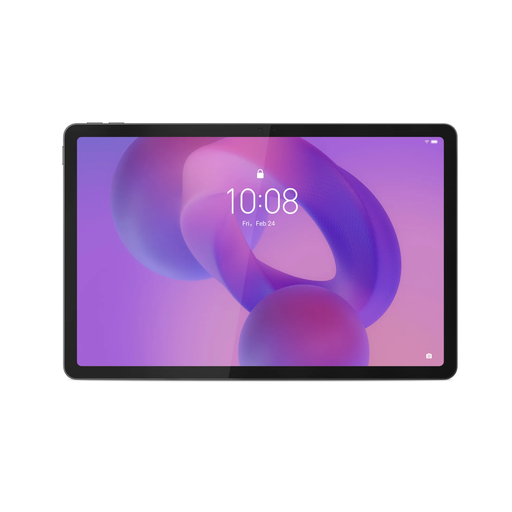
Why it suits this user: With 8 GB of RAM, an 11-inch screen and a Tab Pen included, it’s a good fit for students, people working from home and creative users.
The specifications list the resolution, brightness, RAM and storage separately. Please note: according to the product information, a charger isn’t included as standard.
2560 × 1600 IPS screen, 90 Hz, 128 GB storage, microSD support and compatibility with the Lenovo Tab Pen.
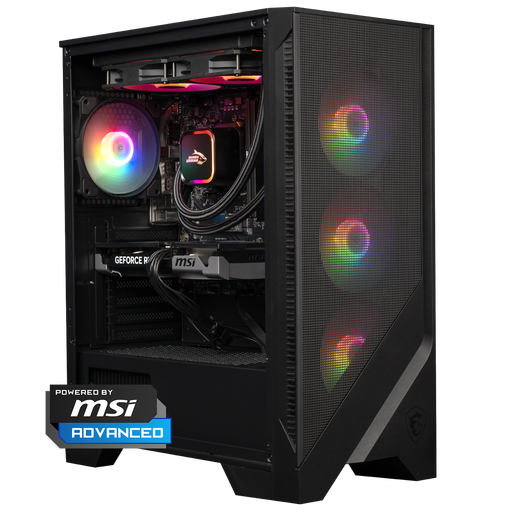
Why it suits this user: This gaming PC combines a Ryzen 5 7400, RTX 5060 Ti, 16 GB DDR5 and 1 TB of NVMe storage for gamers and content creators.
The configuration lists more than just the graphics card: it also specifies DDR5 memory, the power supply, cooling and storage. Check the case dimensions beforehand.
RTX 5060 Ti 8 GB, 1 TB NVMe SSD, 16 GB DDR5, Windows 11 Home and a 240 mm liquid cooler, according to the product information.
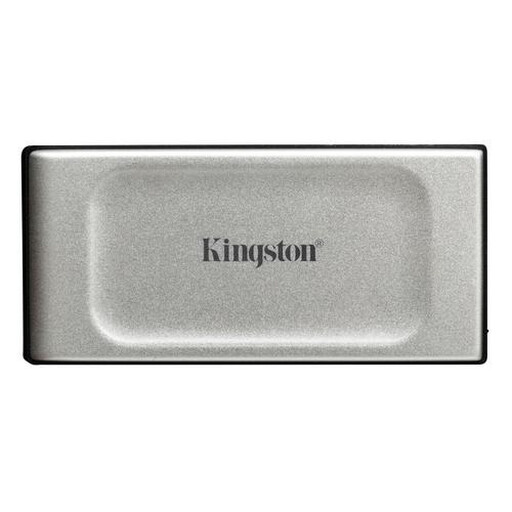
Why it suits this user: Ideal for content creators and people working from home who need to move large photo, video and project files between compatible devices.
The USB-C connection and USB 3.2 Gen 2x2 standard are clearly stated. Maximum speed is only possible with a compatible device and cable.
500 GB storage, stated read and write speeds of up to 2,000 MB/s, IP55 protection and a compact design.
If you’re looking for an affordable Android tablet, you could also consider the DOOGEE U11. It has an 11-inch IPS screen, 128 GB of storage, microSD expansion and 2.4 and 5 GHz Wi-Fi. If you’d like to read on the go, the Bigme HiBreak Pro Color is worth considering as an e-book reader. Drivers may want to look at a 4K dashcam such as the AZDOME M500-3CH, which has front, interior and rear cameras, Wi-Fi and a memory card included. Camera footage can’t guarantee a particular outcome; be sure to check local traffic laws and privacy requirements too.
We’ve put together a complete, up-to-date list of products that meet these strict selection criteria and the applicable European safety regulations.
Not necessarily. An internal NVMe SSD uses PCIe and can offer very high speeds. An external SSD is easier to carry around, but the USB port, cable and casing all affect the final transfer speed. So be sure to check the whole connection.
500 GB may be enough if you only play a small number of games. If you keep several large games, videos and programmes, you’ll need more space. A 1 TB model, such as the gaming PC mentioned above, gives you more room to play. You may be able to add more storage later, depending on the available slots.
Check the screen, internal storage, expandability, RAM, Wi-Fi version and accessories. Also see whether a charger is included. A Lenovo tablet with a Tab Pen, for example, is well suited to taking notes and drawing, while a DOOGEE tablet with microSD expansion may be a good choice for streaming and downloads.
