
Livraison le jour même et le lendemain

Qualité garantie

Débloquez vos offres de bienvenue: Livraison GRATUITE | Jusqu'à -80 % | 30 jours d'essai gratuits à JoyPlus
Téléchargez l'application
A dynamic workspace is no longer a luxury. Whether you're working from home or taking your gaming setup to the next level, an electric sit-stand desk can make a huge difference. But the market is flooded with models that look good at first glance but fall short in practice. Before you invest, it's crucial to know what to look for. We'll cover the most common pitfalls and the specifications that truly matter.
Many desks seem ideal on paper but start showing flaws after just a few months. Watch out for these three common problems to avoid a costly mistake.
To sidestep the pitfalls above, focus on a few concrete specifications. These determine the long-term quality and usability of your desk.
An ergonomic desk for remote work must be stable. Always check the maximum load capacity. This should be more than enough for your monitor(s), computer, and other equipment. A frame with two motors (one in each leg) typically offers more stability and a more even lifting capacity than a frame with just one motor. The construction of the legs, such as a three-segment design, often provides greater stability at the highest setting.
Quiet operation is essential. Look for specifications on the noise level, often expressed in decibels (dB). A value below 50 dB is generally considered quiet. An advanced control panel with memory presets is also very practical. This allows you to save your ideal sitting and standing heights and switch between them with a single button press. Some models also feature an anti-collision system that stops the movement if it detects an obstacle.
Modern desks offer more than just an adjustable surface. A standing desk with power outlets and USB ports is an excellent investment for a clutter-free workspace. All your devices can be plugged directly into the desk. For gamers or creatives, a desk with RGB lighting can set the mood and complete the setup. These features make a desk not only more practical but also a central element of your room.
Not every desk is right for everyone. Below are some popular choices, matched with different user profiles.
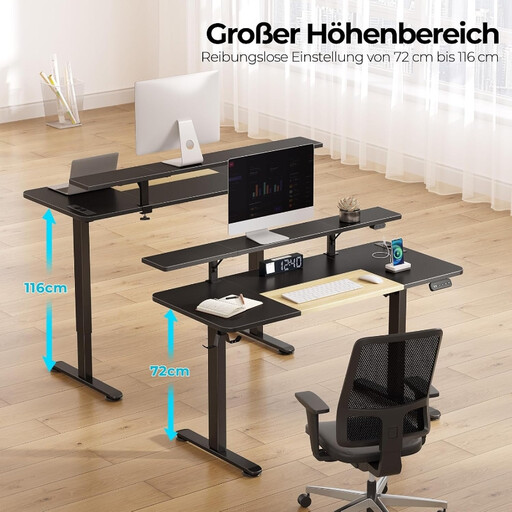
Why This Fits Their Persona: Perfect for those who want to switch from a day of focused work directly to an intense gaming session. This height-adjustable gaming desk combines ergonomics with atmosphere, making it a true all-in-one solution.
Directly tackles the cable chaos pitfall with an integrated power hub. The RGB lighting and monitor stand offer functionality that goes beyond a standard desk.
Built-in power hub with 2 outlets and 2 USB ports. Customizable RGB lighting with, according to the manufacturer, 60,000 colors and memory presets.
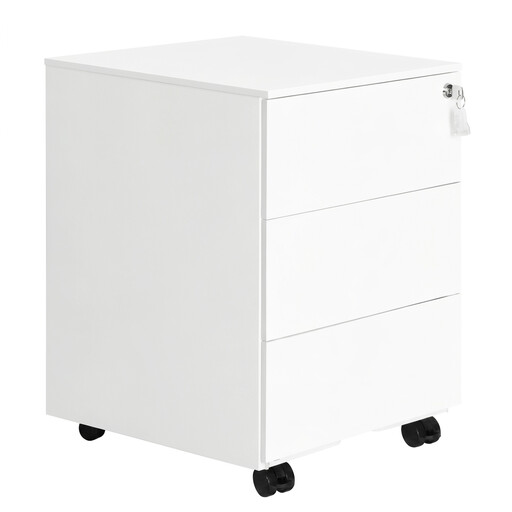
Why This Fits Their Persona: For the professional who believes a tidy desk equals a clear mind. This drawer cabinet is the perfect complement to a minimalist sit-stand desk, keeping documents and office supplies neatly out of sight.
Prevents your new, expensive desk from becoming a cluttered storage space. It provides a structural solution for the stray items that are inevitable in a home office.
Arrives pre-assembled (only casters need to be attached). Mobile and equipped with a lock for added privacy.
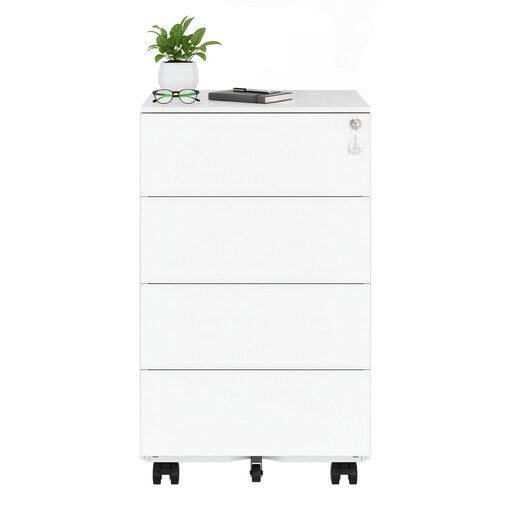
Why This Fits Their Persona: Ideal for users who need to store a lot of documents, folders, or office supplies. With four spacious drawers, this unit ensures the desktop remains completely free for dynamic work.
Solves the storage problem on a larger scale. This ensures that the investment in an ergonomic desk is not undermined by a cluttered and chaotic work environment.
Robust steel construction with a load capacity of 15 kg per drawer. Full-extension drawers for easy access and a lock for security.
A great workspace is more than just a desk. Discover additional storage solutions that meet strict selection criteria and fit a modern, functional interior.
The load capacity varies greatly, typically between 70 kg and 120 kg (approx. 155 to 265 lbs). A basic setup with a laptop and a single monitor doesn't require much, but if you have multiple heavy monitors, a desktop computer, and other accessories, it's wise to choose a model with a load capacity of at least 100 kg (220 lbs) for added stability and motor durability.
A dual-motor desk is generally the better choice. They can handle more weight, adjust the height faster and more evenly, and are often quieter and more stable than single-motor models. A single-motor model may suffice for a light, minimalist setup, but for most users, a dual-motor provides a noticeably better experience.
A simple rule of thumb for the correct ergonomic posture:
