
Vandaag of morgen in huis

Kwaliteit gegarandeerd

Welkomstaanbiedingen ontgrendelen: GRATIS bezorging | Tot 80% korting | Gratis 30 dagen JoyPlus-proefperiode
Download de app
An electric height-adjustable desk can be a real asset for homeworkers, students, gamers and office professionals. With the touch of a button, you can switch between sitting and standing. However, not every electric desk is equally suited to your space or equipment.
Pay particular attention to three common pitfalls:
In this guide, we compare practical options and explain what details you need to check before buying.
For a home office or study desk, the dimensions are key. A desktop of 120 x 60 cm is suitable for a laptop, monitor and basic accessories. If you work with two screens, a larger monitor or paperwork, you'll be better off with 140 x 60 cm or 160 x 70 cm.
Also consider the depth. At 60 cm, the workstation stays compact, while 70 cm gives you more room to position a monitor at a comfortable distance. Measure your available space beforehand and account for cables, skirting boards and the movement of the desktop.
A sit-stand desk needs to go low enough for your seated posture and high enough for standing use. Typical ranges on offer include 72–120 cm and 72–118 cm. The right setting depends on your height and chair.
Also check:
A desk that wobbles at its highest setting can be uncomfortable, especially with a monitor arm. Place heavy equipment as centrally as possible and make sure all screws are properly tightened.
An electric desk with a memory function can store several preferred heights. This is practical if you regularly switch between sitting and standing. Some models have two memory settings, others four.
A desk with a USB-C port can be handy for charging a compatible device. However, check whether the port actually delivers enough charging power for your laptop or is only suitable for smaller devices. A USB-C port doesn't automatically replace your laptop's charger.
Also be aware of usage limitations. For several JOYFURNOS models, the product information states that the motor protection may activate after approximately two minutes of continuous adjustment. After that, you'll need to wait around 18 minutes as per the description. This is relevant if you frequently adjust the desk from its lowest to highest position.
The choices below are based on verifiable data such as size, height range, weight capacity, memory settings and connections.

Why this fits the profile: The compact size suits a smaller study, bedroom or home workspace. The height is electrically adjustable from 72 to 118 cm.
The product information states both the height range and a maximum static weight capacity of 70 kg. This means you can better assess the available space and load beforehand.
120 x 60 cm, digital control panel, two memory settings and two hooks. According to the product information, CE and European standard certification are listed.

Why this fits the profile: The spacious desktop is designed for working or studying with multiple devices. The combination of memory function and USB-C connection suits a fixed, organised workstation.
The stated dimensions of 160 x 70 cm prevent you from only looking at adjustability and underestimating the workspace you need.
Height range of 72–120 cm, maximum static weight capacity of 70 kg, two cable grommets, an organiser and a USB-C port according to the product description.
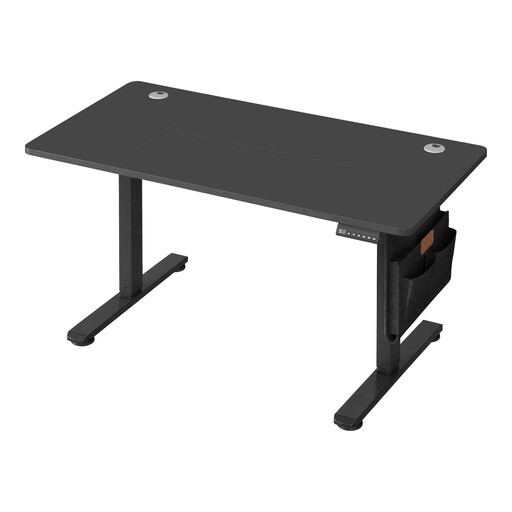
Why this fits the profile: This size offers more room than a compact student desk and takes up less space than a 160 cm desktop. It suits homeworking, gaming and daily study.
The specifications mention a weight capacity of 70 kg and adjustable feet. Still, place the desk on a level surface and do not exceed the stated load.
140 x 60 cm, height adjustment from 72–120 cm, memory function, USB-C port, cable holes and a lock function on the control panel.
Before ordering, check the product dimensions, your chair height and the length of your power cable. Leave space between the desktop and the wall during adjustment. Keep liquids away from the electrical components and do not use an adapter with too high a voltage.
Assemble the frame on a level surface and tighten the connections evenly. Then test it first without heavy equipment. For a study and gaming desk, it's wise to add monitors, PC and other accessories gradually. This way, you'll notice more quickly whether the setup remains stable.
An electric desk only uses power during adjustment and to a limited extent for the controls. The exact cost depends on the motor power, how often you move the desk and your local electricity rate. For precise values, consult the product specifications or manual.
We've put together a full, up-to-date list of products that fully meet these strict selection criteria and current European safety regulations.
Set the desk so that your shoulders stay relaxed and your elbows form roughly a right angle when typing. For standing work, the keyboard should be at a height where you don't have to lean forward. The stated range of the desk is a starting point; your chair, height and monitor position determine the practical setting.
The lifespan depends on factors including motor load, assembly, weight and frequency of use. Stick to the maximum weight capacity, don't wedge the desk against a wall and follow the pause instructions for prolonged adjustment. Periodically check cables, screws and the frame.
The power consumption is typically linked to the brief moment when the motor moves the desktop. How often you adjust the height and which motor and control system is used will affect consumption. So look at the technical information for the specific model rather than just the presence of an electric motor.
