
Vandaag of morgen in huis

Kwaliteit gegarandeerd

Welkomstaanbiedingen ontgrendelen: GRATIS bezorging | Tot 80% korting | Gratis 30 dagen JoyPlus-proefperiode
Download de app
An electric height-adjustable desk can be useful if you want to change position regularly while working, studying or gaming. However, a sleek design or a promise of “ergonomic working” isn’t enough to make a decision. The differences often come down to the height range, stability, size and controls.
If you only look at the price, you could end up with a wobbly frame, too little legroom or an impractical cable setup. Use the points below to compare a height-adjustable desk based on measurable features rather than marketing claims.
A load capacity of, say, 70 kg may sound generous, but always check whether this refers to the static load capacity. This figure usually applies when the desk is stationary. A heavy monitor arm, several screens and speakers may put a different load on the frame as it moves than a laptop alone.
Pay attention to how the weight is distributed, too. Place heavy equipment as centrally as possible and take into account any accessories that hang over the edge.
A desk that adjusts from 72 to 120 cm won’t automatically suit everyone. You should be able to rest your arms comfortably on the keyboard, with your screen at a comfortable viewing height. So check:
For many home offices, a 120 x 60 cm desktop is practical. It gives you room for a laptop or monitor, keyboard and documents without needing a large room.
A memory function is only useful if you can save and select your preferred settings easily. An electric height-adjustable desk with memory function and two presets may be enough if you just want to switch between sitting and standing. If several people will use the desk, having more memory positions may be useful.
A USB-C port, cable management and a headphone hook are handy extras, but they can’t make up for a poor-quality frame. Also check that the cables have enough slack when you adjust the desk.
An electric sit-stand desk uses a motor to move the desktop. Don’t just check whether it has a motor; also look at:
Some models’ product information states that a safety feature activates after around two minutes of continuous adjustment. You may then need to wait before using the desk again. This matters in a shared workspace or if you change the desk height frequently.
A steel frame can provide a sturdy base, but how stable the desk feels also depends on its legs, joints, the floor and how well it’s assembled. Check the maximum static load capacity, the weight of the desk and whether the feet are adjustable.
A desk for the office or home working should remain stable with the equipment you actually use. A gaming desk for one monitor needs a different size from one used for two screens, a desktop PC tower and speakers.
A 120 x 60 cm desktop is suitable for a compact setup. A 140 x 60 cm or 160 x 70 cm desktop gives you more space for several screens and accessories. Measure the available space first, including room for the desktop to move.
Cable holes, a storage compartment or a cable tray can stop cables from hanging over the edge. Check that the cables are long enough to stay safely connected when the desk is at its highest setting.
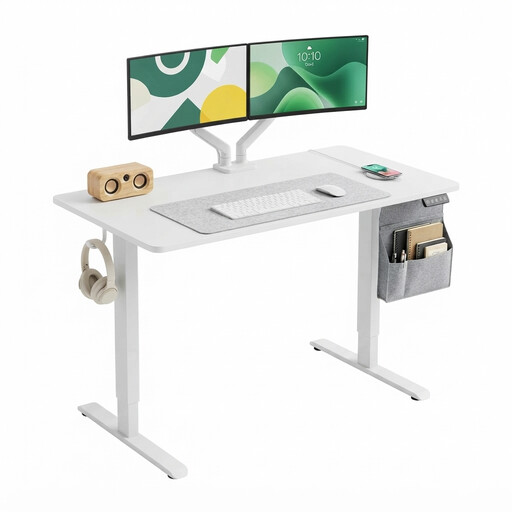
Why it suits this profile: Its compact size makes it a good fit for a home office, student room or bedroom. The controls include a digital display and two memory presets.
The product information gives a height range of 72–118 cm and a static load capacity of 70 kg. This means you can compare these specifications with those of other models before you buy.
120 x 60 cm, two memory presets, digital display and two hooks. The product information lists CE and European standards certifications.

Why it suits this profile: The larger desktop has room for multiple screens, accessories and documents. It’s a good choice for a spacious office or home-working setup.
The product description mentions memory functions, cable management and a USB-C port. Check that the charging capacity and connections meet the needs of your own equipment.
160 x 70 cm, height range of 72–120 cm, USB-C port, storage options and a stated static load capacity of 70 kg.

Why it suits this profile: Four memory presets are handy if you regularly switch between several working heights or if different adults share the desk.
The stated dimensions, height range of 71–120 cm and 70 kg limit make it easier to compare with other desks. The guidance on clearance from the wall helps prevent problems while the desk is moving.
140 x 60 cm, four memory presets, USB-C port, cable management and three hooks, according to the product description.
We’ve put together a complete, up-to-date list of products that meet these strict selection criteria and current European safety regulations.
Place the desk on a level surface, leaving space between the desktop and the wall while it moves. Position the screen so you don’t have to keep looking down, and keep the keyboard and mouse within easy reach. Once assembled, check all the connections and test the desk before adding heavy equipment.
Keep electrical components away from liquids. If your desk has cable management, avoid pulling the cables taut. Also check regularly that plugs, cables and fixings are secure.
This depends on the motor’s power, how often you adjust the desk and your electricity tariff. Adjustments usually take only a short time, but you can only calculate the exact running cost if you know the stated power and how long the desk is used for. If a model doesn’t state its energy consumption, you can’t make a fair comparison of its annual running costs.
Its lifespan depends on assembly, load, how often it’s used and maintenance. Don’t exceed the stated load capacity, and follow the guidance on rest periods when adjusting the desk for extended periods. A desk that’s stable and isn’t constantly carrying its maximum load will generally be under less strain than one packed with equipment.
For a laptop, one monitor, keyboard and documents, 120 x 60 cm is often enough. For two screens, a desktop PC or lots of accessories, 140 x 60 cm or 160 x 70 cm is more practical. Measure your available space and check that your chair and cables have enough room to move.
