
Livraison le jour même et le lendemain

Qualité garantie

Débloquez vos offres de bienvenue: Livraison GRATUITE | Jusqu'à -80 % | 30 jours d'essai gratuits à JoyPlus
Téléchargez l'application
An electric height-adjustable desk can be useful for home workers, students, gamers and office workers who want to adjust their workspace regularly. With the push of a button, you can switch between sitting and standing. However, an attractive desktop or low price does not tell you everything. The motor, dimensions and controls are particularly important in determining whether a height-adjustable desk remains comfortable and practical for everyday use.
A desk that reaches 120 cm is not automatically suitable for every user. The minimum height is just as important. A desktop that is too high can result in an awkward arm position, while a desk that is too low may not work well with your chair.
Therefore, always check the full adjustment range, such as 72–120 cm or 72–118 cm. Also consider your chair, height and monitor height.
‘Quiet’ is a commonly used product term. In practice, you mainly want to know whether the motor moves smoothly, whether the frame remains stable and whether obstacle protection is included. For the models in this selection, smooth motor operation is mentioned in the product description. This is useful information, but it is not a universal guarantee of the same noise level in every room.
Also pay attention to the usage limitations. Several models activate overheat protection when the desk has been moving continuously upwards or downwards for approximately two minutes. According to the product information, you must then wait 18 minutes.
A cable port is not the same as a complete cable management system. Check whether an organiser, storage compartment or hook is also included. A desk with cable management is particularly practical when you use a laptop, monitor, charger and accessories.
For a desk with a power connection or USB-C port, also check where the connection is located. A USB-C port in the control panel is useful for compatible devices, but it does not always replace a full-power charger.
For a sit-stand desk, it is important to be able to adjust the height quickly. A desk with memory function stores set positions, so you do not have to search for a suitable height from scratch every time. Some models have four memory settings, while others have two preferred positions.
A digital display is practical if you want to read the height accurately. A lock function on the control panel can help prevent the height from being changed accidentally.
Choose the desktop based on your equipment and available space:
The models listed have a maximum static load capacity of 70 kg. This is the total weight resting on the desktop, not just the weight of your computer. Distribute heavy equipment evenly and take monitor arms and other accessories into account.
A steel frame can contribute to stability, but the surface underneath also matters. Position the desk level and use adjustable feet if the floor is not completely even. During adjustment, the desk should not be positioned directly against a wall. Also keep fixed objects, cables and drawers clear of the moving frame.
According to the product information, the desks are intended for indoor use only. Electrical components must be kept away from liquids. Use the supplied adapter and do not exceed the stated load capacity.
For some JoySelect models, the product information states a CE mark and certification in accordance with European standards. A CE mark is not a quality ranking; always check the latest product information and the documentation supplied.

Why it suits this profile: The compact size fits in a study, bedroom or small home office. The four memory settings make it easy to switch between saved positions.
The product description mentions a steel frame, cable ports, a storage compartment and a hook. So it offers more than just an adjustable desktop.
Adjustment range of 72–120 cm, four memory settings, obstacle detection according to the product description and a load capacity of 70 kg.
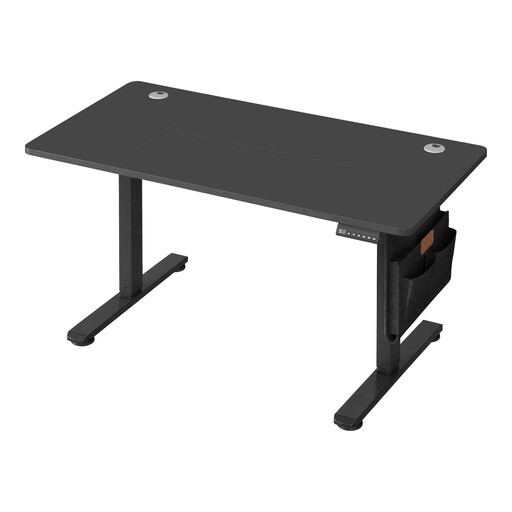
Why it suits this profile: This size provides more workspace than a 120 x 60 cm desk without the depth of a large corner desk. The USB-C port is practical for keeping your workspace tidy.
The specifications list two cable ports, an organiser, a hook, adjustable feet and a lock function on the control panel.
Dimensions of 140 x 60 cm, height range of 72–120 cm, USB-C connection, memory function and a maximum static load of 70 kg.

Why it suits this profile: The spacious desktop is suitable for multiple screens, study materials or a gaming set-up. The extra depth gives you room to position monitors further away from you.
The product information mentions cable ports, an organiser, a large hook, adjustable feet and a controller with a lock function.
Desktop measuring 160 x 70 cm, height range of 72–120 cm, USB-C port, memory function and 70 kg static load capacity.
We have put together a complete, up-to-date list of products that fully meet these strict selection criteria and the applicable European safety regulations.
The correct height depends on your height, chair and equipment. Start with a position where your forearms are approximately horizontal and your shoulders are relaxed. Save this position as a memory setting and set a separate standing position.
The lifespan depends on usage frequency, load, assembly and maintenance. A desk that is regularly loaded beyond its capacity or adjusted continuously for long periods may wear out more quickly. Therefore, follow the manufacturer’s instructions and use the overheat protection as a signal to let the desk rest.
Power consumption varies depending on the motor, controller and usage. The USB-C port can charge a compatible device, but the actual charging capacity and energy consumption depend on the specifications. An energy-saving mode, as mentioned for some models, can limit consumption when the desk is not in use.
