
Livraison le jour même et le lendemain

Qualité garantie

Débloquez vos offres de bienvenue: Livraison GRATUITE | Jusqu'à -80 % | 30 jours d'essai gratuits à JoyPlus
Téléchargez l'application
An electric height-adjustable desk can be useful for working from home, studying and long working days. With the press of a button, you can switch between sitting and standing. However, an attractive design or the label “ergonomic desk” tells you little about whether it will suit your space.
Most disappointing purchases come down to three common pitfalls:
So don’t just focus on looks. Pay particular attention to the height range, weight capacity, dimensions, cable management and instructions for the electric system.
First, measure the available space. An adjustable desk measuring 120–160 cm offers several options:
Check the depth too. A 60 cm desktop takes up less space, while 70 cm gives you more room to position your monitor further away. The desks in this selection have a height range of approximately 72 to 120 cm. This range may work for many users, but your sitting height, chair and height will determine whether the settings suit you.
Check the static weight capacity, not just the weight of the desktop. For example, a desk with a 70 kg capacity can support a monitor arm, screens, laptop, lamp and other accessories, as long as you stay within that limit. Make sure you also consider how the weight is distributed.
A steel frame, adjustable feet and a stable floor are all practical considerations. Cables pulled taut or a desk positioned against a wall can cause problems when the desk moves. Leave enough clear space around the desktop and frame.
According to the product descriptions, the selected models have steel frames and adjustable feet. Their stated maximum static load is 70 kg. These are product specifications, not a guarantee that every desk will remain completely free from movement in every room.
An electric desk with a memory function can save your preferred sitting and standing heights. This saves time when several people use the same desk or when you regularly change position. Check how many preset positions are available, as this varies by model.
An adjustable desk with USB-C can be handy for charging compatible devices. Before buying, check exactly what charging functions the product supports. A USB-C port doesn’t automatically mean every device will charge at the same speed.
A desk with cable management can also help keep loose cables off the floor. Check what’s included, such as cable grommets, an organiser and any hooks. Also consider the length of your power and monitor cables: they need enough slack when you adjust the desk.
The selection below is based on verifiable information in the product descriptions, including dimensions, height range, weight capacity and available features.
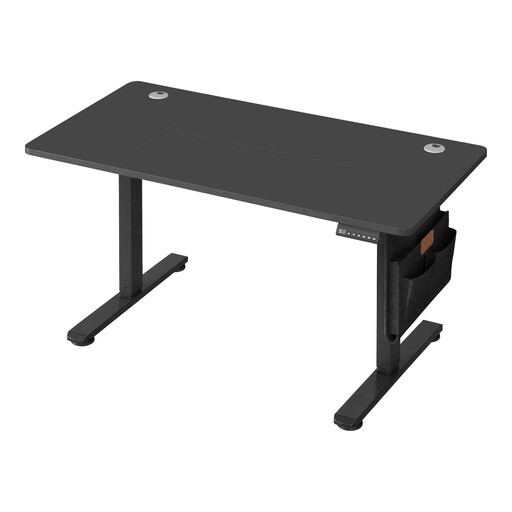
Why it suits this type of user: The 140 x 60 cm desktop provides a practical workspace without taking up as much room as a larger desk. This makes it a good fit for a student room or compact home office.
The product description lists a memory function, USB-C port, two cable grommets and an organiser. So you don’t have to rely on marketing claims alone: the practical features are clearly specified.
Height range of 72–120 cm, static weight capacity of 70 kg and a steel frame with adjustable feet.

Why it suits this type of user: The generous desktop is ideal for professionals who need space for multiple screens, a keyboard, documents and accessories all in one place.
The product specifications list not only the dimensions, but also the material, 70 kg weight capacity, cable grommets and a fabric organiser. This lets you assess the space and load you’ll need in advance.
160 x 70 cm desktop, memory function, USB-C connection and stated height range of 72–120 cm.

Why it suits this type of user: The combination of a large desktop, saved height settings and cable management makes this a good choice for daily, intensive use by people working from home and professionals.
The description lists a controller with a memory function, USB-C, cable management and a lock function. It also mentions overheat protection if you adjust the desk continuously for more than two minutes.
Four stated memory settings, USB-C port, static weight capacity of 70 kg and accessories such as a storage bag and hooks.
We’ve put together a complete, up-to-date list of products that meet these strict selection criteria and the applicable European safety regulations.
Adjust the desk height so your forearms rest comfortably on the desktop and your shoulders aren’t raised. When standing, adjust the desktop so it’s again at a comfortable elbow height. Use a monitor stand or adjustable monitor arm if the screen is too low. Alternate between sitting and standing at a comfortable pace. A standing desk for working from home is no substitute for a good chair or a suitable screen position.
Its lifespan depends on the motor, frame, load, assembly and how you use it. Don’t exceed the stated static weight capacity of 70 kg, and avoid adjusting the desk continuously for long periods. According to the product information, the models mentioned activate a safety feature after more than two minutes of continuous movement. You then need to wait 18 minutes before using the height adjustment again.
“Quiet” isn’t a universal measurement. According to the product descriptions, the models mentioned have a quiet motor and smooth height adjustment. In practice, how much noise you hear can depend on the floor, assembly, load and attached accessories. So check user information and make sure the desk is stable before using it for work or study.
