
Vandaag of morgen in huis

Kwaliteit gegarandeerd

Welkomstaanbiedingen ontgrendelen: GRATIS bezorging | Tot 80% korting | Gratis 30 dagen JoyPlus-proefperiode
Download de app
An electric height-adjustable desk can be useful if you want to switch between sitting and standing while working from home, studying or gaming. However, not every model proves equally suitable in everyday use. A low price, attractive desktop or promising memory function does not tell you everything about how practical a desk will be day to day.
As a Joybuy Product Recommendation Officer, I therefore focus primarily on verifiable specifications: the height range, dimensions, load capacity, controls and practical details such as cable management. This helps you separate marketing claims from the features you genuinely need.
A stated load capacity of, for example, 70 kg sounds generous, but this usually refers to a static load. A desk holding monitors, a computer, speakers and accessories may be placed under different levels of strain while being adjusted than when everything is stationary. So don’t just check the weight of your equipment; also make sure the desktop provides enough room to position everything securely.
A desk with a memory function stores preset heights. It does not automatically determine which height suits your body, chair or monitor. You need to set the sitting and standing heights yourself and check that your arms are relaxed and your screen is comfortable to view.
Also pay attention to the number of memory settings. Two presets may be enough for one user, while four settings are more practical in a shared workspace.
An electric desk moves. Cables therefore need to be long enough and must not run tightly against the wall or between moving parts. A desk with cable management, cable holes, an organiser or hooks can help, but it does not replace proper preparation.
The product information for several models also states that the desk should not be positioned directly against the wall while being adjusted. With some JOYFURNOS models, an overheating protection feature activates after approximately two minutes of continuous adjustment; according to the product information, you must then wait around 18 minutes.
A height-adjustable desk must go low enough for comfortable sitting and high enough for your standing position. The models in this selection have a range of approximately 71/72 to 118/120 cm. This range suits many work and study spaces, but always check it against your office chair and height.
Ideally, measure:
An ergonomic desk is therefore not automatically ergonomic for everyone. The combination of desk, chair, monitor and keyboard determines the result.
A 120 x 60 cm desktop is suitable for a laptop, one monitor and basic accessories. This may be sufficient for a compact student room or a simple home office.
With 140 x 60 cm, you get extra space for a monitor, keyboard and documents. A 160 x 70 cm desktop provides more room for two screens, a desktop computer or a larger gaming set-up. Do bear in mind the weight of your equipment and the available floor space.
Pay attention to the type of frame, the materials and adjustable feet. The product descriptions for the models mentioned specify steel frames, chipboard desktops and a maximum static load of 70 kg. These are verifiable product specifications; they do not guarantee that every desk will be completely vibration-free at its highest setting.
A desk with a USB-C port can be practical for charging compatible devices. However, check the charging function and recommended voltage in the product information before connecting an adapter. A USB-C connection is an additional feature, not a replacement for a complete power supply.

Why it suits this profile: This compact sit-stand desk has a 120 x 60 cm desktop and is suitable for basic work, studying or a simple home office.
The digital controls display the height and offer two memory settings, so you don’t have to search for your preferred positions every time.
Adjustable from 72 to 118 cm, with a load capacity of up to 70 kg according to the product description, plus two hooks. The listing states CE certification and European standards certification.
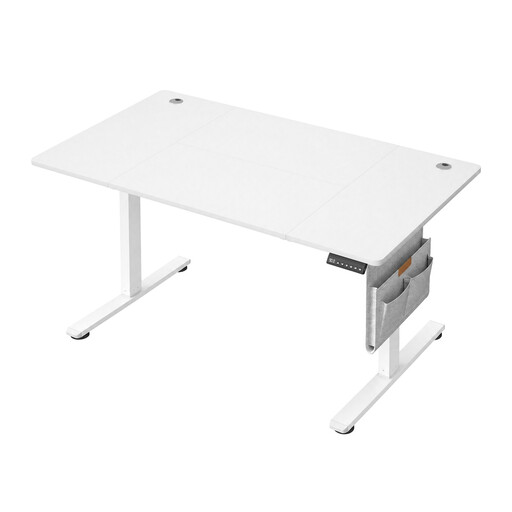
Why it suits this profile: The spacious desktop provides room for multiple screens, documents and peripherals in an office or larger home workspace.
Two cable holes, a fabric organiser and a large hook help keep loose accessories organised on the moving desktop.
Dimensions of 160 x 70 cm, height range from 72 to 120 cm, USB-C connection and a maximum static load of 70 kg according to the product information.

Why it suits this profile: Four memory presets are practical when you regularly switch between work, studying, gaming and different users.
The product description mentions cable management, an organiser and three hooks. This makes it easier to keep moving cables and accessories neat and organised.
Four memory settings, height range from 72 to 120 cm, USB-C port and a stated static load capacity of 70 kg.
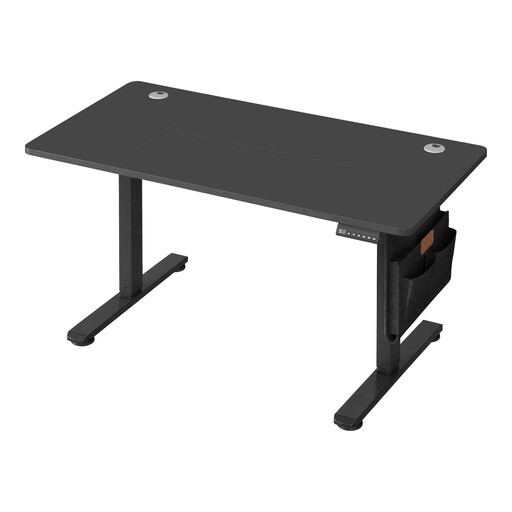
Why it suits this profile: This size offers more workspace than 120 cm without requiring the floor space of a 160 cm desk.
According to the product description, the controls feature a memory function, USB-C connection, cable holes and a lock function.
Dimensions of 140 x 60 cm, adjustable from 72 to 120 cm, with a stated load capacity of 70 kg and adjustable feet.
We’ve put together a complete, up-to-date list of products that fully meet these strict selection criteria and the applicable European safety regulations.
Place the desk on a level surface and check that all connections are secure. Leave sufficient clearance above, behind and beneath the desktop while adjusting it. Cables must not become trapped. Keep electrical components away from liquids.
Assemble the desk according to the instructions provided. For models with a sensor, it is advisable to set the sensitivity according to the manual. Do not use an adapter or socket with too high a voltage. After assembly, also check that the desktop is stable and that the motor moves smoothly.
Power consumption depends on the type of motor, how often you adjust the height and how long the desk remains in standby mode. You can only calculate the exact running cost using the stated power consumption and your local electricity tariff. An energy-saving mode, as mentioned for some JOYFURNOS controls, can reduce standby consumption.
Its lifespan depends on assembly, load, frequency of use and maintenance. Do not exceed the stated load capacity, keep moisture away from electrical components and periodically check the screws and cable connections. An overheating protection feature also means that you should not move the desk up and down continuously for extended periods.
When sitting, first set the height at which your shoulders remain relaxed and your forearms rest comfortably on the desktop. Then, when standing, choose a height at which you do not need to lean forwards. Use the memory settings for these positions, but adjust them again if your chair, monitor or workstation changes.
